 Emily CarterPrinter Drivers
Which printer driver updater should you use?
Start with Windows Update or your printer manufacturer if you know the model. Fionn Printer Driver is a dedicated Windows option for printer driver detection and repair across brands. General driver managers suit broader PC maintenance.
Quick picks
- Printer driver issues across brands: Fionn Printer Driver.
- Known HP or Epson model: start with the manufacturer's tools.
- Offline PC maintenance: prepare Snappy Driver Installer Origin packs in advance.
Quick Comparison
8 Best Printer Driver Updater Tools
Fionn Printer Driver
Choose Fionn Printer Driver when the task is specifically to identify, install, update, or recover a Windows printer driver rather than maintain every PC driver. It automatically recognizes mainstream printer brands and models, supports automatic and manual matching, and states driver download, installation, backup, and restoration capabilities. It is suited to Windows users who need printer-specific detection and a way to investigate driver, queue, port, service, sharing, or default-printer conditions. Visit Fionn Printer Driver to begin.
How to use
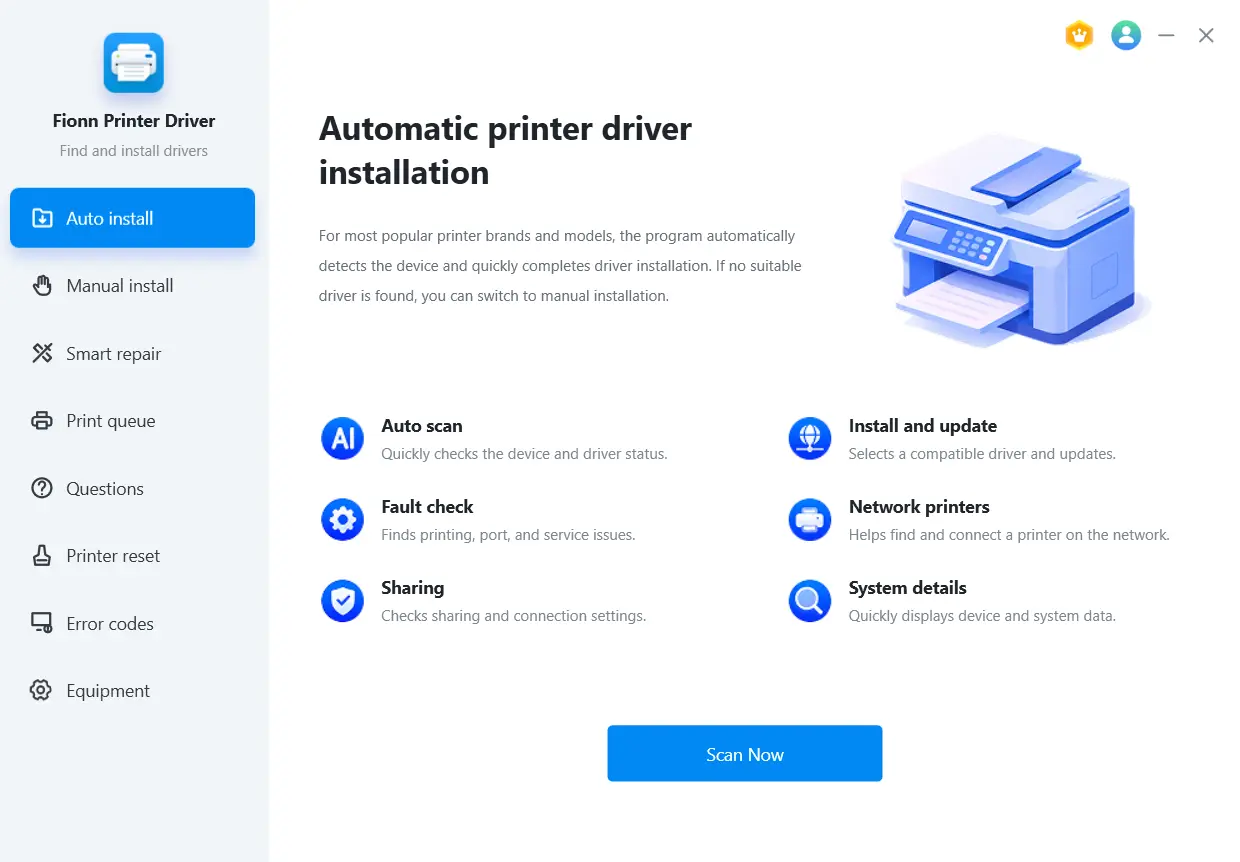
- Turn on your printer and connect it to your computer. Open Fionn Printer Driver, select “Auto install” in the sidebar, and click “Scan Now”.
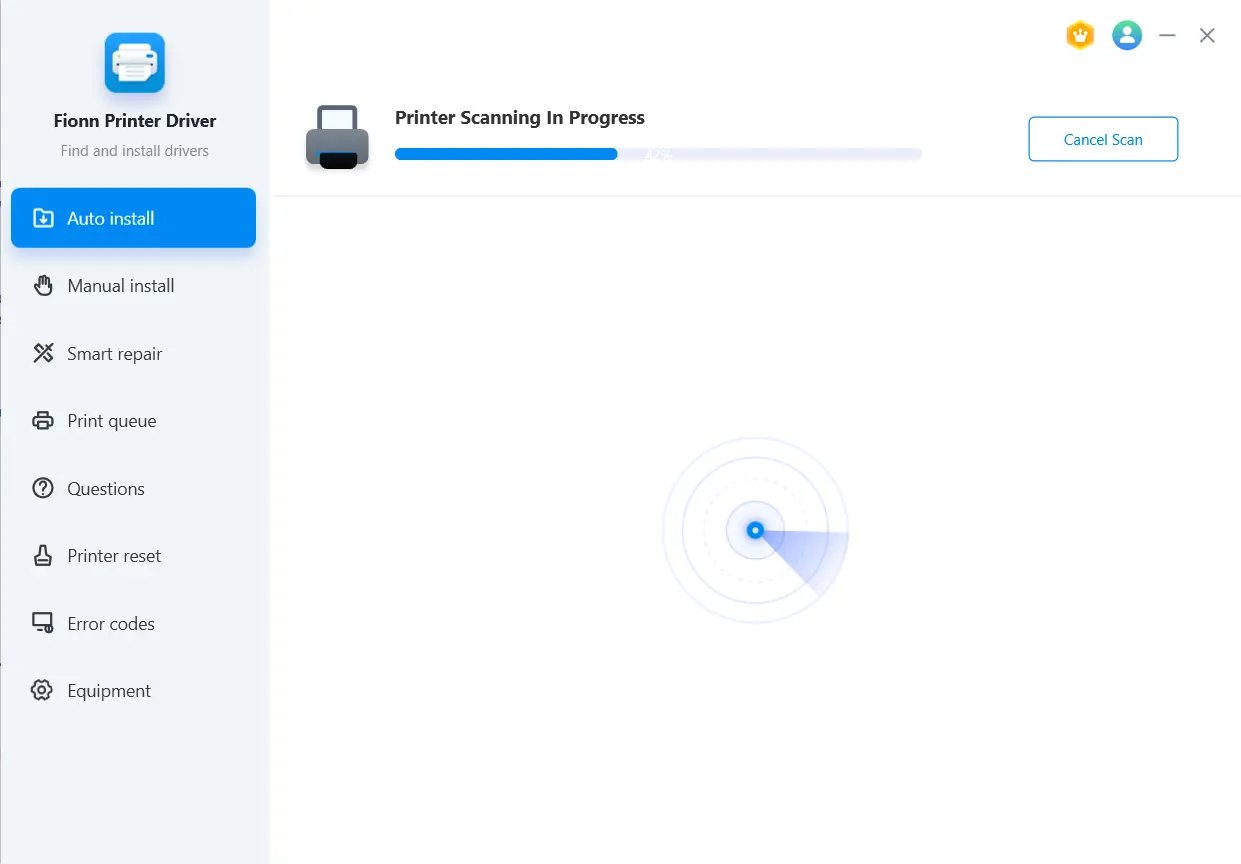
- Keep the printer connected while the scan runs. Wait for the detected printer and the driver list to appear.
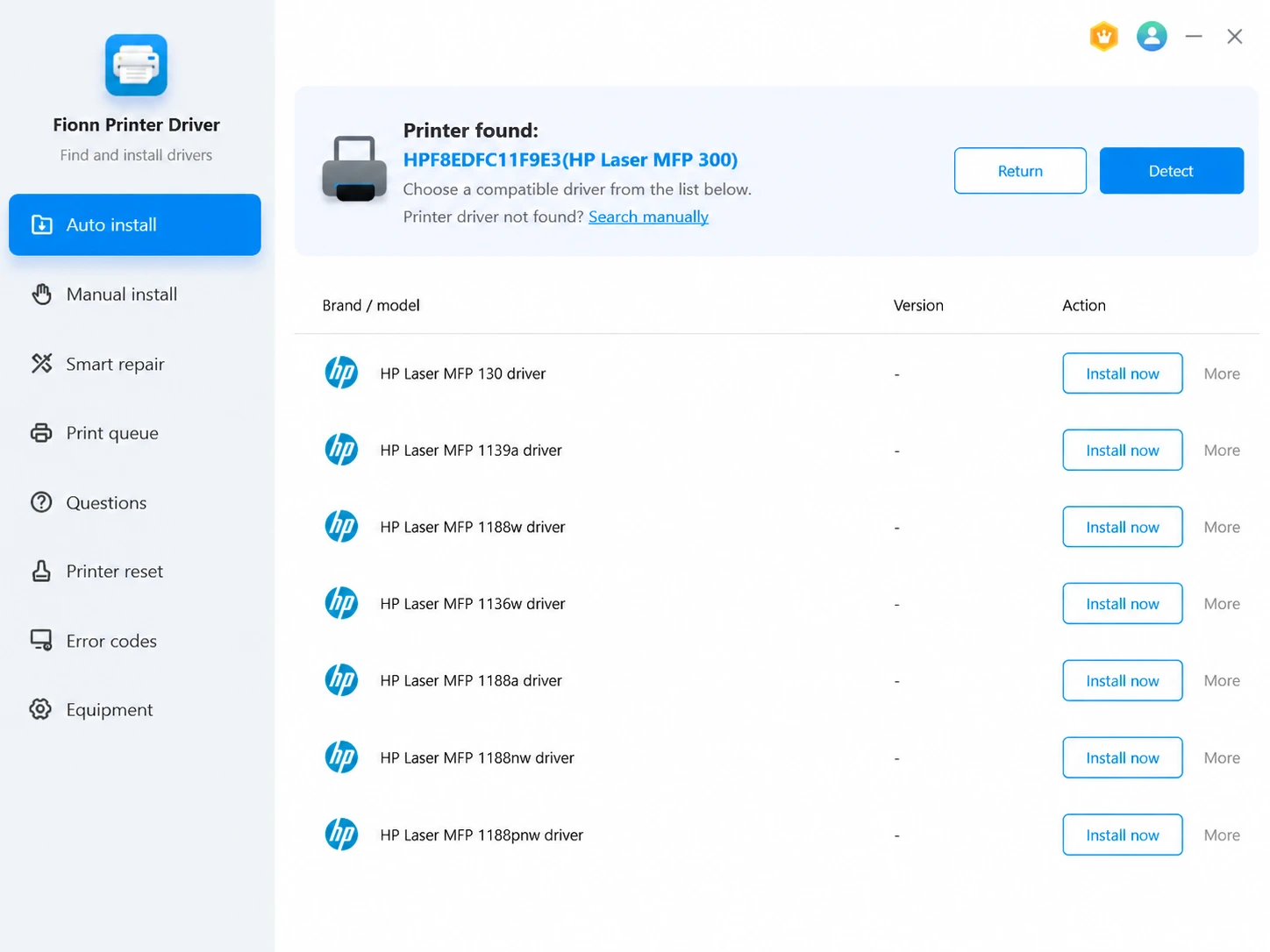
- Confirm the printer’s exact model, then click “Install now” next to the matching driver. If you do not see a match, click “Search manually” and look up the full model name.
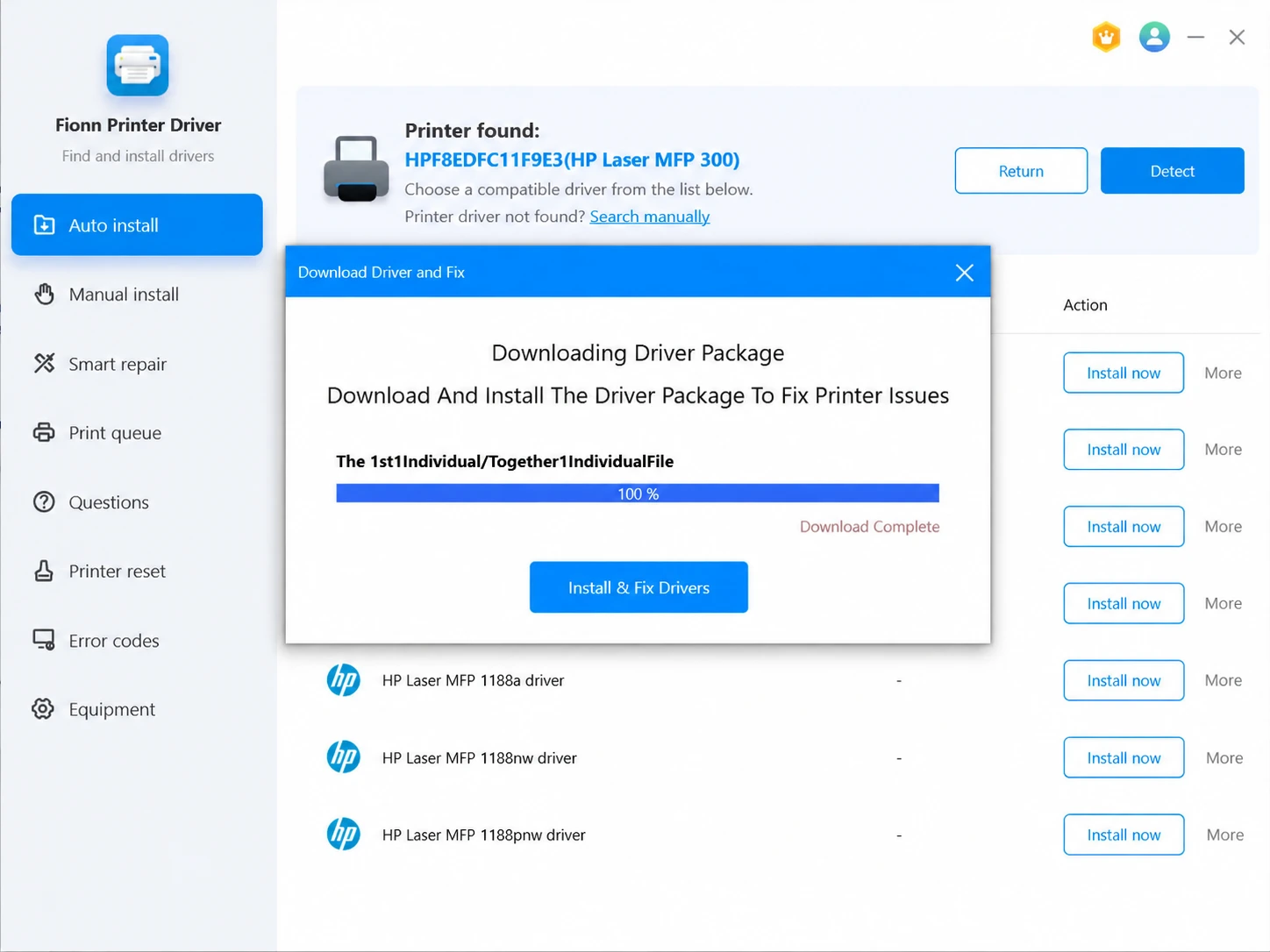
- When the dialog shows “Download Complete”, click “Install & Fix Drivers” and follow the prompts. After installation, print a test page from Windows to confirm the printer works.
IObit Driver Booster
Platform and cost: Windows | Free and Pro editions
Driver Booster is a general device driver manager for a Windows PC that needs more than printer maintenance. Its scan groups missing, outdated and faulty drivers. For an outdated driver, the results show dates for the installed and available versions, which helps you review what will change before installing anything.
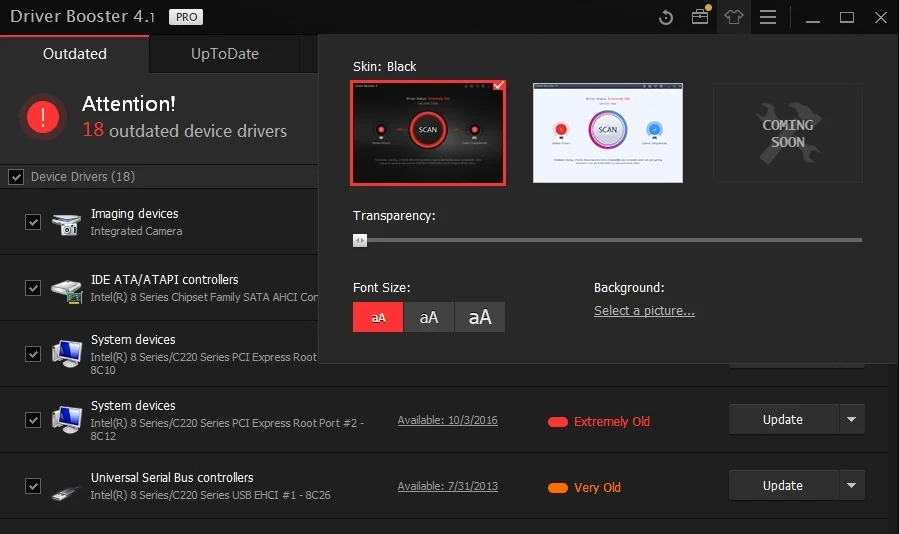
When to use it: If printing stopped after a Windows update, scan first and look for a result that matches the printer you actually use. Select only that update and print a test page before updating other devices.
Driver Easy
Platform and cost: Windows | Seven-day Pro trial, then paid
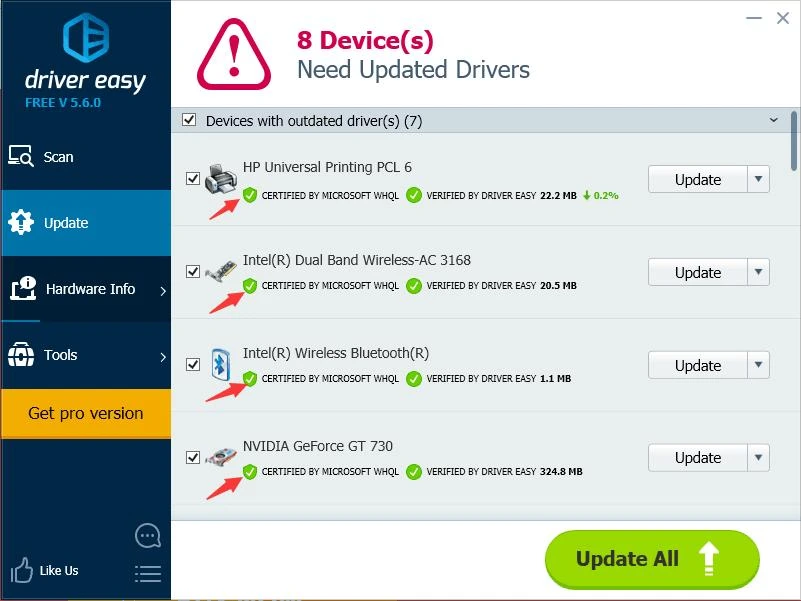
Driver Easy scans for missing or outdated device drivers and is useful if you want to inspect a proposed update before making a change. The Pro workflow includes installing a selected version, backing up drivers and rolling back an update.
When to use it: If a printer became unreliable after an update, record the installed driver version before trying another one. Compare the proposed version with the printer manufacturer's package and test printing after the change.
Snappy Driver Installer Origin
Platform and cost: Windows | Free and open source
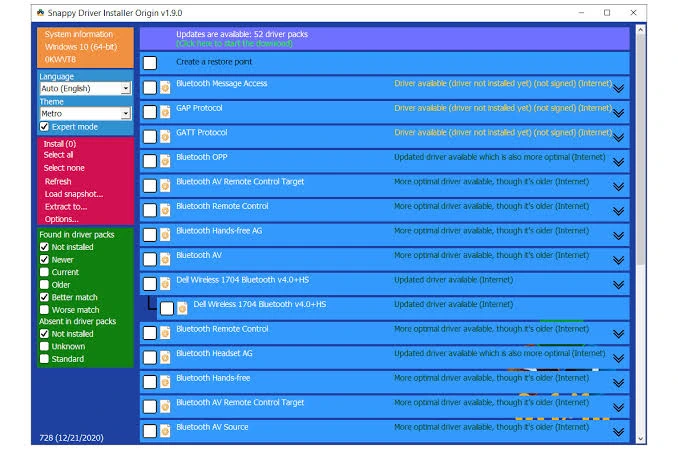
Snappy Driver Installer Origin is a portable tool that matches hardware against driver packs. With the appropriate packs already downloaded, it can install drivers without a live internet connection on the target PC.
When to use it: Prepare the relevant packs on a connected PC and take them to the offline computer. Review the match before installing. For an offline printer that also needs scanning or setup software, carry the manufacturer's full package as well.
DriverHub
Platform and cost: Windows | Free download
DriverHub scans Windows devices and can download and install driver updates. Its catalog includes printers, and the vendor lists automatic restore point creation among its features. That makes it an option when a printer is one of several devices that need attention after a Windows reinstall.
When to use it: Check whether the scan identifies the exact printer model. If it offers a match, apply the printer update separately and test it. If you need the manufacturer's scanner or network utility, look up the model on the brand support site.
DriversCloud
Platform and cost: Windows agent and web report | Core detection and lookup are free
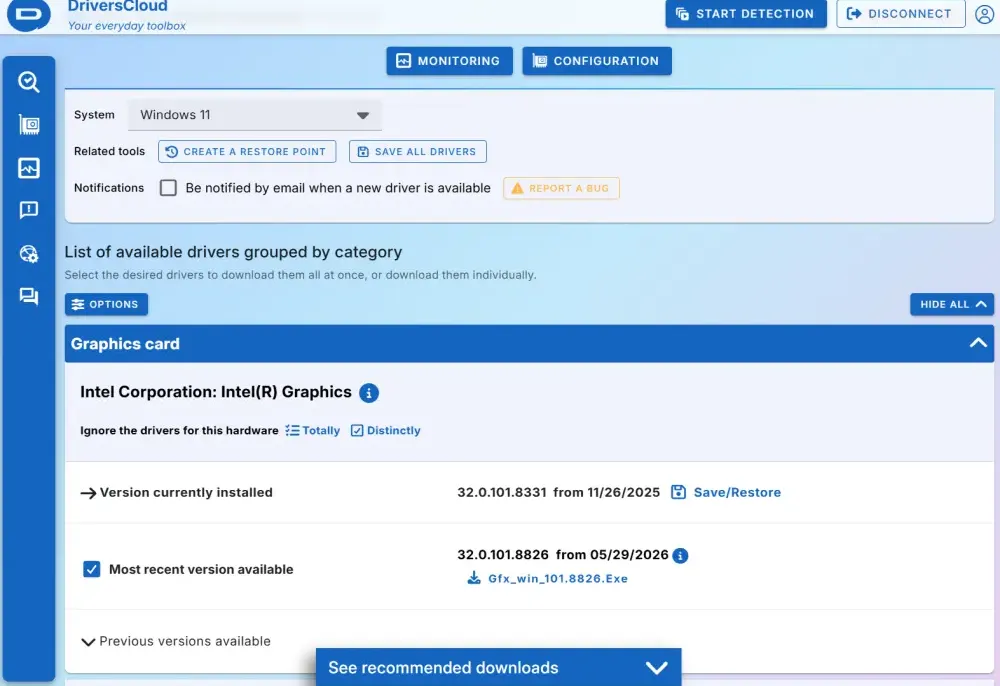
DriversCloud uses an installed agent to inventory the PC. Its My Drivers page lists recognized hardware, available drivers and version information, with links to download files. This is useful when the first job is figuring out what Windows actually recognizes.
When to use it: Run detection and use the report as a starting point. Compare the result with the label on the printer and its model support page before downloading. If the printer is absent from the report, check the connection and Windows printer setup first.
HP Easy Start / HP app
Platform and cost: Supported HP printers | Official setup tools
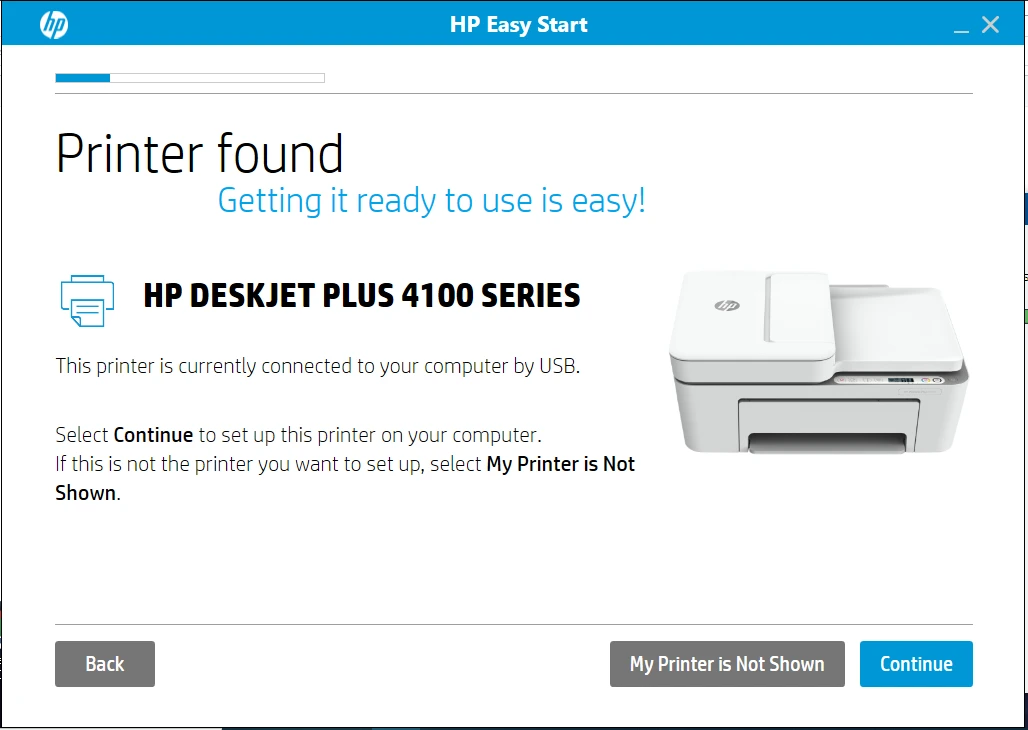
HP's setup options are most relevant when you already know you have an HP printer. Depending on the model, HP may direct you to Easy Start, the HP app or a separate driver download. Some Easy Start flows offer a full software and driver package.
When to use it: Start on the HP support page for the exact model and follow its Windows instructions. If setup offers a full package and you need scanning as well as printing, check which components it includes. Print a test page after setup.
Epson Software Updater
Platform and cost: Supported Epson products | Official download
Epson Software Updater checks for available Epson software updates on an Epson device that is connected and powered on. Depending on the model and installed software, the list can include drivers, utilities or firmware. Check the item type before installing.
When to use it: Use the updater for a printer you have already set up. If Windows cannot find the printer or the print driver has never been installed, start on the Epson support page for the exact model. Treat firmware as a separate update and follow Epson's instructions if you need it.
How We Compared
We used official documentation to compare what each tool detects, how it installs drivers and what its free tier includes. For printer-specific tasks, we also considered whether the tool helps with first-time setup, regular updates or identifying a missing driver. An updater finding a driver does not establish that the same package supports scanning or network setup.
Printer-Specific vs General Driver Updaters
Start with the manufacturer when you know the exact model and need first-time setup, scanning or wireless configuration. A printer-focused utility is useful if a printer is detected but its driver is missing or outdated, especially if you maintain several brands. Choose a general updater after a Windows reinstall when other devices need attention too. For a PC without internet access, prepare the driver packs and any model-specific installer before visiting the machine. Whichever route you take, print a test page and verify scanning separately if you use it.
How to Update Printer Drivers on Windows 11 or 10
- Check Windows Update for recommended and optional printer drivers. See Microsoft's printer driver guide .
- For a manufacturer package, match the exact printer model and Windows system type before downloading.
- In a third-party utility, verify the suggested driver before installing. Restart if prompted and print a test page.
Final Verdict
Start with the manufacturer for model-specific setup. Choose Fionn Printer Driver when you need a Windows tool focused on printer driver management across brands.
FAQ
Why is the printer driver unavailable?
Check Windows Update and the manufacturer's model page for a compatible driver.
What if printing stopped after a Windows update?
Check the connection and print queue, then print a test page. If a driver update caused the issue, try a matching vendor package or roll back the driver if Windows offers that option.
Is automatic updating safe?
Review the driver source, model and version before installing. Apply the needed update and test printing before making more changes.


