System DLL files
Automatically detects missing, corrupted or invalid DLL files and helps you restore them quickly.
 Fionn DLL Fixer
Fionn DLL Fixer
Automatically repair missing DLL,DirectX,and runtime issues to restore app and system stability.
 Automatically fix DLL errors
 Repair DLL, DirectX and Runtime
 Fix game and application crashes
 Improve Windows stability
Try It FreeWindows 11/10

 Buy Now
 4.9/5 from 4872 users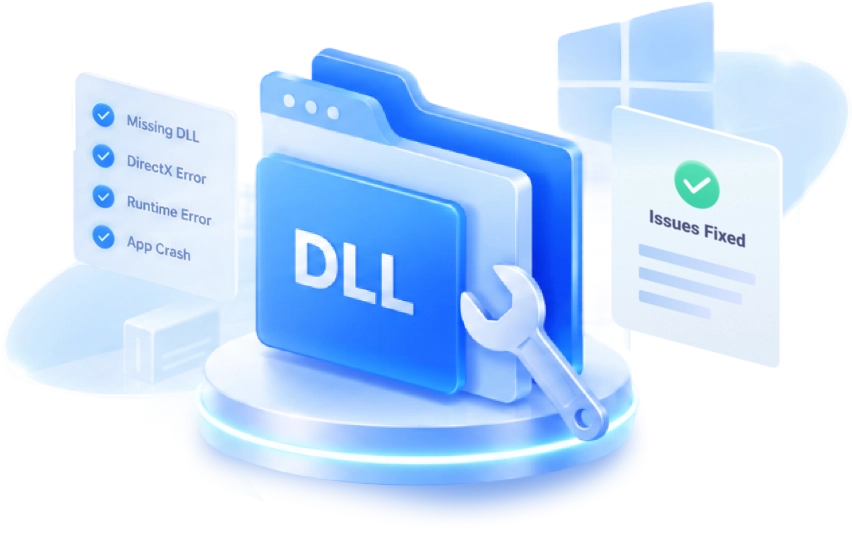


Automatically detect and fix the most common DLL, DirectX and Windows errors to keep your apps and games running smoothly.
Automatically detects missing, corrupted or invalid DLL files and helps you restore them quickly.
Fixes DirectX errors that affect the launch of games, graphics programs and multimedia.
Restores missing or damaged Runtime components necessary to run games and applications.
Eliminates common errors that cause crashes, freezes, and problems launching programs.
Detects and fixes common system errors that affect Windows stability.
Checks and fixes registry errors related to system components and applications.

Fionn DLL Fixer combines smart scanning, automatic repair and system optimization to help you quickly resolve DLL errors and keep Windows running smoothly.
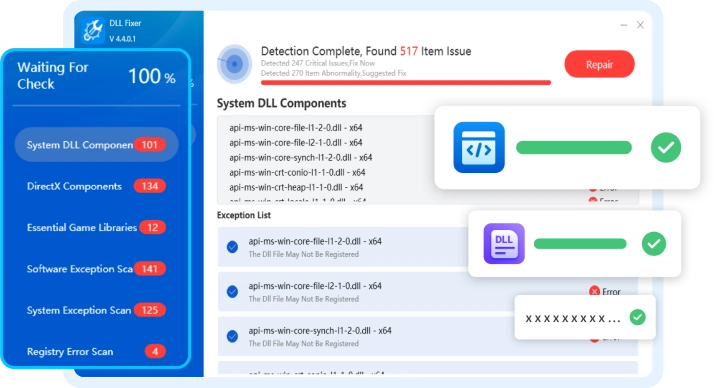
 A HEALTHIER,MORE STABLE PC
 The program deeply analyzes Windows and automatically detects missing, damaged or outdated DLL files, as well as related system problems.
Try It Free 
Fionn DLL Fixer brings together the tools you need to diagnose, repair and protect Windows, helping you fix errors more quickly and safely.
Fionn DLL Fixer is designed for fast, safe and convenient Windows recovery. Millions of users choose it to solve common DLL errors and improve system stability.

Fast Error Repair
Fast Error Repair
Automatic scanning takes just a few minutes, allowing you to quickly find and fix most common problems.
Safe recovery
Safe recovery
All changes are made safely, and a system restore point is created before repairs begin.

High detection accuracy
High detection accuracy
An intelligent algorithm helps detect the real causes of DLL errors, not just their consequences.

Easy to use
Easy to use
Even novice users can fix Windows errors without special technical knowledge.

Constant updates
Constant updates
The DLL file database and recovery algorithms are regularly updated to support new versions of Windows.
Solution for everyday use
Solution for everyday use
Suitable for regularly checking the system status and preventing common Windows errors.
Try Fionn DLL Fixer today and restore stable Windows operation without complex settings and manual search for DLL files.
Try It Free Buy NowJust four simple steps will help you quickly detect and fix DLL errors, restore Windows stability, and get your applications back to working normally.
Run Fionn DLL Fixer to automatically check Windows for missing DLL files, registry errors, DirectX and Runtime issues.
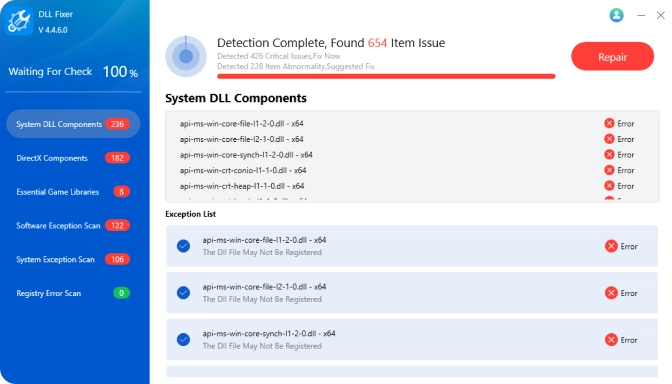
Real-life use cases show how Fionn DLL Fixer helps users quickly get Windows back to running smoothly.
 Alexander P.
After a Windows update, the game stopped launching due to a DLL error. Fionn DLL Fixer fixed the problem in a few minutes.
 Ekaterina S.
Adobe Photoshop kept reporting a missing DLL file. After recovery, the program opens again without errors.
 Dmitry K.
AutoCAD stopped launching after installing a new driver. Fionn DLL Fixer helped quickly fix the problem.
 Anna V.
Microsoft Office crashed unexpectedly on startup. After fixing Windows errors, everything works stably again.
 Maxim N.
I didn't expect such a result. The program quickly restored the necessary DLLs. Now the system works without failures.
 Olga R.
The program is very easy to use. I ran the scan, pressed the button - the errors were eliminated. An excellent solution without manually searching for DLLs.
 Igor L.
I couldn't understand why the programs were throwing errors. DLL Fixer quickly found damaged files and fixed everything. Now everything works stably.
 Marina T.
After installing DLL Fixer, the system began to work better. The program detected missing DLLs and repaired them. All applications launch without errors.
A DLL error occurs when a required library file is missing, corrupted, or incompatible with the system or program.
This may be due to file deletion, incorrect installation of programs, viruses, or damage to the Windows system.
Use Fionn DLL Fixer to automatically find and repair missing or damaged DLL files.
Yes. Fionn DLL Fixer automatically detects problems and offers a safe solution.
Yes. The program is compatible with Windows 11, Windows 10.
Yes. The program is designed to safely restore Windows. It is recommended that you create a system backup or restore point before making changes.
Fix DLL, DirectX and Runtime errors automatically, repair missing system files, and get your applications running smoothly again in just a few clicks.
 Try It Free
 Buy Now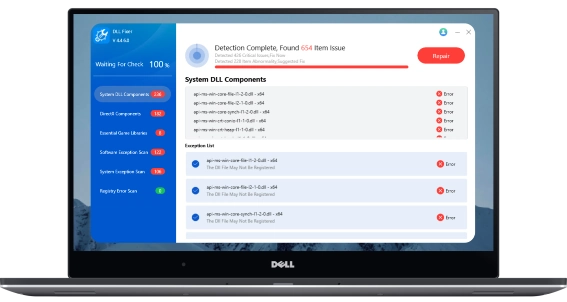
 Fionn
FionnCopyright © 2026 Wonderful Apps Limited.
 English
 Download Free