 Emily CarterDLL Errors
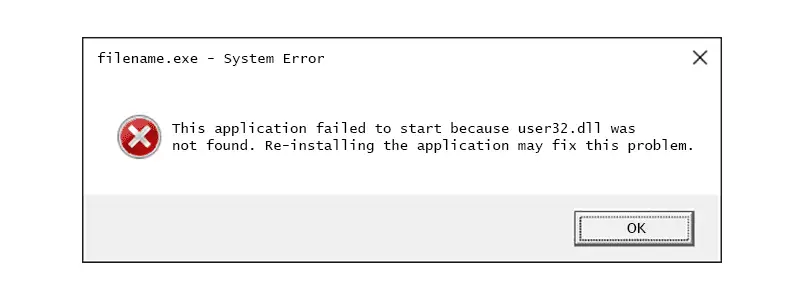
Direct answer: user32.dll is a protected Windows system library, so do not download it individually. If several applications or Windows features fail, run DISM followed by SFC. If only one application reports the error and SFC finds no integrity violations, repair or reinstall that application before assuming user32.dll itself is damaged. This guide gives three main repair paths, plus an advanced replacement path only for an SFC-confirmed failure.
What Is user32.dll?
user32.dll is a Windows system library used by programs that interact with the Windows user interface, including windows, messages, controls, and input. It is normally protected by Windows Resource Protection. A message that names this file does not, by itself, prove that the file is absent from Windows.
What Does Your user32.dll Error Mean?
- Missing or not found: Windows or an application could not load the file it expected.
- Bad image: The program considers a loaded file invalid or incompatible.
- Entry point not found: The program expected a function that is unavailable; this can indicate an application compatibility or version problem rather than a missing file.
- One application fails: The application installation, its dependencies, or its compatibility is the more likely starting point.
- Several applications or Windows features fail: Check Windows component integrity first.
Is user32.dll Actually Damaged?
Use the scope of the problem as your first diagnostic signal. If multiple unrelated programs fail, Windows features behave unexpectedly, or the error began after a system problem, use Method 1. If one program alone fails while other programs work and SFC reports no integrity violations, use Method 2. An entry-point message especially deserves an application repair or update check before any DLL replacement.
user32.dll Missing: Quick Fix Comparison
| Method | Best For | Efficiency | User Effort |
|---|---|---|---|
| DISM and SFC | Multiple failures or suspected Windows corruption | High | Moderate |
| Repair or reinstall the app | One affected app and a clean SFC result | High | Low to moderate |
| Fionn DLL Fixer | Guided diagnosis and repair of detected DLL and system issues | High | Low |
Start with the path that matches the visible scope of the error. Do not treat a filename in an error dialog as proof that a standalone DLL download is needed.
Method 1: Repair Windows with DISM and SFC
When to use: Choose this method when more than one application or Windows feature is affected, or when you need to check protected Windows files before making further changes.
- Open Command Prompt as an administrator.
- Run DISM and wait for it to finish.
DISM.exe /Online /Cleanup-image /RestoreHealth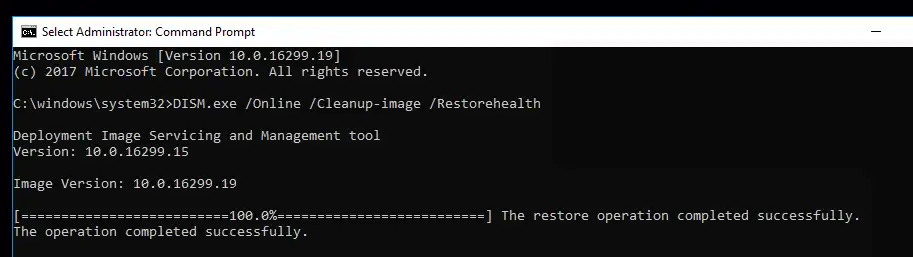
- Run SFC after DISM completes.
sfc /scannow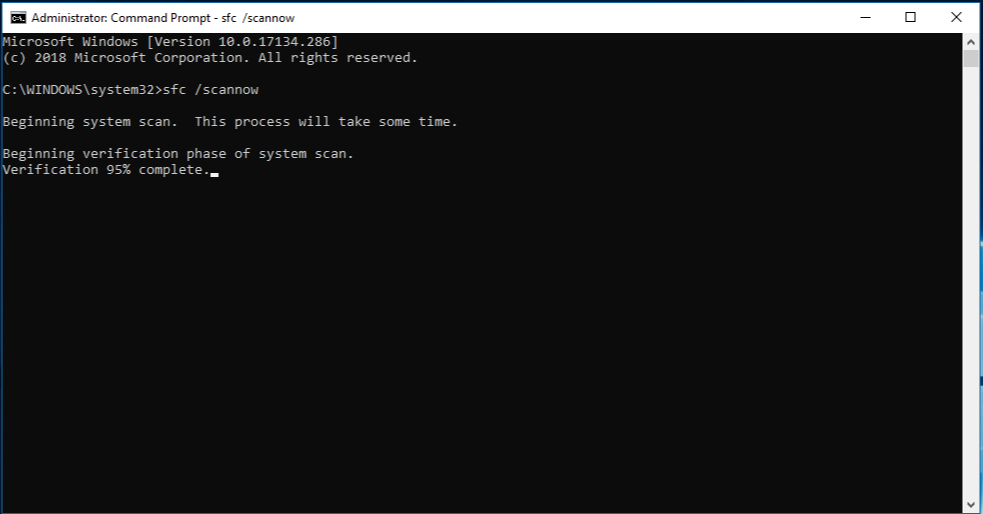
- Read the final SFC message and restart Windows if it says it repaired files.
What Does Your SFC Result Mean?
| SFC result | What to do next |
|---|---|
| No integrity violations | Windows did not find a protected-file problem; if one app fails, use Method 2. |
| Found corrupt files and successfully repaired them | Restart and test the original feature or application. |
| Found corrupt files but could not fix some | Review the details; use the advanced path only if user32.dll is specifically identified. |
| Could not perform the requested operation | Run SFC in Safe Mode, then reassess the result. |
What If DISM Cannot Find Repair Files?
Do not replace user32.dll as a workaround. Confirm the device can reach Windows Update, then use a matching Windows repair source if your organization provides one. Rerun DISM before SFC so SFC has a usable component store for repairs.
Verification: SFC should either report no integrity violations or report that it repaired the detected files. Then reopen the item that originally showed the error.
Method 2: Repair or Reinstall the Affected Application
When to use: Use this path when only one app displays the user32.dll error and SFC reports no integrity violations. It addresses the affected program without changing Windows system files.
- Close the affected application.
- In Windows Settings, open the app's installed-app options and choose
Repair
if that option is available.
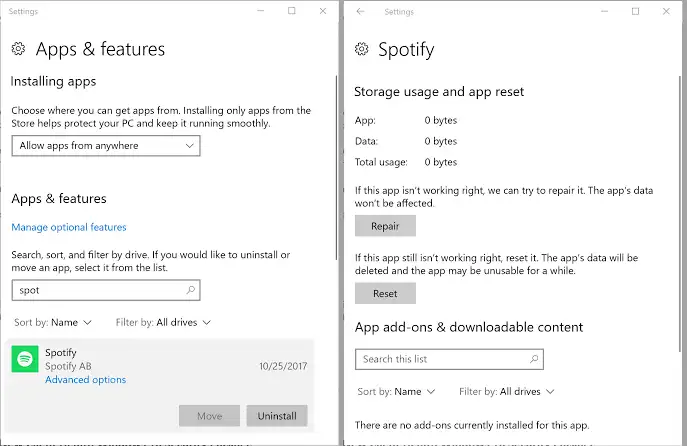
- If Repair is unavailable or does not resolve the message, uninstall the application.
- Install a fresh copy from the application's official publisher, then test it again.
Verification: Launch the same application and repeat the action that triggered the message. If other applications now show the same error, return to Method 1.
Advanced: Replace user32.dll Only If SFC Identifies It
When to use: This is not a routine fix. Use it only after SFC reports unrepaired corruption and its details specifically identify user32.dll.
- Create an SFC detail file from an elevated Command Prompt.
findstr /c:"[SR]" %windir%\Logs\CBS\CBS.log >"%userprofile%\Desktop\sfcdetails.txt" - Open
sfcdetails.txtand confirm that the current SFC run identifiesuser32.dllas unrepaired. - Obtain a known-good copy from a computer running the same Windows version, then follow Microsoft’s documented ownership, permission, and replacement procedure for the identified file.
- Restart Windows and run
sfc /scannowagain.
Verification: The follow-up SFC scan should no longer list the same file as unrepaired.
Method 3: Diagnose and Fix user32.dll Missing with Fionn DLL Fixer
When to use: This recommended guided option fits users who want to scan detected DLL and system issues with fewer manual checks. Fionn DLL Fixer can detect missing, damaged, version-mismatch, and System32-path-related DLL issues, then repair detected issues and run a follow-up check.
- Launch Fionn DLL Fixer and wait for its automatic scan to display detected DLL and system issues.
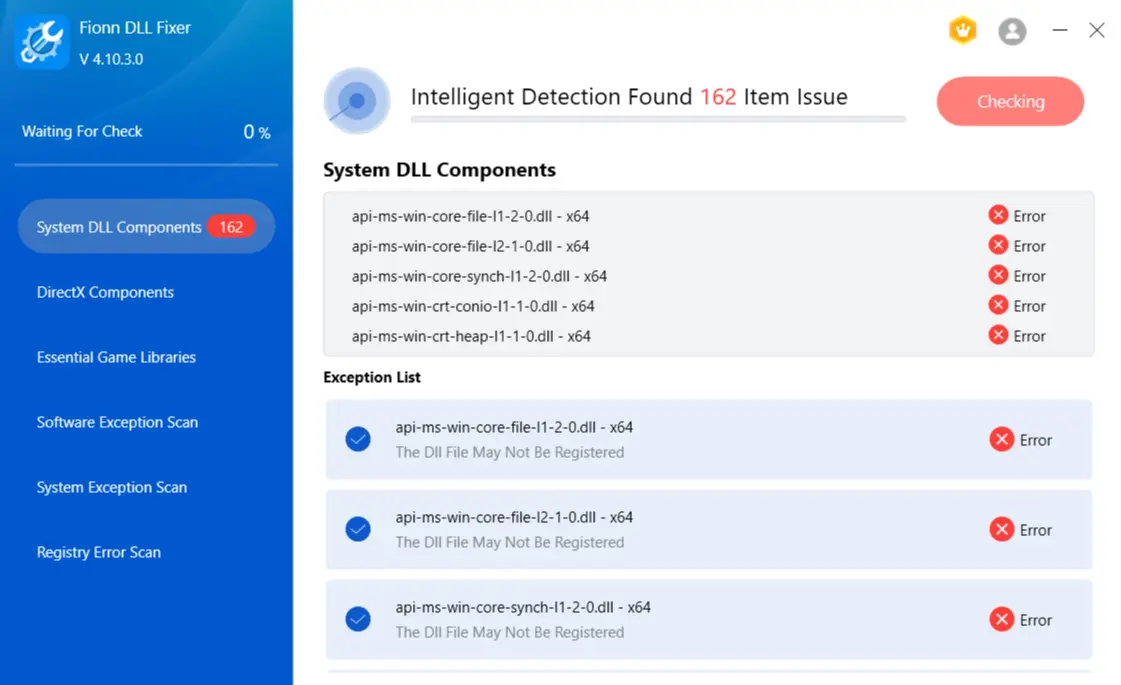
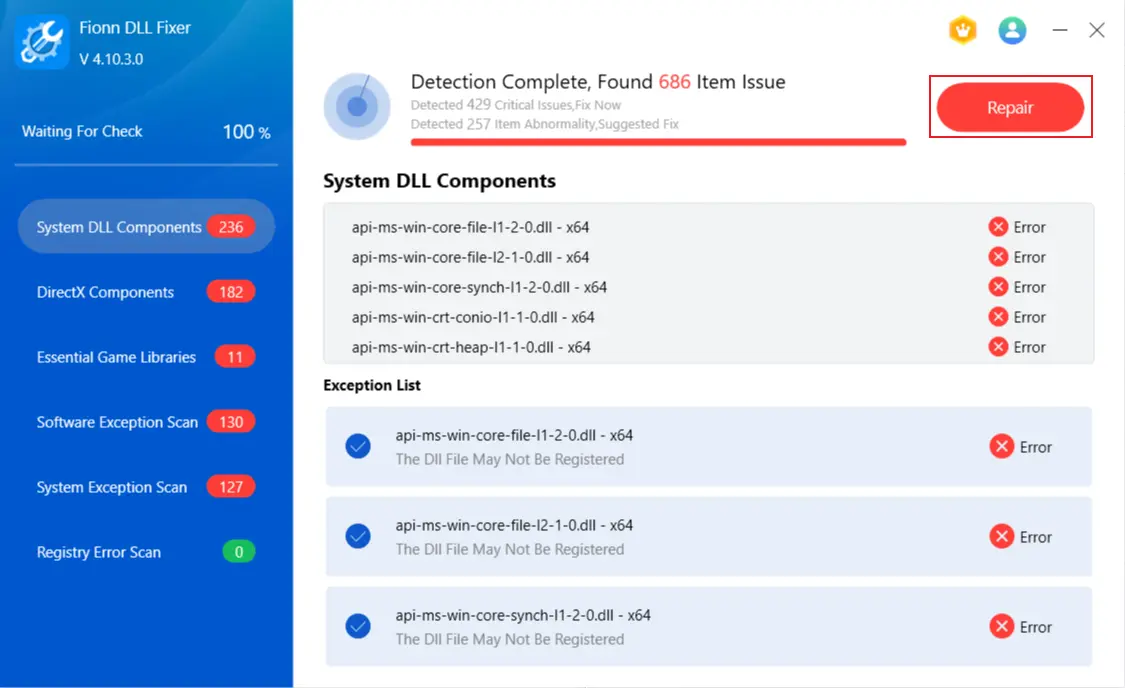
- After the scan finishes, click
Repair
to fix the detected DLL and system issues.
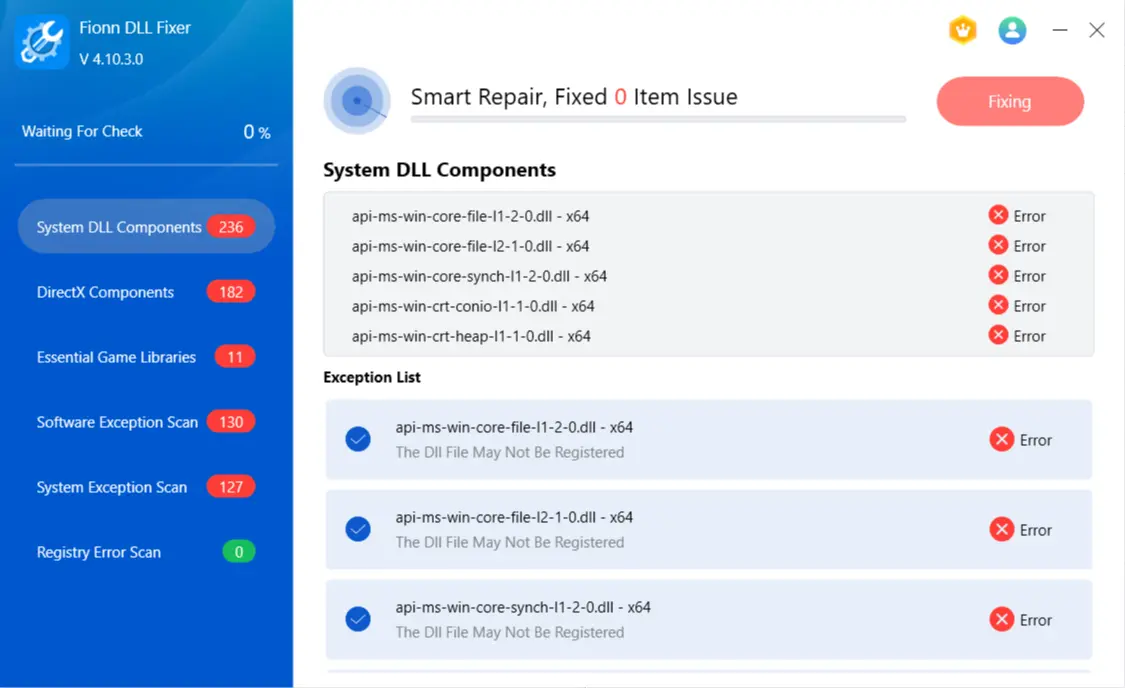
- Wait for the repair to finish while the button shows
Fixing
.
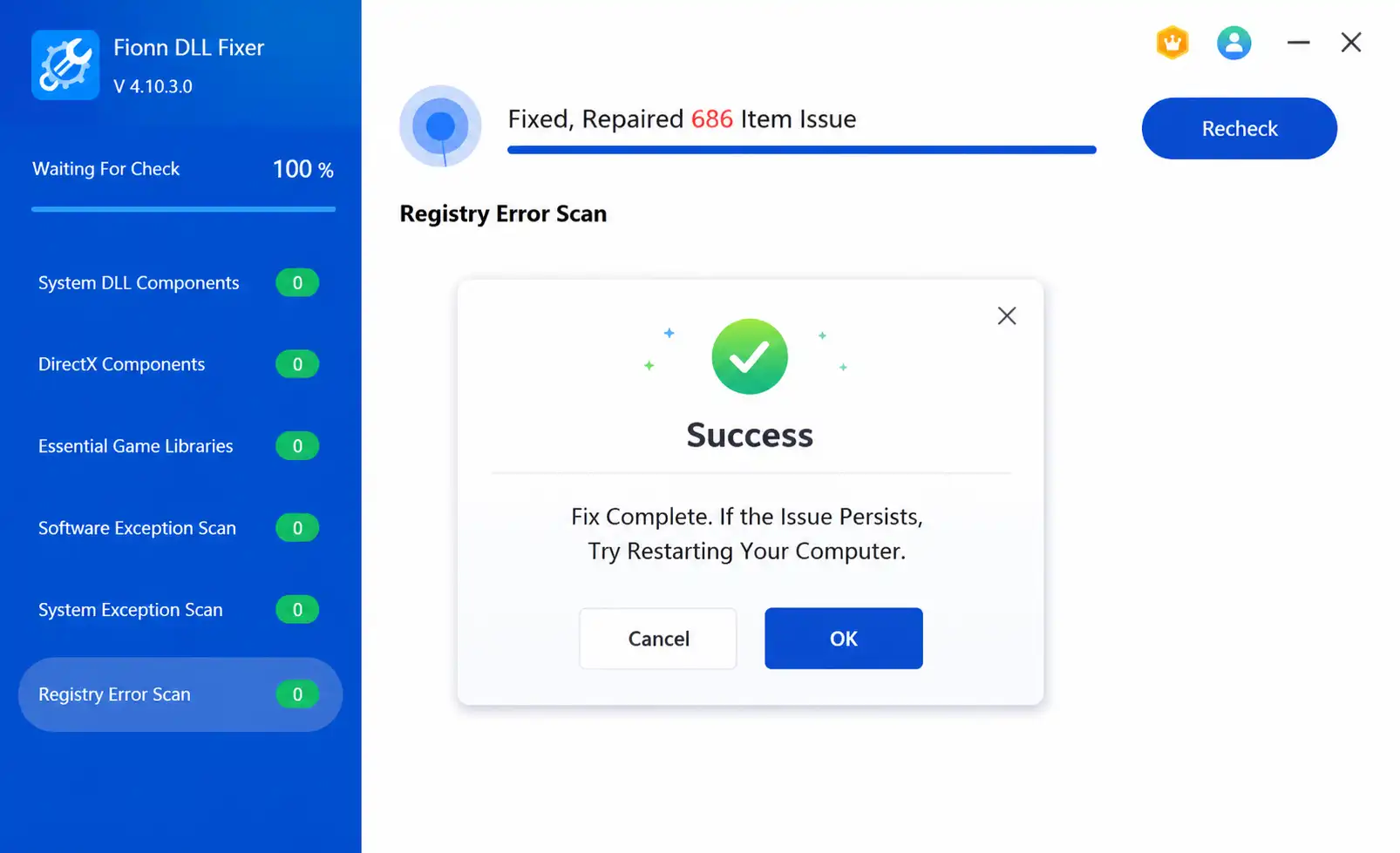
- Click
Ok
in the completion dialog and restart the computer if prompted.
- If the error remains after restarting, click
Recheck
; repair any newly found issues.
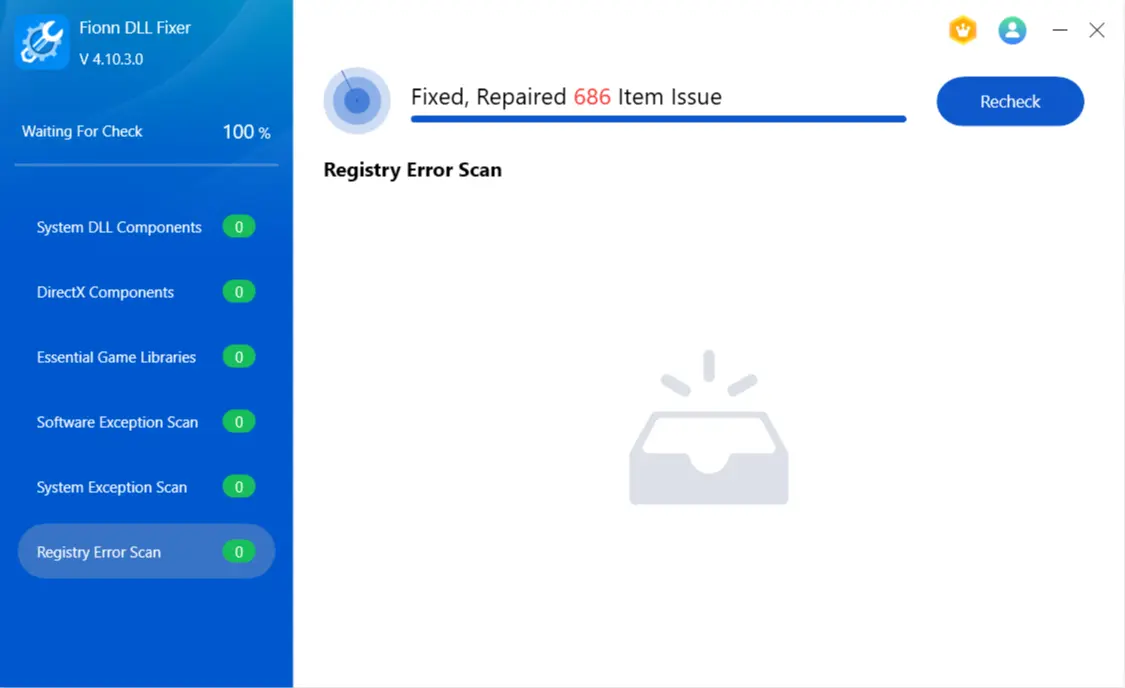
Verification: Open the original application or Windows feature after the prompted restart. Preserve the exact error text if it remains, because an entry-point or single-app issue may need application-specific support.
What You Should Not Do with user32.dll
- Do not download it from random DLL sites.
- Do not blindly copy it from another Windows PC.
- Do not assume every user32.dll error means the file is missing.
- Do not manually replace it before checking DISM and SFC.
- Do not use
regsvr32as a generic fix for this system DLL.
Conclusion
For a user32.dll missing message, first decide whether the failure is Windows-wide or limited to one application. Run DISM and SFC for multiple failures or suspected protected-file corruption. Repair or reinstall one affected app when SFC is clean, especially for an entry-point message. Reserve manual replacement for an SFC-confirmed user32.dll failure with a matching known-good source. For a guided scan, Fionn DLL Fixer can scan, repair, and recheck detected DLL and system issues. Verify the chosen route by reopening the original feature or application after any required restart.
Frequently Asked Questions
What is user32.dll, and is it part of Windows?
It is a protected Windows system library used by applications that interact with the Windows interface.
Can I download user32.dll separately?
Do not use a standalone download as a first response. Use DISM and SFC to repair Windows components, or repair the one affected application.
Where is user32.dll located?
Windows system files are normally stored in Windows system directories. Do not use a path alone as proof that a file is valid or suitable for copying.
Why does only one program report a user32.dll error?
That pattern often points to the program’s installation, dependency set, or compatibility. If SFC is clean, repair or reinstall that application first.
What does user32.dll Entry Point Not Found mean?
It means the program expected a function that is unavailable. Check the application’s compatibility, update, or installation before treating it as a missing-file problem.
What if SFC finds no corrupted files or DISM cannot repair Windows?
A clean SFC result supports investigating the affected application. If DISM cannot obtain repair files, confirm Windows Update access or use a matching repair source before rerunning DISM and SFC.


