 Emily CarterDLL Errors
A winhttp.dll missing message does not always mean the Windows file is gone. First identify whether one app fails or several Windows features are affected. Repair or reinstall one affected app first; for wider system symptoms, run DISM and SFC. This guide covers five recovery paths, ending with Windows repair reinstall only when earlier options do not resolve the problem.
What Is WinHTTP.dll?
WinHTTP.dll is part of Windows HTTP Services (WinHTTP). Windows applications can use WinHTTP to send HTTP requests and handle network communication; Microsoft’s WinHTTP API documentation identifies
Winhttp.dll
as the DLL. If an app opens but cannot connect to the internet, that differs from a startup error saying the DLL is missing and may require proxy or network troubleshooting instead.
Is WinHTTP.dll Actually Missing?
Use the symptom to choose the next step. A faulting module entry that names
WINHTTP.dll
describes an application crash location; it does not by itself prove that the file is missing.
- Only one app reports the error: repair or reinstall that app first.
- Several apps or Windows features fail: use DISM followed by SFC.
- The crash report says Faulting module: WINHTTP.dll: investigate the app crash, its updates, and its dependencies rather than assuming a missing file.
- SFC reports no integrity violations: do not continue treating the DLL as damaged; focus on the affected app or its network configuration.
Quick Method Comparison for winhttp.dll missing
| Method | Best For | Efficiency | User Effort |
|---|---|---|---|
| Repair or reinstall the app | One application fails | High | Low |
| DISM and SFC | Multiple failures or suspected Windows file corruption | High | Moderate |
| Fionn DLL Fixer | Guided diagnosis of detectable DLL and Windows system issues | High | Low |
| System Restore | A problem that began after a known change | Situation-dependent | Moderate |
| Windows repair reinstall | Persistent system-component problems | High | Moderate |
Method 1: Repair or reinstall the affected app
When to use: Use this method when the error appears in one app and Windows otherwise works normally.
- Close the affected application.
- Open Settings > Apps > Installed apps and select the application.
- Choose
Advanced options
, then select
Repair
when the option is available.
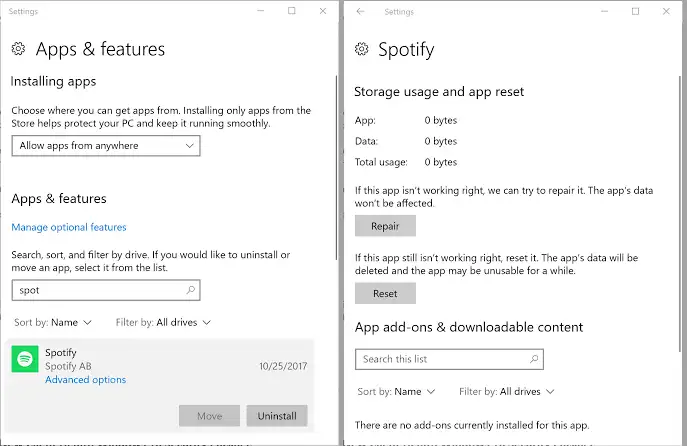
- Open the app and test it again.
- If Repair is unavailable or does not work, uninstall the app and reinstall it from its official source.
Expected result: The application opens without the error while other Windows functions remain unchanged.
Method 2: Repair Windows system files with DISM and SFC
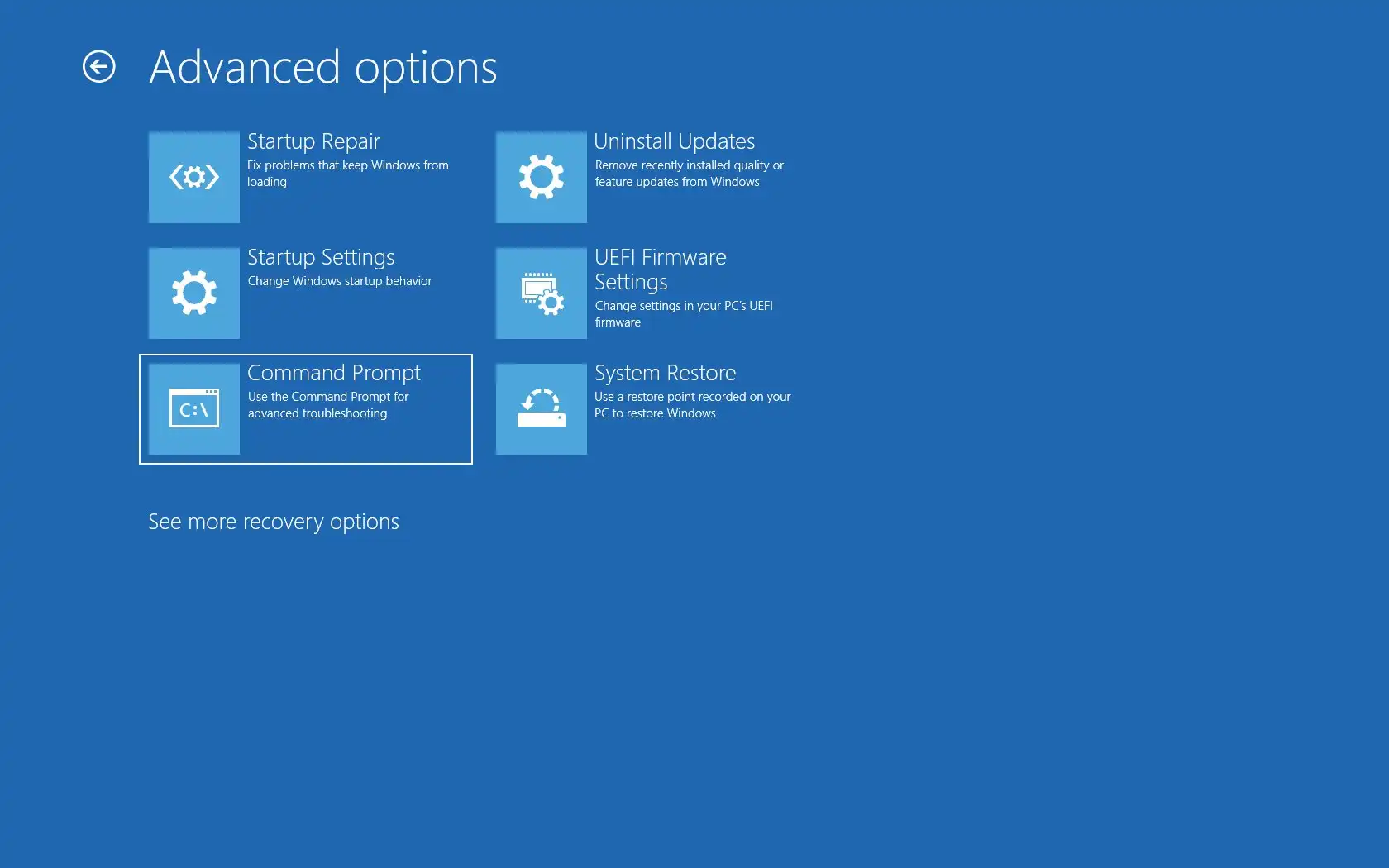
When to use: Choose this when multiple applications fail or Windows features behave unexpectedly. Microsoft documents DISM and System File Checker for repairing missing or corrupted Windows components.
- Save your work and open Command Prompt as an administrator.
- Run this command and wait for it to finish:
DISM.exe /Online /Cleanup-image /RestoreHealth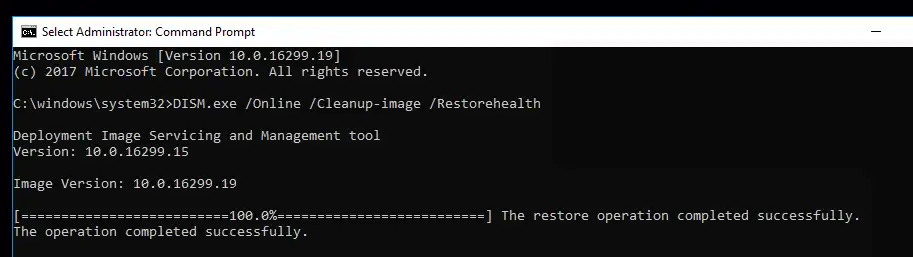
- Run this command after DISM completes:
sfc /scannow - Restart Windows after the scan reports its result.
- Open the application that showed the error.
Expected result: SFC may report repaired files. If it reports no integrity violations, move to app-specific diagnosis rather than downloading a standalone DLL from an unverified website. See Microsoft’s DISM and System File Checker instructions .
Method 3: Fix winhttp.dll missing with Fionn DLL Fixer
When to use: This recommended option is practical when the cause remains unclear and you want a guided scan for detectable DLL and Windows system issues. Fionn DLL Fixer supports full or categorized scans, repair, and a follow-up recheck.
- Launch Fionn DLL Fixer and wait for its scan results.
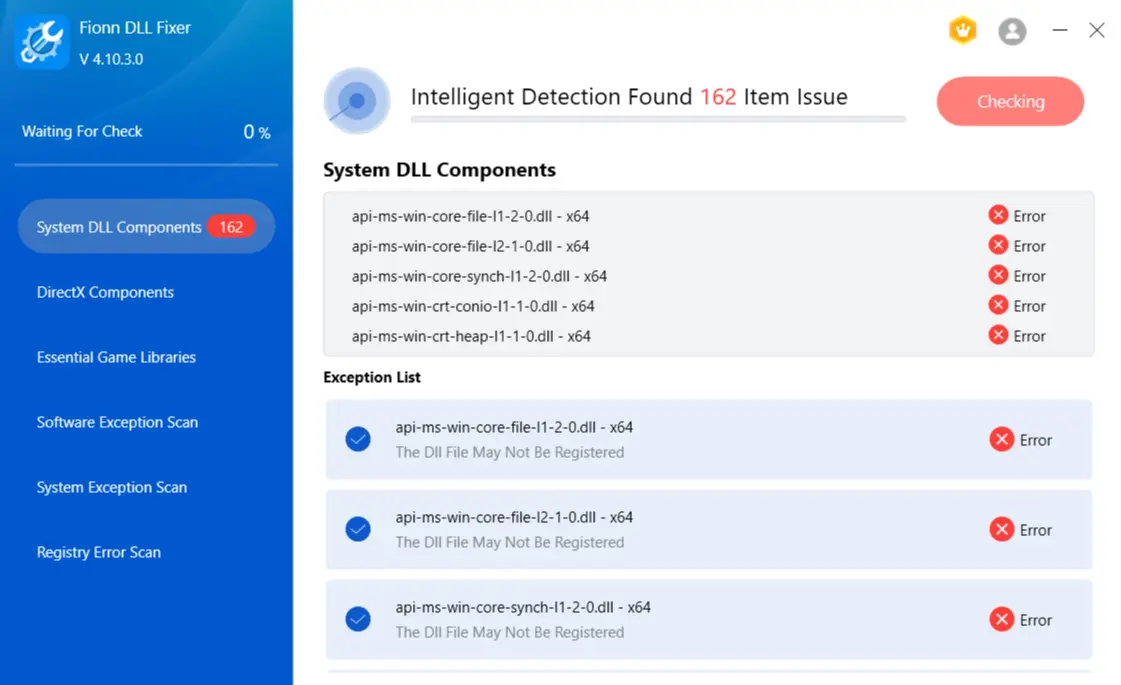
- Click “Repair” to begin fixing detected DLL and system issues.
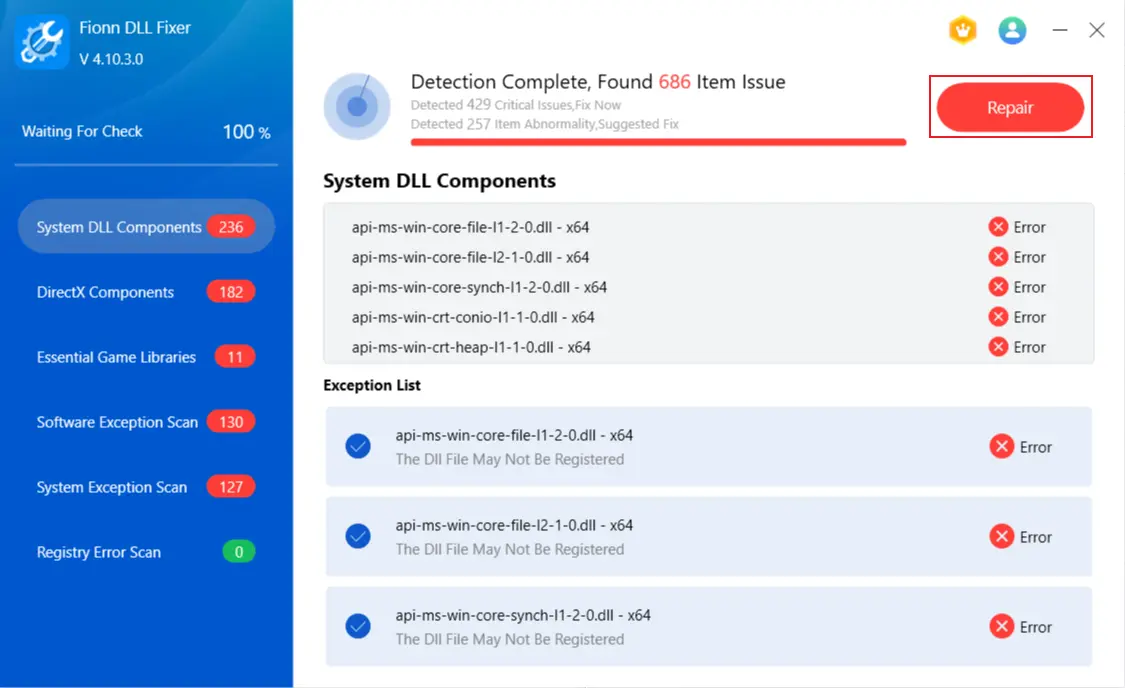
- Wait while the button shows “Fixing.”
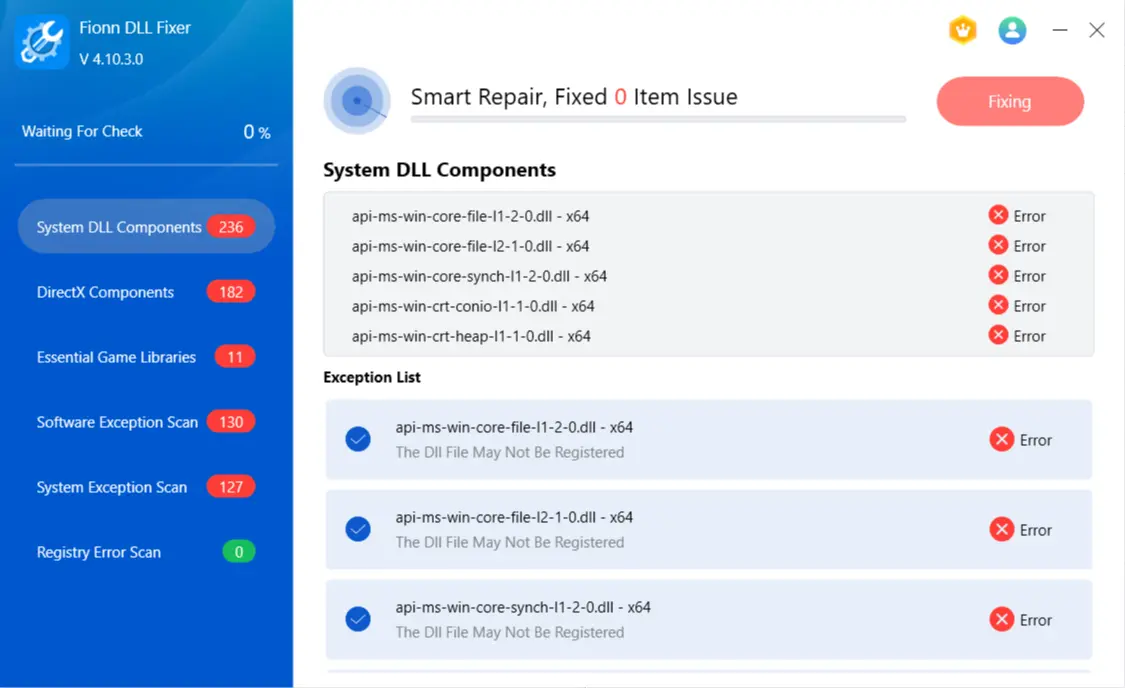
- Click “Ok” when repair completes, then restart if prompted.
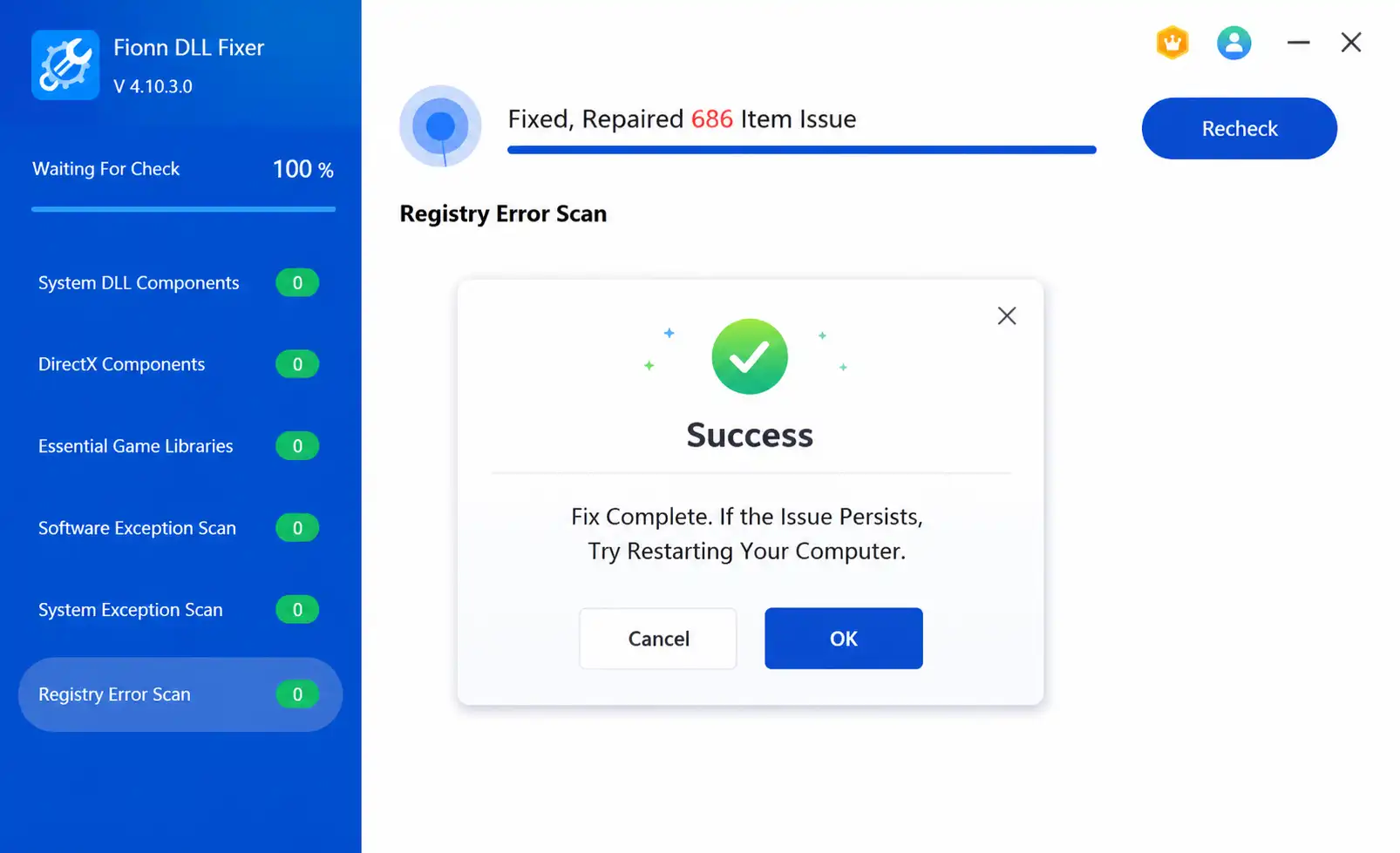
- Click “Recheck” if the issue persists; repair any newly found issues.
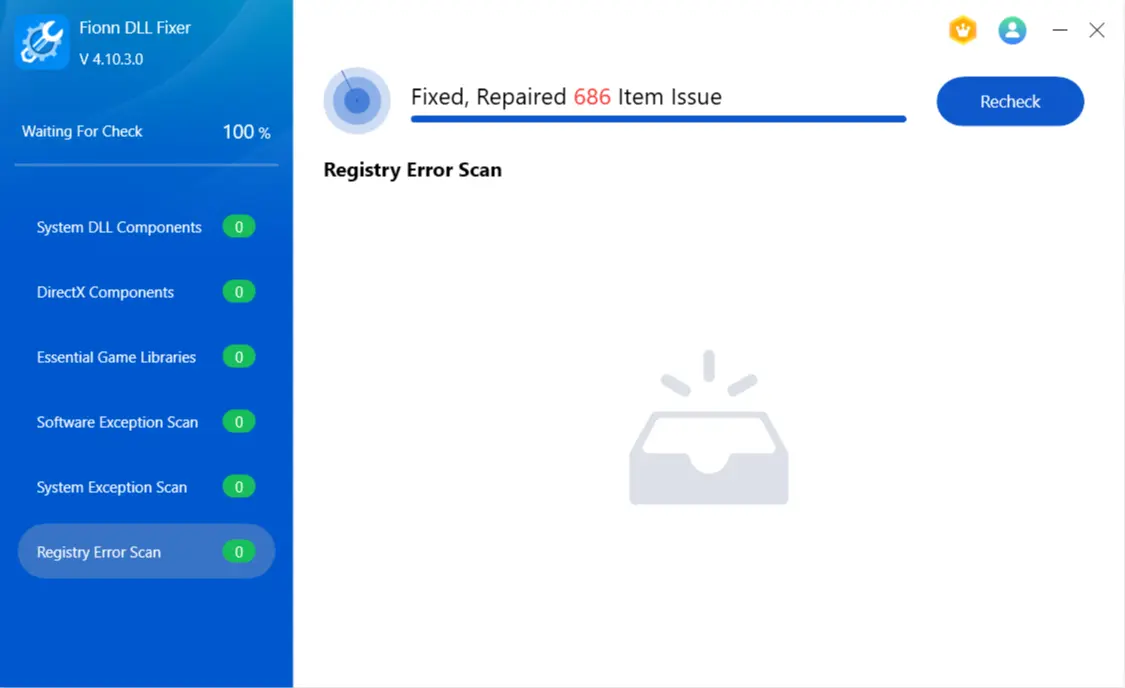
Expected result: Reopen the affected application after restarting or rechecking. If the same message remains, keep its full wording and continue with a method matching when the problem began.
Method 4: Restore Windows to an earlier restore point
When to use: Use this only when the problem started after a software, driver, update, or settings change and a restore point predates it.
- Press
Windows
+
R
, type
rstrui.exe, and press Enter.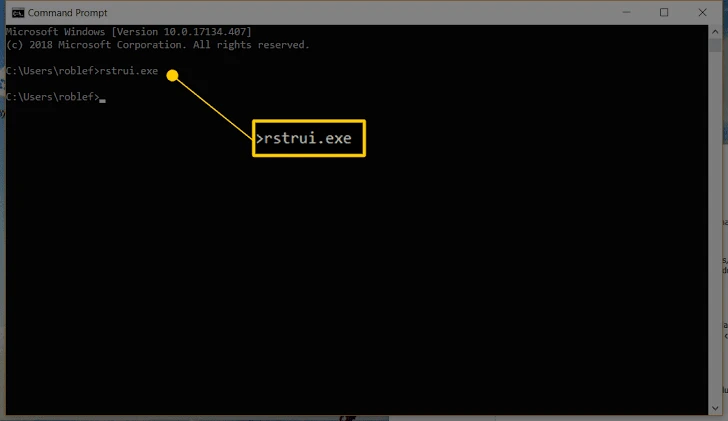
- Select Next and choose a restore point from before the error began.
- Select
Scan for affected programs
to review potential software changes.
- Select Finish to apply the restore point.
- After restart, test the affected app.
See Microsoft’s System Restore guidance for the documented workflow.
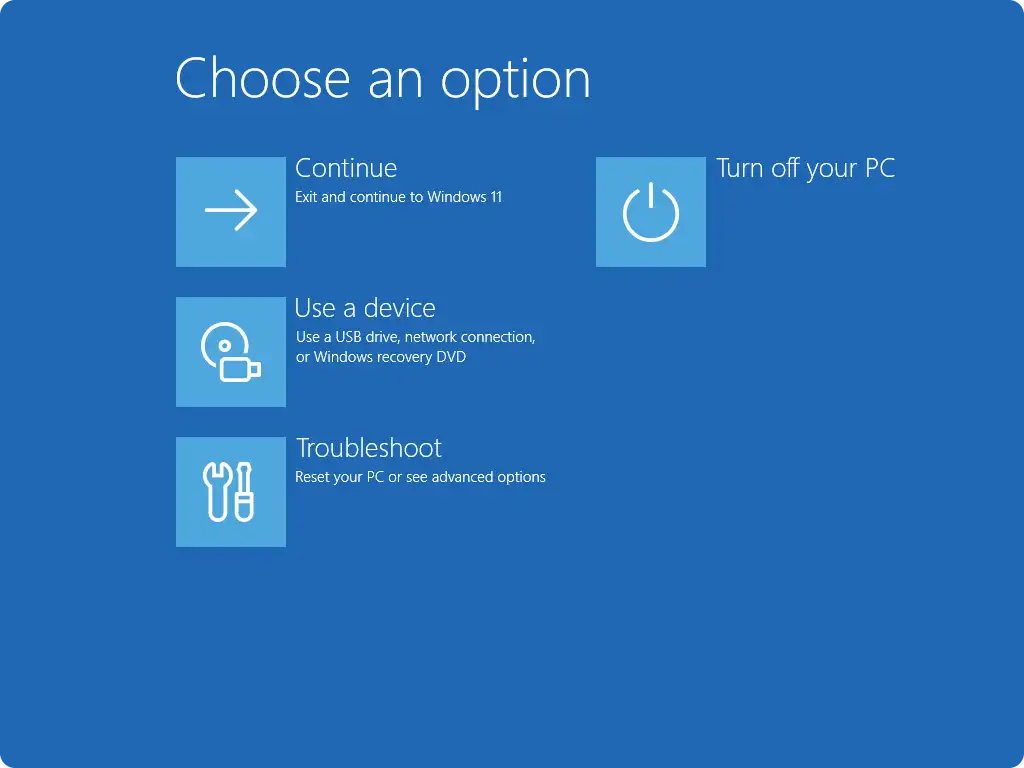
Method 5: Reinstall the current version of Windows
When to use: Reserve this final method for persistent system-component failures after the earlier methods fail.
- Back up important files.
- Open Settings > System > Recovery .
- Select the option to fix problems by reinstalling the current Windows version when available.
- Follow the Windows prompts to finish the reinstall.
- Test the affected application after setup completes.
Expected result: Windows reinstalls its current version with less impact than a reset. See Microsoft’s Windows recovery options if the option is unavailable.
Conclusion
Start by repairing or reinstalling the affected app when only one program shows a winhttp.dll missing error. Use DISM and SFC for multiple application failures or Windows-wide symptoms. Fionn DLL Fixer is a guided option for scanning and repairing detectable DLL and system issues when manual diagnosis is inconvenient. Use System Restore for a clearly recent change, and reserve Windows repair reinstall for persistent component failures. Verify each path by reopening the exact app and checking that the original message no longer appears. If it remains, save the full error text and crash details for the app vendor or IT support.
Frequently Asked Questions
Should I download WinHTTP.dll from a DLL download website?
No. A standalone file can be the wrong version or architecture. Use Windows repair tools or the affected application’s official installer instead.
Does Faulting module: WINHTTP.dll mean WinHTTP.dll is missing?
No. It identifies a module associated with the crash. Check the application’s updates, dependencies, and crash information before treating it as a missing-file error.
Why run DISM before SFC?
Microsoft documents DISM first because it can repair the Windows component source SFC uses to restore protected system files.
What if SFC finds no integrity violations?
Focus on the individual application or its network configuration. A clean SFC result does not support the conclusion that Windows system files are damaged.
Can System Restore remove my personal files?
System Restore does not affect personal files, but it can reverse programs, drivers, updates, and settings changed after the selected restore point.


