 Emily CarterAuto Clicker
Choosing an Auto Clicker for Speed Clicker
For an Auto Clicker for Speed Clicker on Windows 10 or 11, start with Auto Clicker by Protagonist Labs if you want free repeated clicks and saved routes. Fionn Auto Clicker is worth considering if you also want recording or scripts and are comfortable with a membership. Actual results depend on how the game accepts automated input.
Top Picks
- Start with Auto Clicker by Protagonist Labs: Its free GPL-3.0 release combines repeat clicking with saved routes and image-conditioned sequences.
- For recording and scripted tasks: Fionn Auto Clicker supports both with membership and offers three free attempts.
- For a portable recorder: autoclickr is a single file with a seven-day trial, followed by a subscription.
- For free point sequences and stop limits: BlurAutoClicker offers both, although its exact Windows version requirements are unspecified.
Quick Comparison Table
Fionn Auto Clicker
Consider Fionn Auto Clicker on Windows 10 or 11 if you want repeat clicking now and the option of recorded or scripted tasks with membership.
It clicks at the current pointer position or fixed coordinates and can use finite or continuous repetitions. Its recording tools capture mouse and keyboard actions for playback, editing or export; scripts can combine actions with image, color or text recognition.
Visit Fionn Auto Clicker to explore the Windows app.
How to use
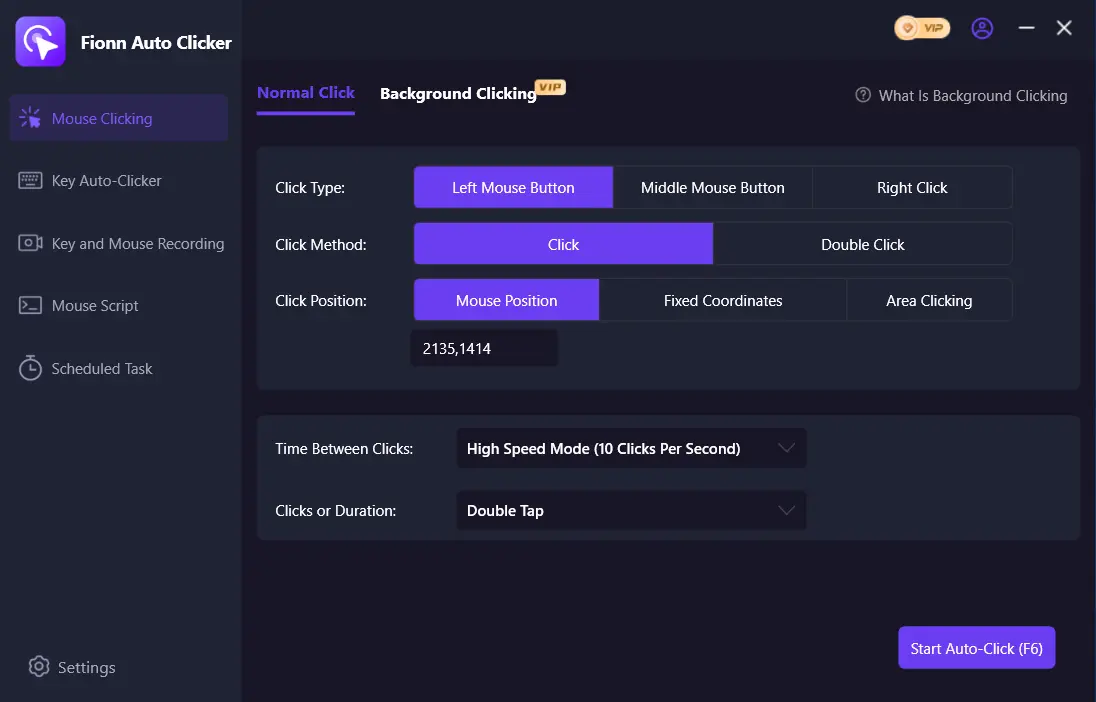
- Normal auto-clicking only (no recording): Open Fionn Auto Clicker and select Mouse Clicking > Normal Click. Choose the mouse button, click method, and click position. Set the click interval and repetition options, then click Start Auto-Click (F6).
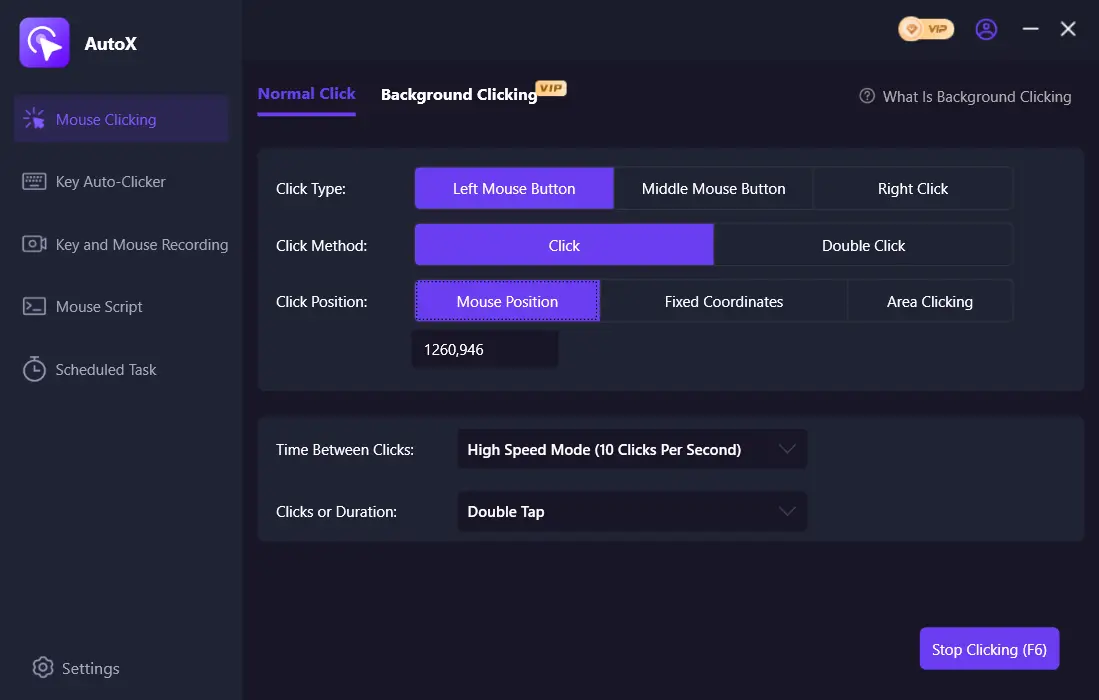
- After you have confirmed the click routine is working, stop Normal Click by clicking Stop Clicking or pressing F6. Check that automatic clicking has stopped before moving the pointer or changing the settings.
Confirm that Speed Clicker registers the intended clicks as well as checking that the routine stops.
autoclickr
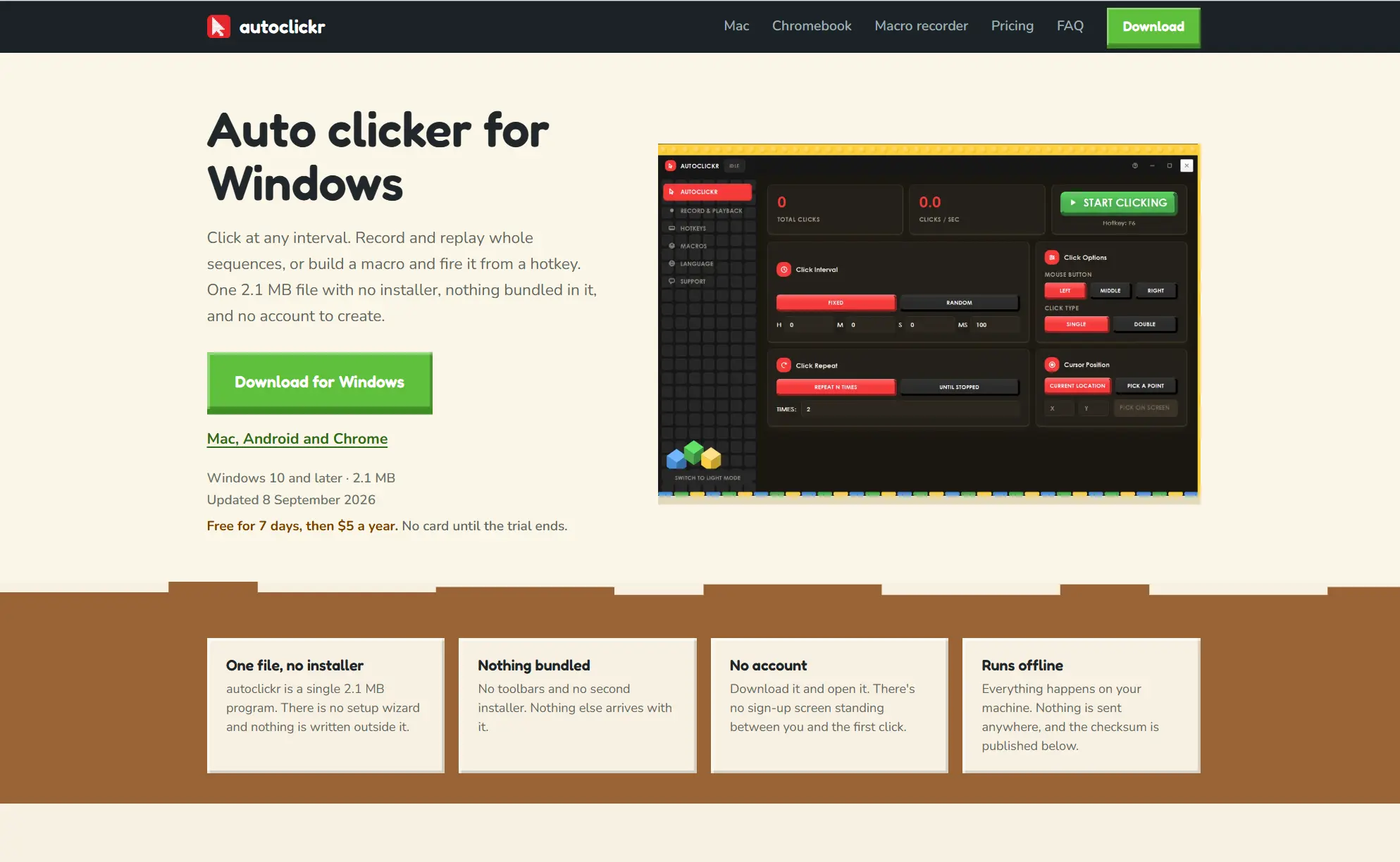
Choose autoclickr if a portable file and recorded keyboard and mouse sequences suit your Windows setup and the subscription terms work for you.
Its click repeater, recorder and macro builder cover both repeated clicks and sequences of movement, clicks and keyboard input. The official autoclickr page describes its controls and trial.
Auto Clicker by Protagonist Labs
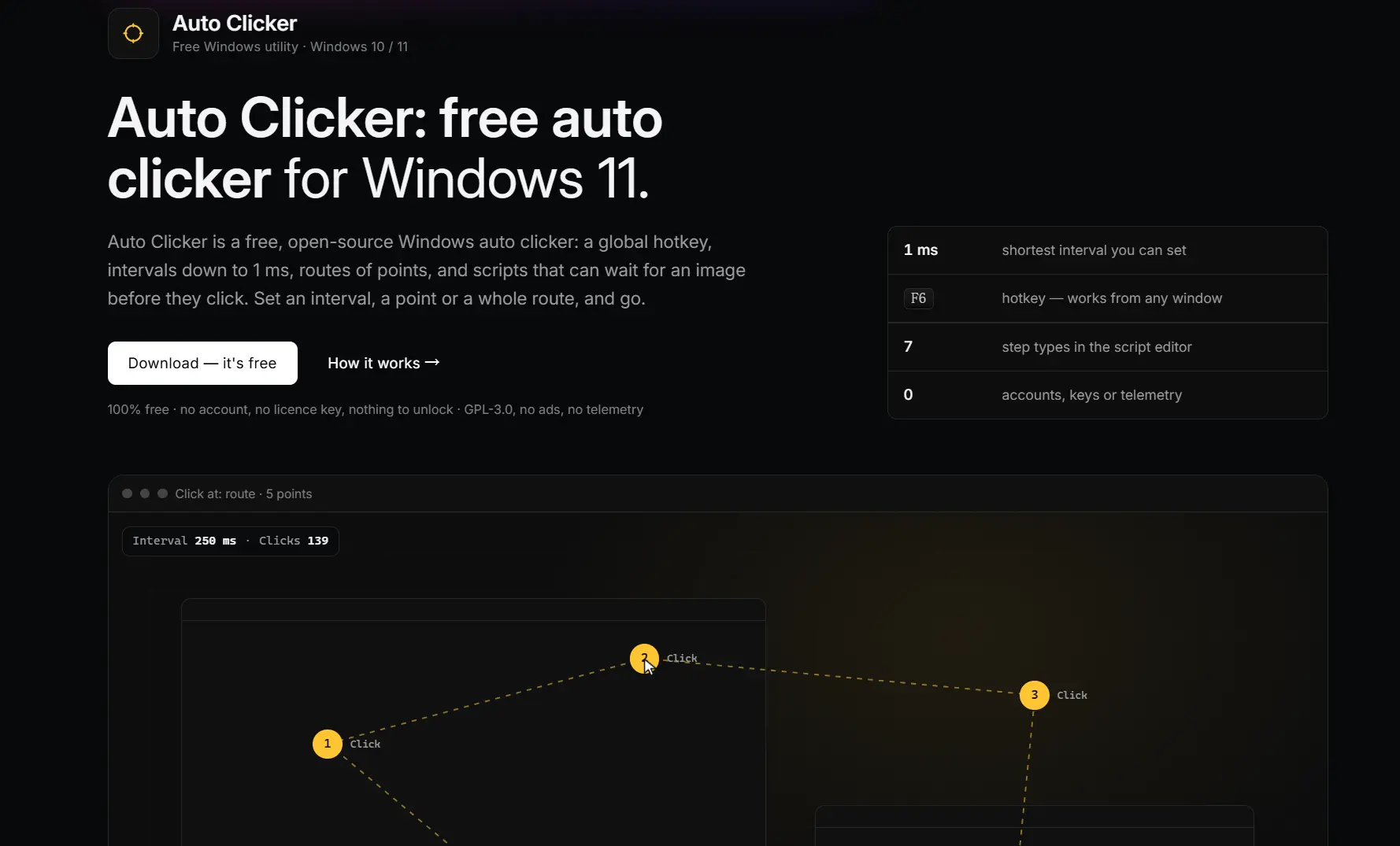
Try Auto Clicker by Protagonist Labs first for free repeated clicks or an ordered route on Windows 10 or 11.
Saved points form a route, and sequences can wait for an image before clicking. This makes it useful when the task involves several locations instead of one fixed target. See the official Auto Clicker page for the application.
BlurAutoClicker
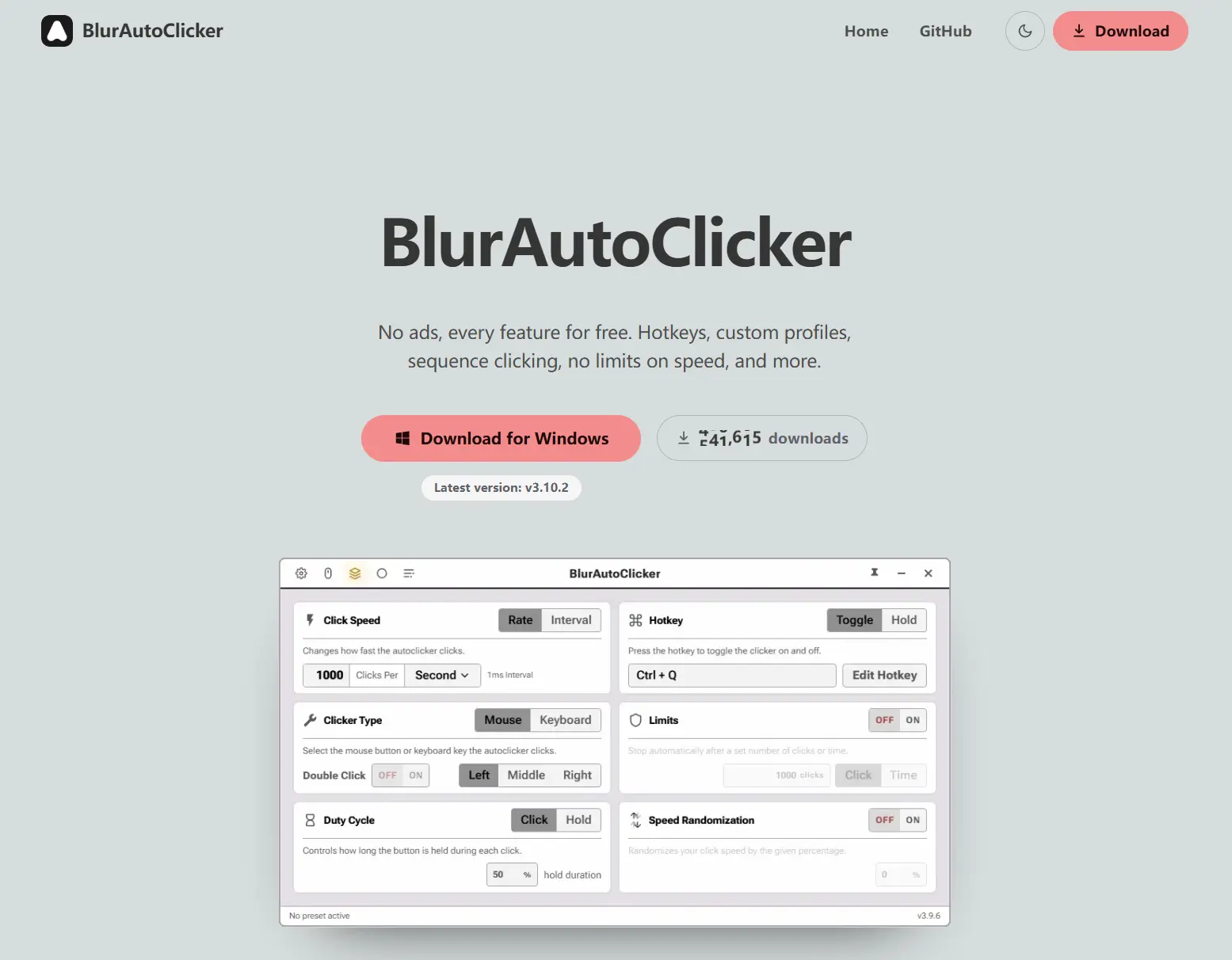
Consider BlurAutoClicker for free point sequences with a time or click-count stopping limit.
It moves among selected screen points and clicks them in sequence, with hold and toggle hotkeys and double-clicking options. The official BlurAutoClicker page describes the Windows application.
How We Compared
We compared the supplied official product information and verified Fionn product facts across Windows support, controls, sequences, cost and limitations. This is documentary research, not a hands-on performance test. Configured intervals do not establish how many clicks a game will register.
How to Choose
First decide whether one repeated click is enough or the task needs multiple points or keyboard actions. Next, check the Windows version and whether the free allowance or subscription fits your intended use. Finally, confirm that the game accepts the resulting clicks and that its rules allow your intended automation.
Final Verdict
On Windows 10 or 11, consider Auto Clicker by Protagonist Labs first for its free GPL-3.0 clicking and routes. Choose Fionn Auto Clicker for recording or scripts when its membership terms fit; choose autoclickr for its portable recorder and seven-day trial. BlurAutoClicker is another free GPL-3.0 option for point sequences, but check its Windows compatibility before relying on it.
FAQ
Will these tools work with Speed Clicker?
The supplied evidence establishes their clicking features, not compatibility with a particular game. Check that the game registers the intended input and permits automation.
Does a 1 ms interval mean the game registers 1,000 clicks per second?
No. A configurable interval describes a tool setting, not measured input accepted by the game. Actual registered clicks have not been established here.
Which options can replay mouse and keyboard actions?
Fionn Auto Clicker and autoclickr both support recorded mouse and keyboard playback. Fionn requires membership for recording; autoclickr requires a subscription after its seven-day trial.
Are the free options open source?
Auto Clicker by Protagonist Labs and BlurAutoClicker are listed as free and licensed under GPL-3.0. Check the applicable license and your intended use before using either commercially.


