 Emily CarterAuto Clicker
Introduction
For an auto clicker for Race Clicker on Windows, consider Fionn Auto Clicker first if you want adjustable clicking and the option to record a longer mouse-and-keyboard routine. It supports Windows 10 and 11 and offers three free attempts and a membership plan. Race Clicker compatibility has not been established for any of the four tools below, so check that the game responds before relying on one.
Top Picks for Race Clicker
- Fionn Auto Clicker: A starting point for configurable clicks and editable recorded actions on Windows 10 or 11.
- AutoClick: Consider it for freeware and saved patterns across several positions on 64-bit Windows.
- Windows Auto Clicker: Consider it for click recordings and configurable stop controls, subject to its non-commercial license.
- autoclickr: Consider it for keyboard-and-mouse recording and hand-built macros if a subscription after the trial suits you.
Quick Comparison Table
Fionn Auto Clicker
Consider Fionn Auto Clicker if you want repeatable clicking on Windows 10 or 11 with room to record a longer routine.
It can repeat clicks at a chosen interval and position, or record and replay mouse and keyboard actions. Sequential area clicking and editable script events offer ways to handle more than one action when a simple repeat is insufficient.
Visit Fionn Auto Clicker to learn more and try the normal-click routine below.
How to use
- Normal auto-clicking only (no recording): Open Fionn Auto Clicker and select Mouse Clicking > Normal Click. Choose the mouse button, click method, and click position. Set the click interval and repetition options, then click Start Auto-Click (F6).
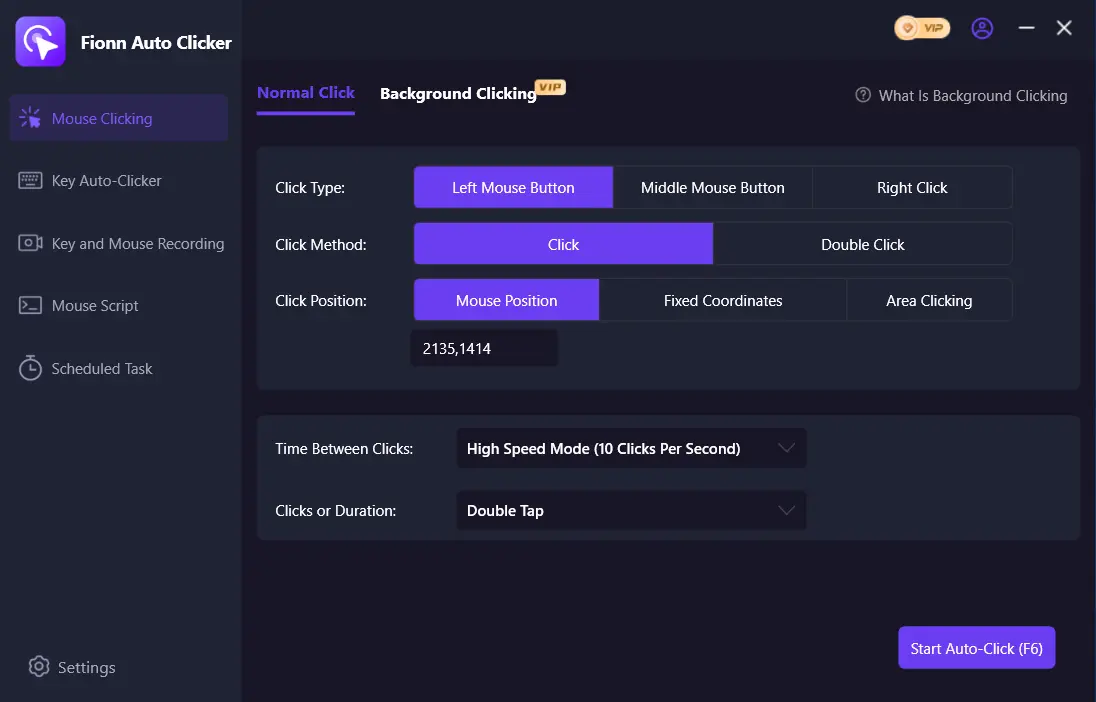
- After you have confirmed the click routine is working, stop Normal Click by clicking Stop Clicking or pressing F6. Check that automatic clicking has stopped before moving the pointer or changing the settings.
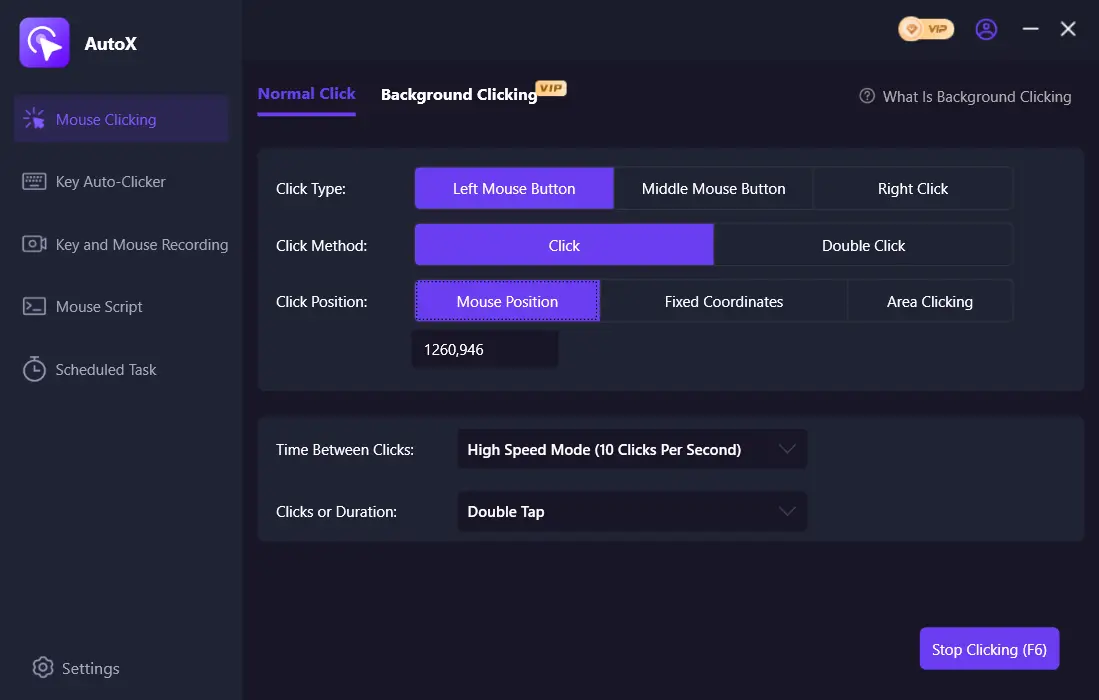
For the game task, also check that Race Clicker responds to the clicks; a running click routine alone does not establish that the game accepted them.
autoclickr
Choose autoclickr when a recorded keyboard-and-mouse sequence or a hand-built macro is useful and its subscription terms fit your budget.
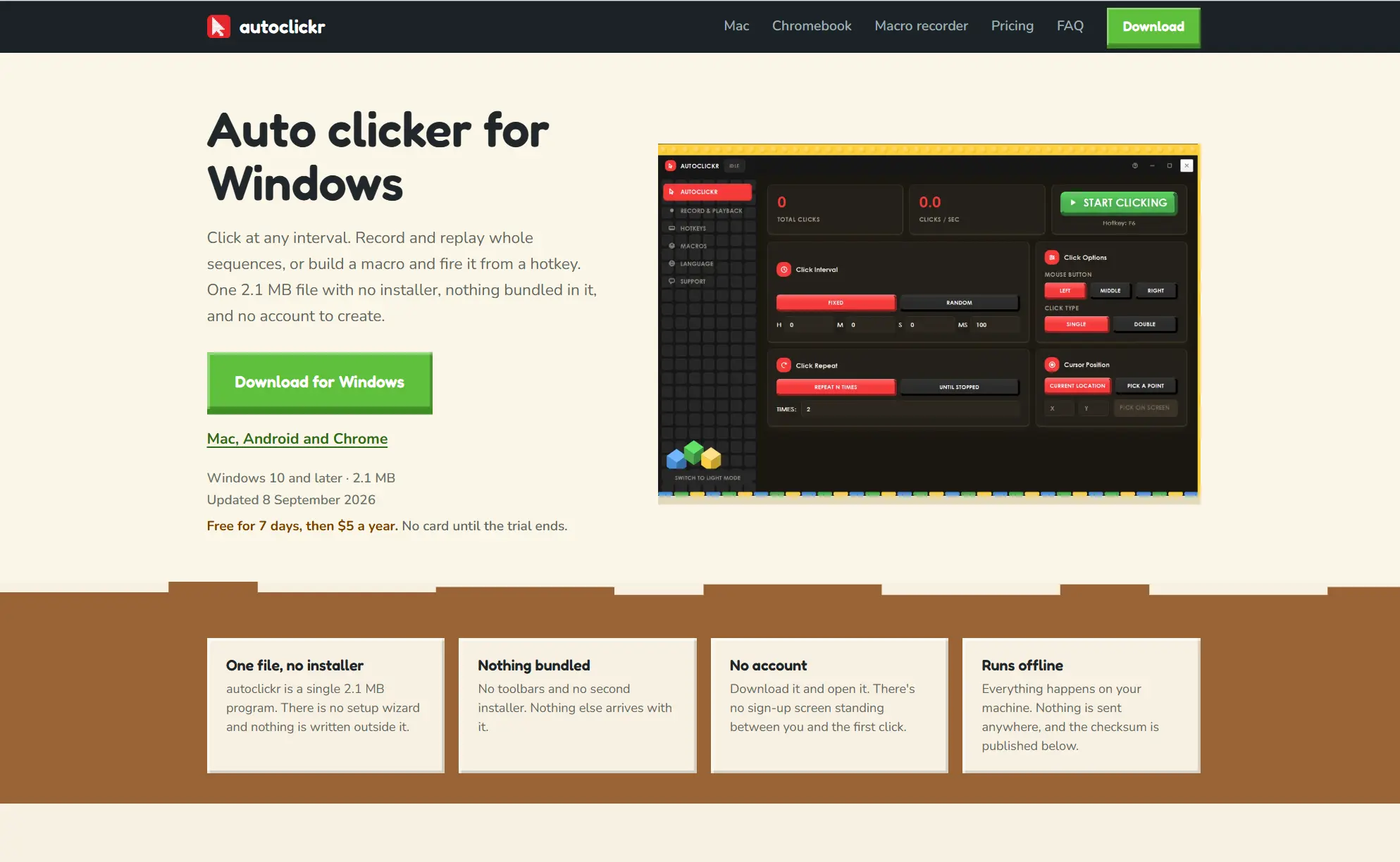
Its click repeater supports fixed or random intervals, while its recorder captures clicks, movement and keyboard input for playback. The macro builder provides another way to assemble a sequence.
See the autoclickr official page for its Windows requirements and subscription details.
AutoClick
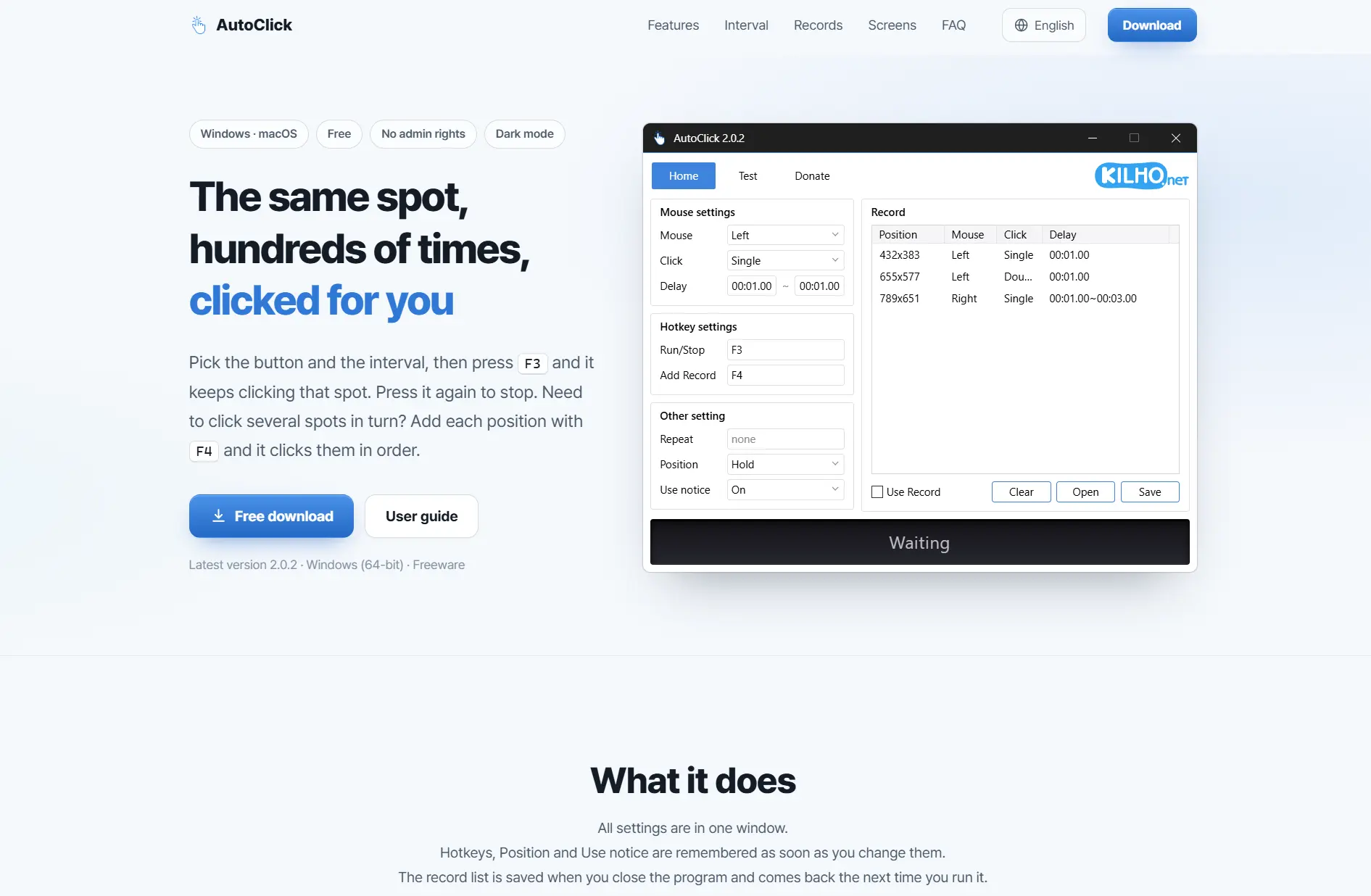
Consider AutoClick for a freeware option that can save ordered clicks at multiple positions.
Each position in a pattern can have its own button, click type and interval, making a saved pattern useful when a task requires more than one target.
See the AutoClick official page for its license and settings.
Windows Auto Clicker
Consider Windows Auto Clicker for recorded click sequences and several ways to stop a routine.
It supports repeated clicks, ordered sequences and image targets. Its optional focus setting can pause a routine when the target window loses focus.
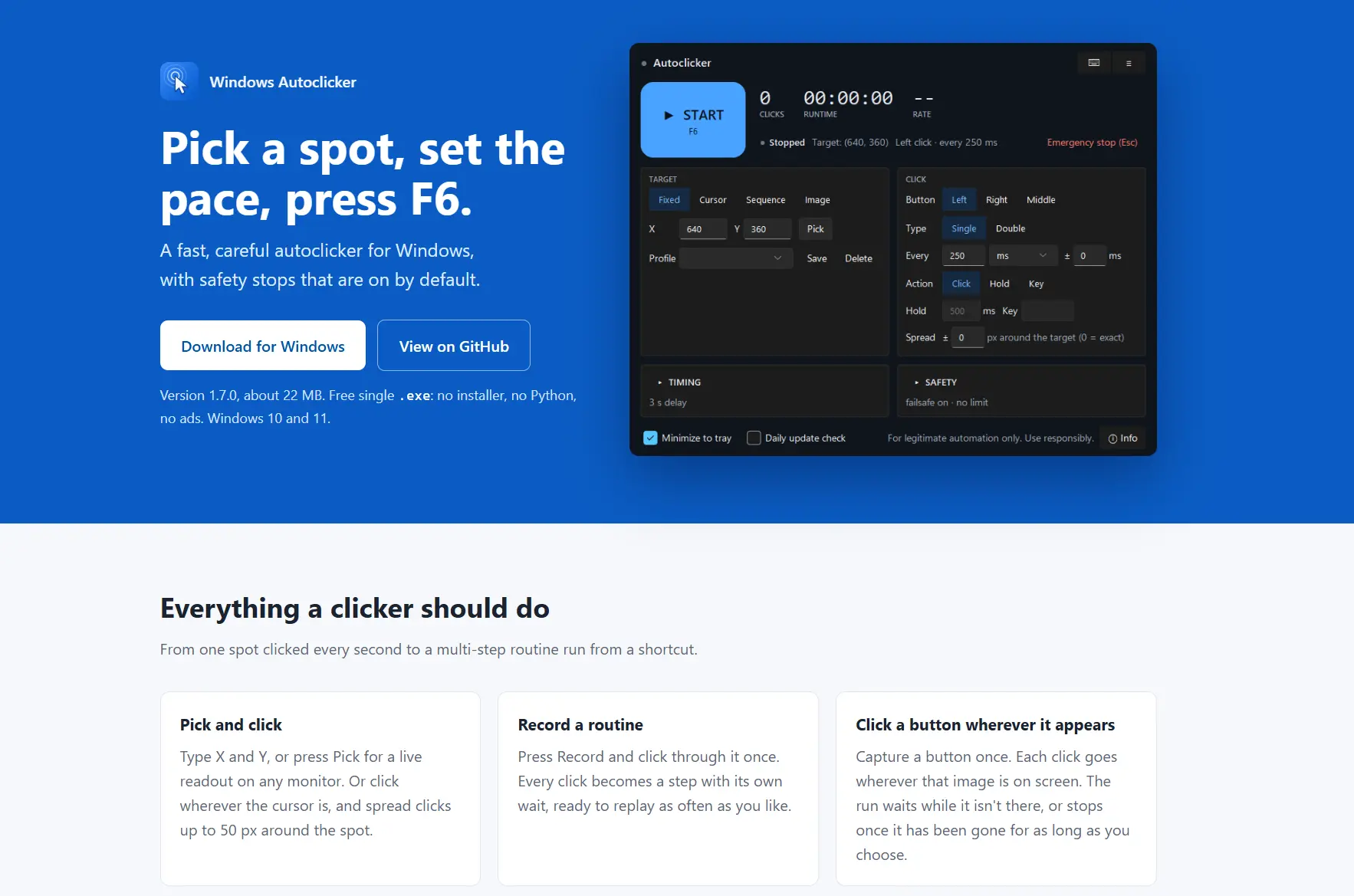
Review the Windows Auto Clicker official project for its controls and license.
How We Compared
We compared the supplied official product information and internal Fionn product facts across Windows support, controls, sequences, pricing, window behavior and release information. This is a documentary comparison, not a hands-on performance test. Release and pricing details reflect the supplied research checked on November 18, 2026.
How to Choose
Start with your Windows version and the type of input you need. A single repeating click needs fewer controls than a routine involving several positions or keyboard actions. Next, check whether the tool uses your cursor, whether its license fits your use, and whether the game accepts its input.
Final Verdict
On Windows 10 or 11, consider Fionn Auto Clicker first for adjustable clicks and the option to expand into recorded routines; it offers three free attempts and a membership plan. Choose AutoClick for freeware and saved position patterns, autoclickr if its seven-day trial and $5 yearly subscription suit a keyboard-and-mouse workflow, or Windows Auto Clicker for stop controls under its non-commercial license. In every case, confirm Race Clicker responds before relying on the tool.
FAQ
Do these tools work with Race Clicker?
Compatibility with Race Clicker has not been verified for these candidates. Check whether the game responds to the clicks, and review its rules before using automation.
Which option is freeware?
AutoClick is freeware and permits redistribution. Its official information specifies 64-bit Windows but does not state specific Windows versions.
Can I record keyboard input as well as clicks?
Fionn Auto Clicker and autoclickr support recording mouse and keyboard actions. Windows Auto Clicker records clicks and timing, but its recordings do not capture keystrokes.
Does background clicking work in every window?
No. Fionn Auto Clicker supports background clicking, but some windows may not support it. AutoClick's own window can remain in the background; that does not establish how a target game handles input.


