 Emily CarterDLL Errors
An XAudio2_7.dll Missing or not-found message can prevent a game or desktop app from starting. XAudio2_7.dll is a legacy XAudio2 binary associated with the DirectX SDK, and Microsoft documents XAudio 2.7 as one of the legacy runtime libraries used by some games.
First, copy the complete error text, the affected app name, and any path shown in the dialog. Then install Microsoft’s legacy DirectX components if the app may depend on them. Do not download a standalone DLL from an unverified DLL-download site: repair the supplying component or the affected app instead.
Install Microsoft Legacy DirectX Components
Use this route when the failing game or desktop app depends on legacy DirectX SDK components such as XAudio 2.7. Microsoft says its DirectX End-User Runtime adds optional legacy technologies side by side; it does not change the DirectX Runtime installed with Windows.
- Open the Microsoft DirectX End-User Runtime Web Installer download page .
- Select
Download
to download the installer.
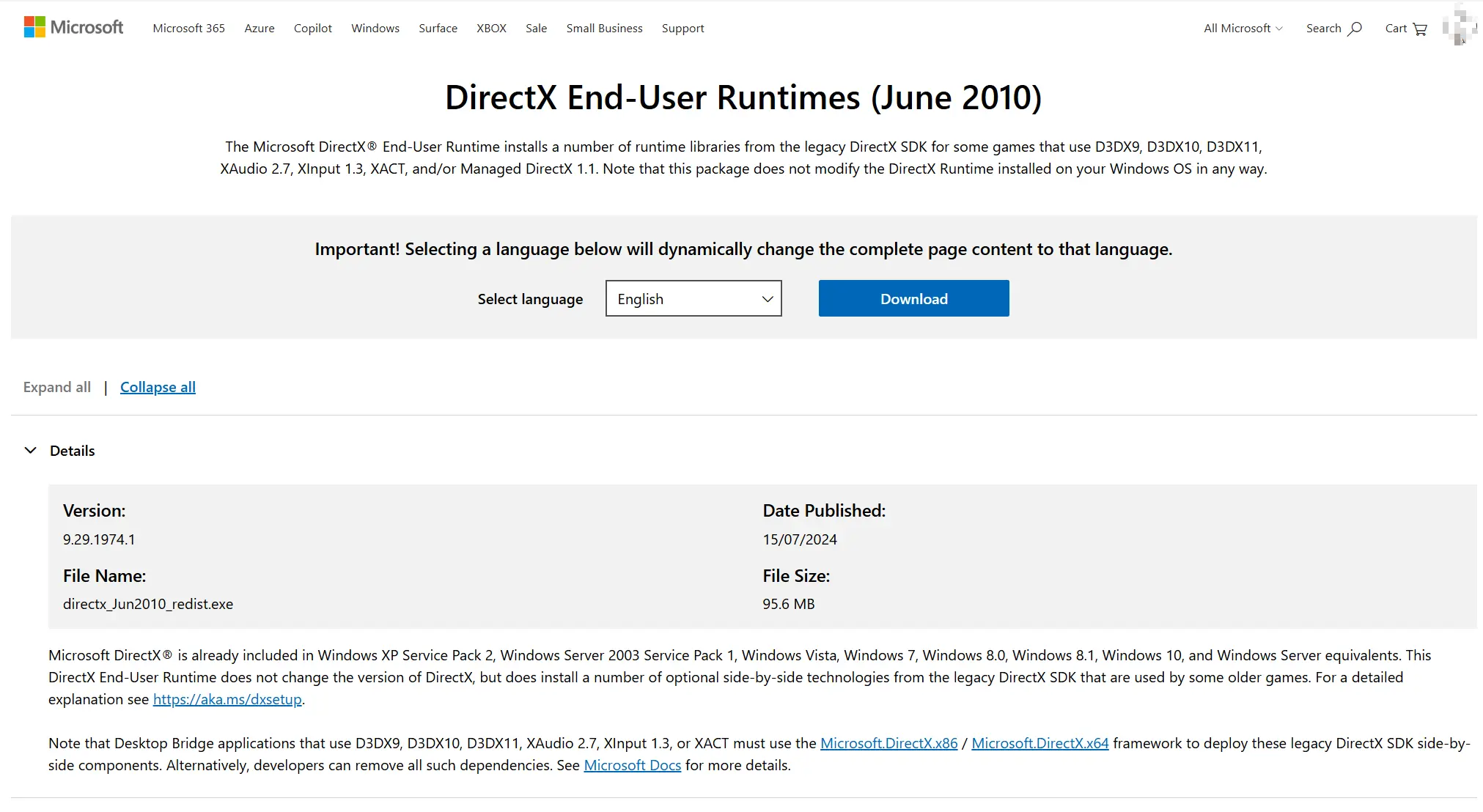
- Select Open or Run to install immediately, or save the installer to run later.
- When installation finishes, launch the exact app or game that showed the error.
The practical success check is the affected app opening without the original XAudio2_7.dll message. An installer completing only confirms that the installer finished; it does not establish that an app-specific installation issue has been resolved.
Check Related DLL and Runtime Issues with Fionn DLL Fixer
If the same computer shows other DLL, DirectX, or runtime errors, Fionn DLL Fixer can check Windows for those categories of issues and supports repair followed by a recheck. This can be useful for investigating a broader Windows problem, but the supplied documentation does not establish that it specifically repairs XAudio2_7.dll.
- Launch Fionn DLL Fixer. The software automatically scans your PC for DLL and system issues and displays the detected results when the scan is complete.
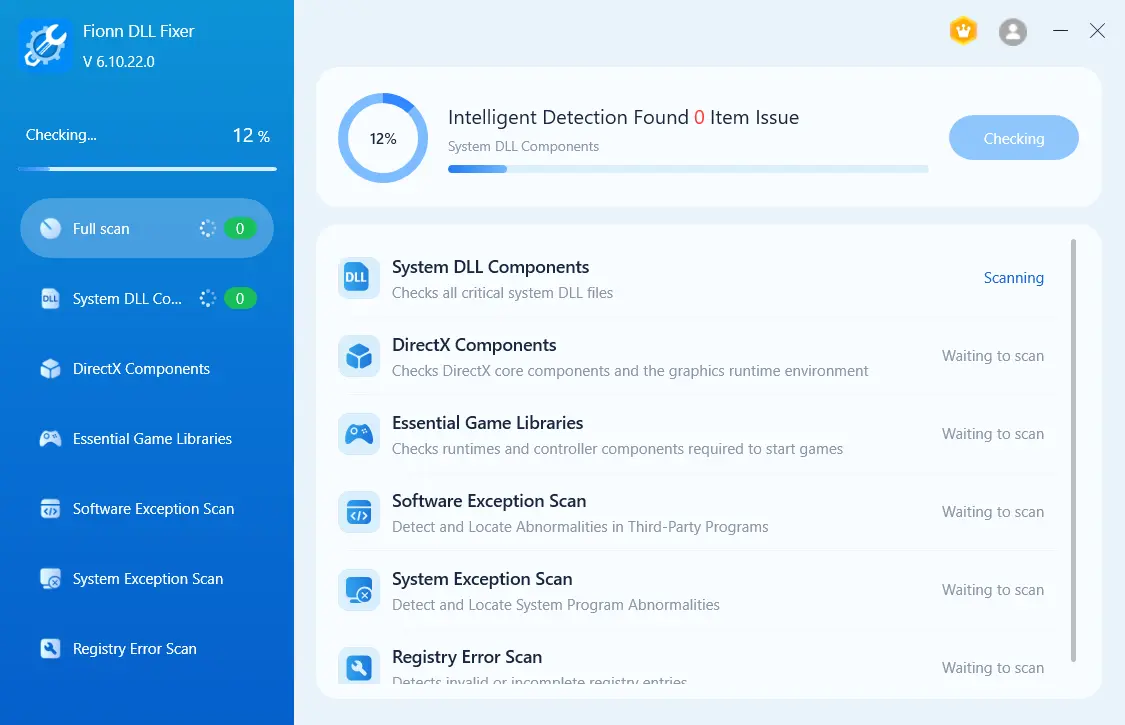
- After the scan finishes, click
Repair
to start fixing all detected DLL and system issues automatically.
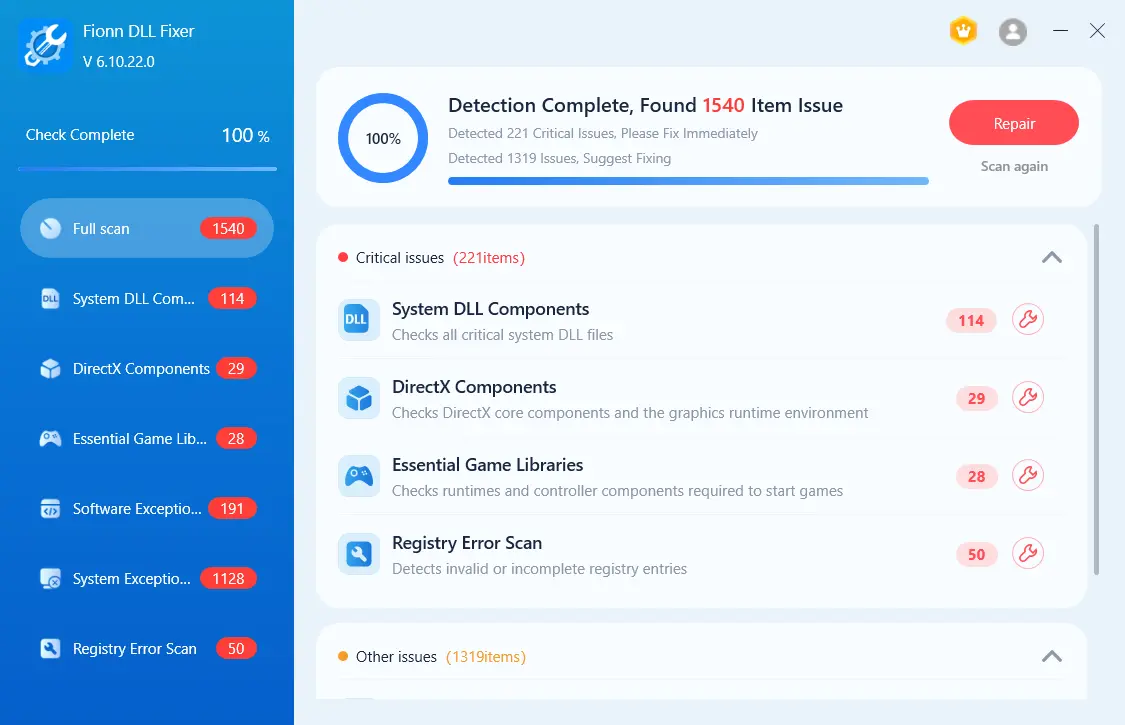
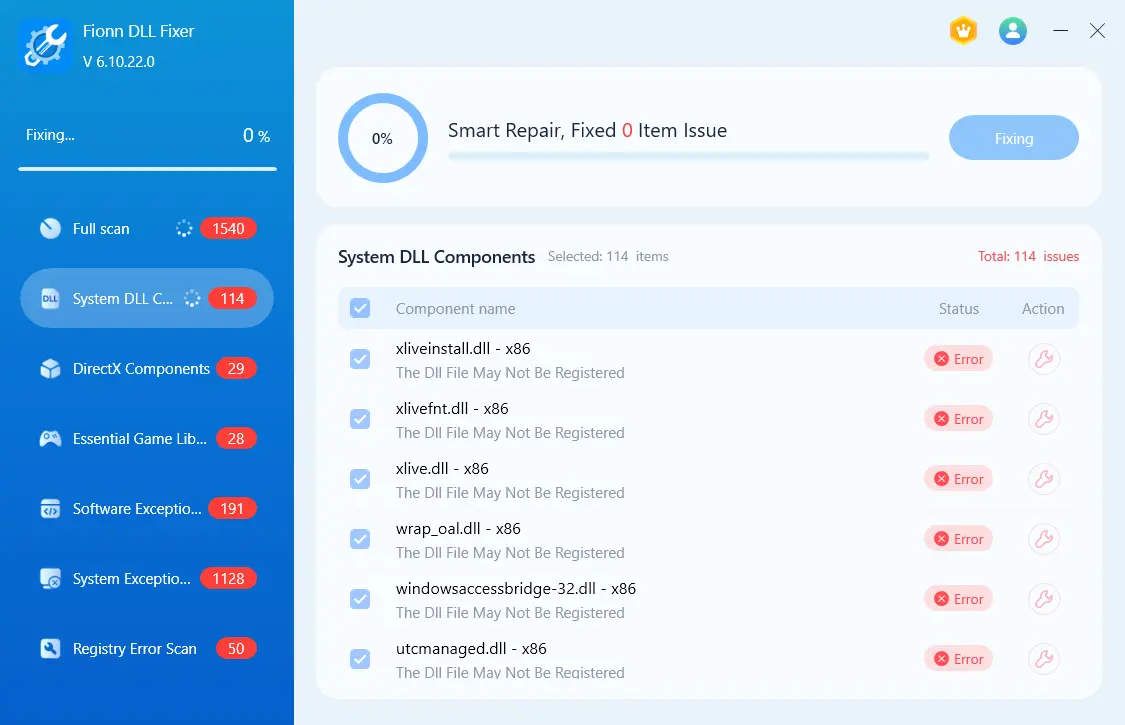
- Wait while the repair is in progress. During this process, the button changes to
Fixing
until all issues have been repaired.
- When the repair is complete, click
OK
in the confirmation dialog. If prompted, restart your computer before checking whether the problem has been resolved.
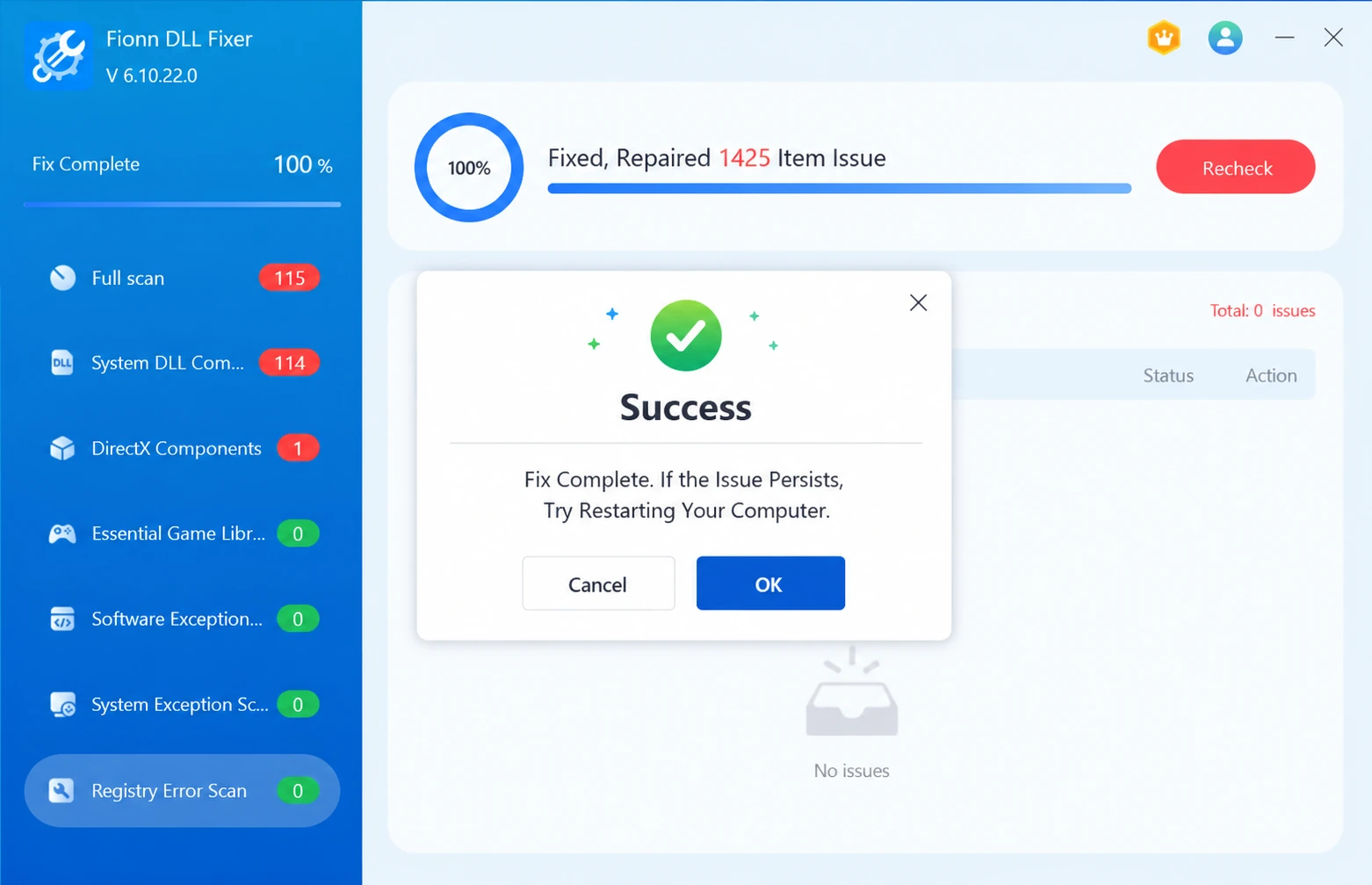
- If the issue still persists after restarting, click
Recheck
to perform another scan. If new issues are found, click
Repair
again to fix them.
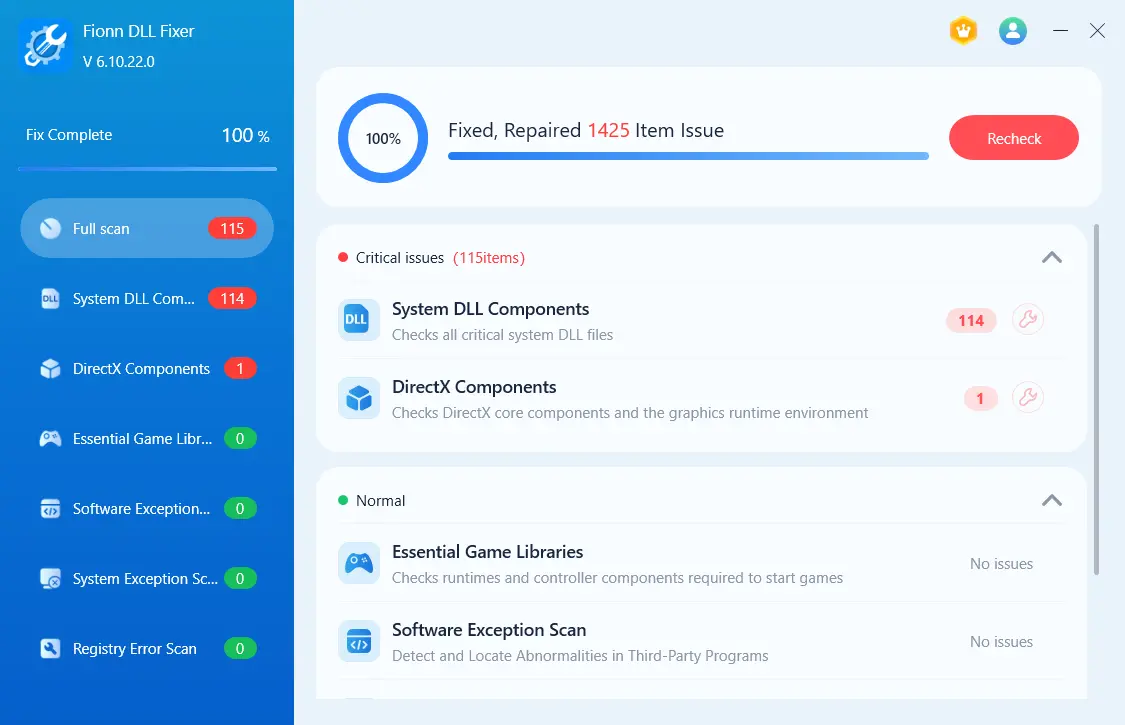
A completed repair or clean recheck is useful scan feedback. To determine whether your original task succeeded, reopen the same app and confirm that its original XAudio2_7.dll error no longer appears.
The product offers a free trial; its interface shows three free attempts, while VIP plans unlock additional DLL, DirectX, runtime, and system repair benefits.
Check DirectX Information for Support
If the error continues, collect DirectX information before contacting the app publisher or support team. This is a diagnostic step, not proof that the particular legacy library required by the app is present.
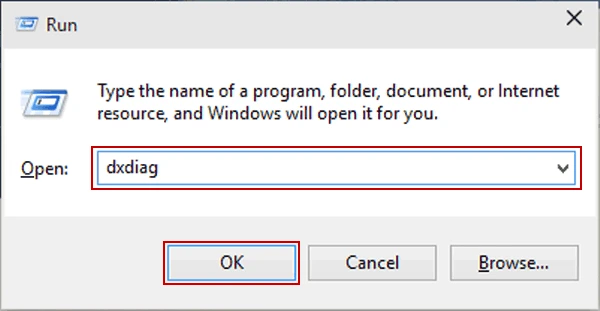
- Search Windows for
dxdiagand open the result. - Select the
System
tab.
- Check the DirectX version under System Information.
- If you need to share the result with support, select Save All Information to create a diagnostic report.
Send the full original error, the affected app name, any displayed path, and the diagnostic report to the app publisher. Its official repair, reinstall, or launcher-verification instructions may be needed if the legacy runtime installation does not resolve the launch failure.
Source: Microsoft Support — check your DirectX version
Conclusion
For an XAudio2_7.dll missing error, install Microsoft’s documented legacy DirectX components, then test the exact app that failed. If related DLL or runtime problems are also present, scan and repair those detected issues, restart when prompted, and recheck. If the same app still shows the message, use its full error details and DirectX report to follow the app publisher’s repair route.
FAQ
What is XAudio2_7.dll?
XAudio2_7.dll is a legacy XAudio2 binary associated with the DirectX SDK. Some games and desktop apps use legacy DirectX runtime libraries that include XAudio 2.7.
Should I download XAudio2_7.dll from a DLL website?
No. Avoid replacing an individual DLL from an unverified DLL-download site. Install the documented component that supplies the dependency or use the affected app publisher’s repair procedure.
Why can this happen when DirectX is already installed?
An app can require optional, side-by-side legacy DirectX SDK technologies even though Windows already has DirectX. Microsoft’s legacy runtime installer is intended to add those older libraries without changing the DirectX Runtime installed with Windows.
What if the error remains after installing the legacy runtime?
Test the same app again, record its complete error text and any path, and collect a DirectX diagnostic report. Then use the affected app publisher’s official repair, reinstall, or launcher file-verification instructions; no such app-specific procedure was supplied here.


