 Emily CarterAuto Clicker
Introduction: What to Choose for Mouse Automation
If you need a mouse automation auto clicker on Windows with repeatable action recording, consider Fionn Auto Clicker first: it combines click configuration, mouse and keyboard recording, playback, and scheduling. For macOS, Android, or Linux, it makes more sense to choose an alternative with stated support for the required platform. Below is a comparison of features based on official pages; it is not the result of hands-on testing.
Best Options by Task
- For Windows and recorded workflows: Fionn Auto Clicker — configurable clicks, recording/playback, and scheduled tasks.
- For Windows, macOS, or Android: Auto Clicker — the basic mode covers these platforms, while advanced macros are part of the full version.
- For Linux X11 and open source: Infinite Autoclicker — MIT license, recording, color clicking, and scheduling; Wayland is not supported.
- For profiles and beta experimentation: FluAutoClicker — profiles, system tray, and global hotkeys, but the product is in an early beta stage.
- For free portable profiles: Aura Clicker — sequences, keys, and profile import/export for three desktop systems.
Quick Comparison Table
Fionn Auto Clicker
For Windows users who need both standard clicks and repeatable input playback, Fionn Auto Clicker is a practical first option. It documents button selection, coordinates, interval, repetition count, and hotkeys; internal information also confirms recording, editing, and exporting mouse and keyboard actions, image, color, or text conditions, and scheduled runs.
Its strength is the ability to move from a simple click loop to a composite workflow without changing programs: global hotkeys with conflict checking are available, along with continuous runs or runs limited by a repetition count.
Only Windows is supported, and the minimum Windows version has not been established.
It suits Windows users who need configurable repeated clicks or recorded keyboard and mouse playback. Learn more at Fionn Auto Clicker .
How to Use Standard Auto-Clicking
- For standard clicks without recording only: open Fionn Auto Clicker and select “Mouse Clicks” → “Standard Click.” Choose the mouse button, method, and click position, set the interval and repetitions, then select “Start Auto Click” or press F6.
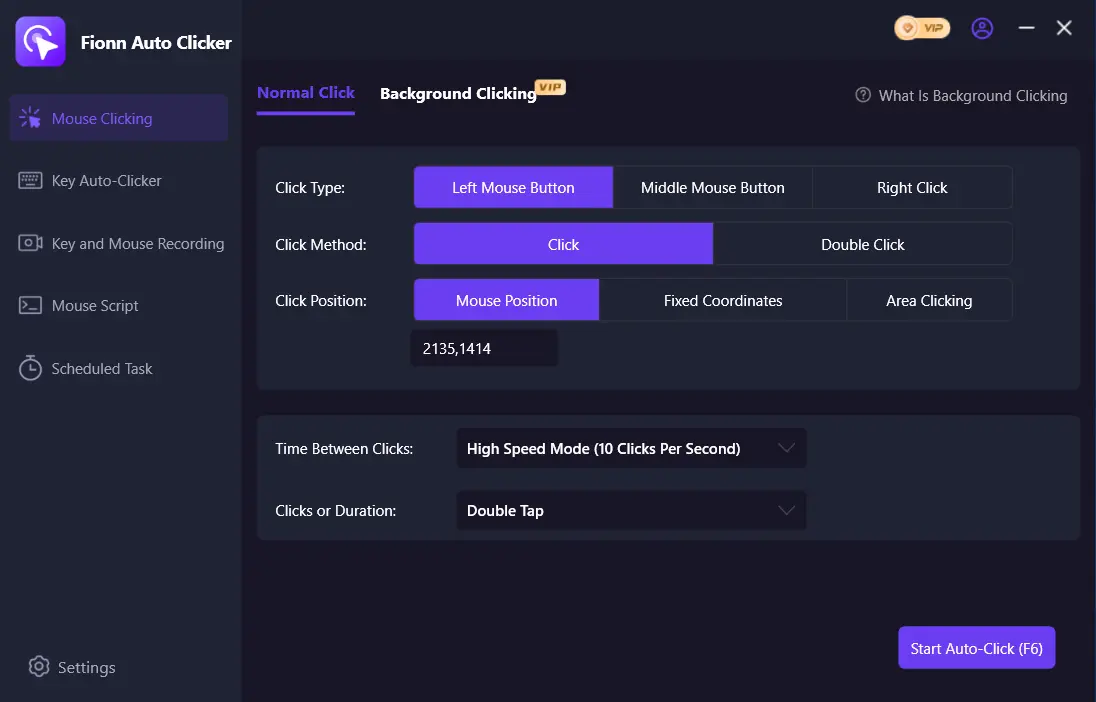
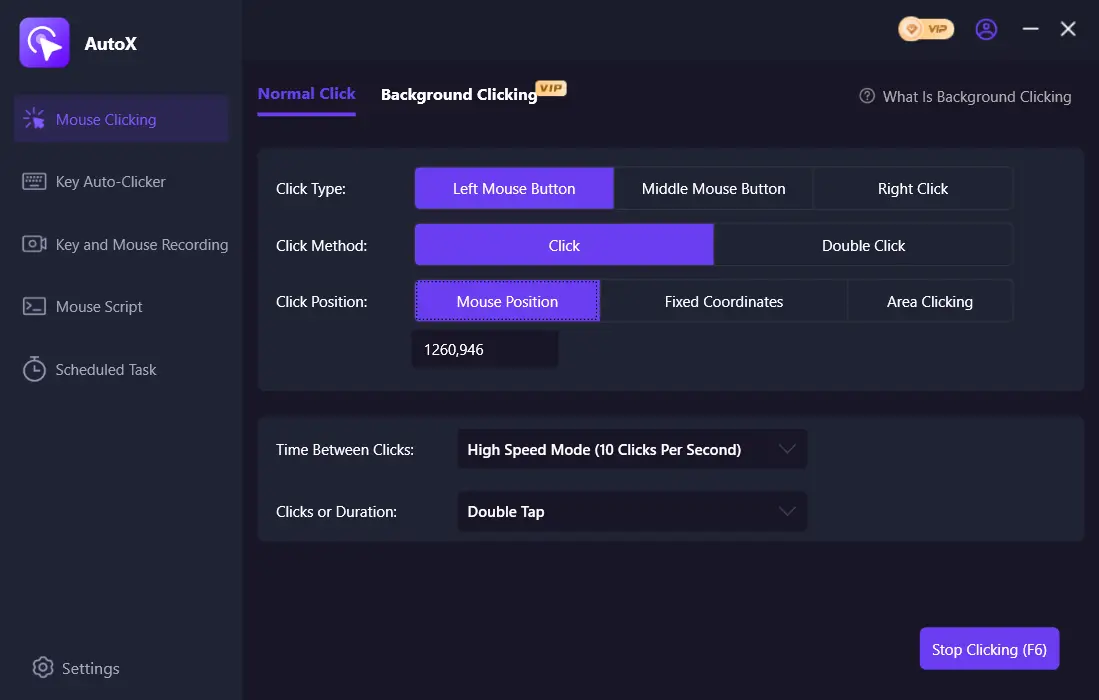
- After checking, stop standard clicking with the “Stop Clicking” button or F6. Before moving the pointer or changing settings, make sure automatic clicking has stopped.
Auto Clicker
Choose Auto Clicker if stated support for Windows, macOS, or Android matters. Standard mode includes buttons, click types, positions, intervals, and repetitions; the full version adds keys, scrolling, recognition, recording, and macros.
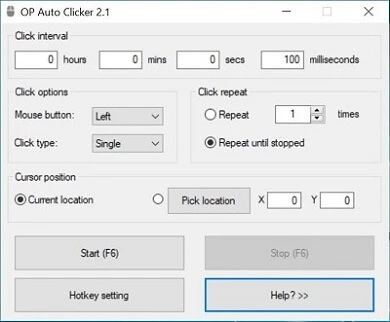
This is the most straightforward option on the list for mobile Android alongside desktop systems. Official information states that there is a free version and a paid upgrade.
Linux is explicitly unsupported, and the free version contains ads. Official pages differ on the minimum macOS version, so check the current requirement on the official compatibility page before installing it on a Mac.
Suitable for basic click automation on supported desktop systems or Android; the full version is required for recording and macros. Official Auto Clicker website .
Infinite Autoclicker
Infinite Autoclicker is an option for Windows, macOS 12+, or Linux X11 when you need open source, mouse and keyboard recording, color clicking, and macro scheduling. You can configure delay, click count, and a saved position.
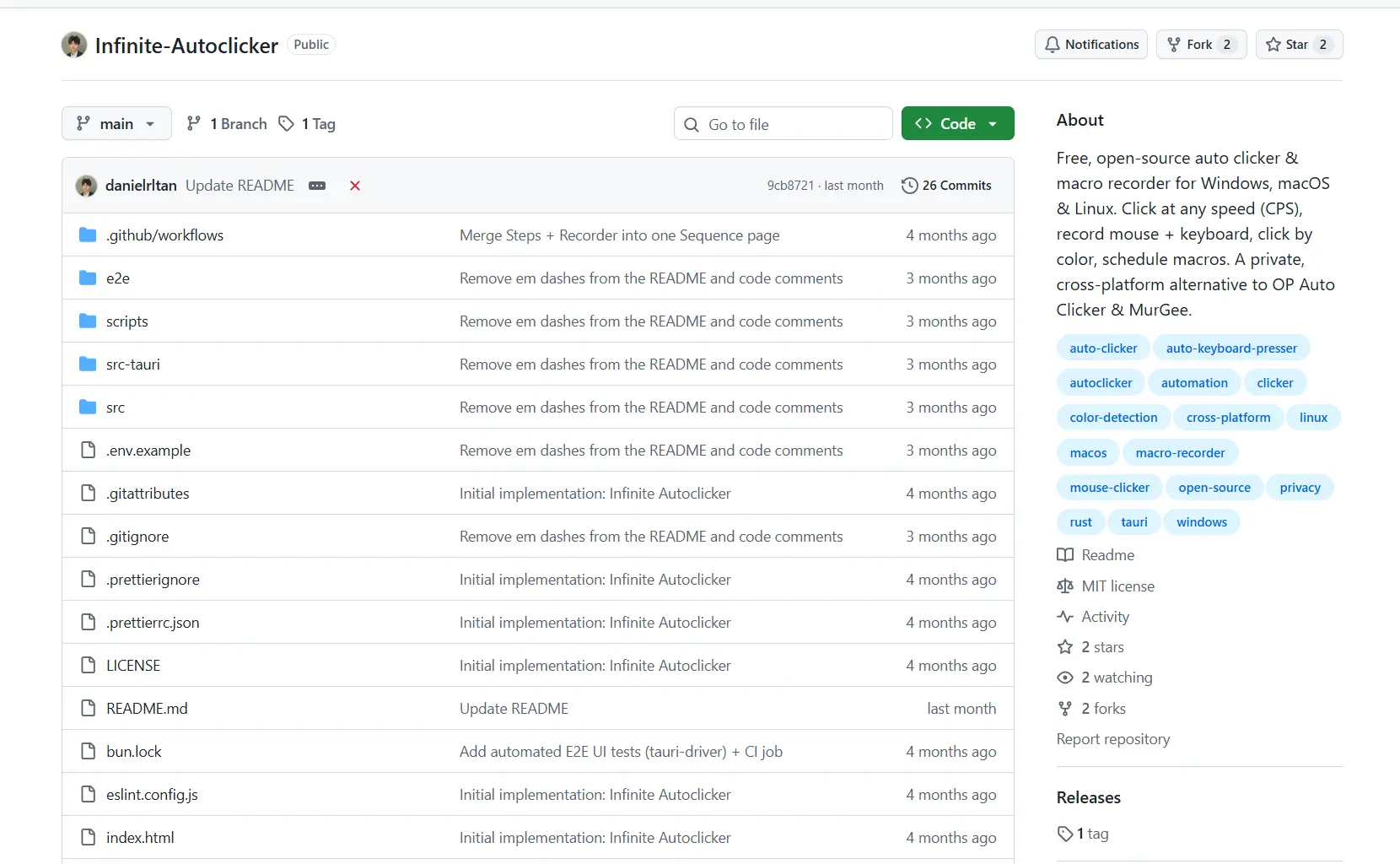
The project is distributed free under MIT, and the configurable F5/F6/F7/F12 hotkeys are stated to work in the background.
Wayland is not supported because global input is blocked; macOS requires automation permissions. In addition, the releases page reports that there are no releases, which is important when choosing how to obtain the program.
Best for Linux X11 users and people who prefer an MIT license and are willing to obtain or build the software themselves. Official Infinite Autoclicker repository .
FluAutoClicker
FluAutoClicker is worth considering for editable multi-step macros: it automates the mouse and keyboard and lets you record, reorder, duplicate, and play back actions. Profiles, JSON import/export, global hotkeys, and a system tray are also stated.
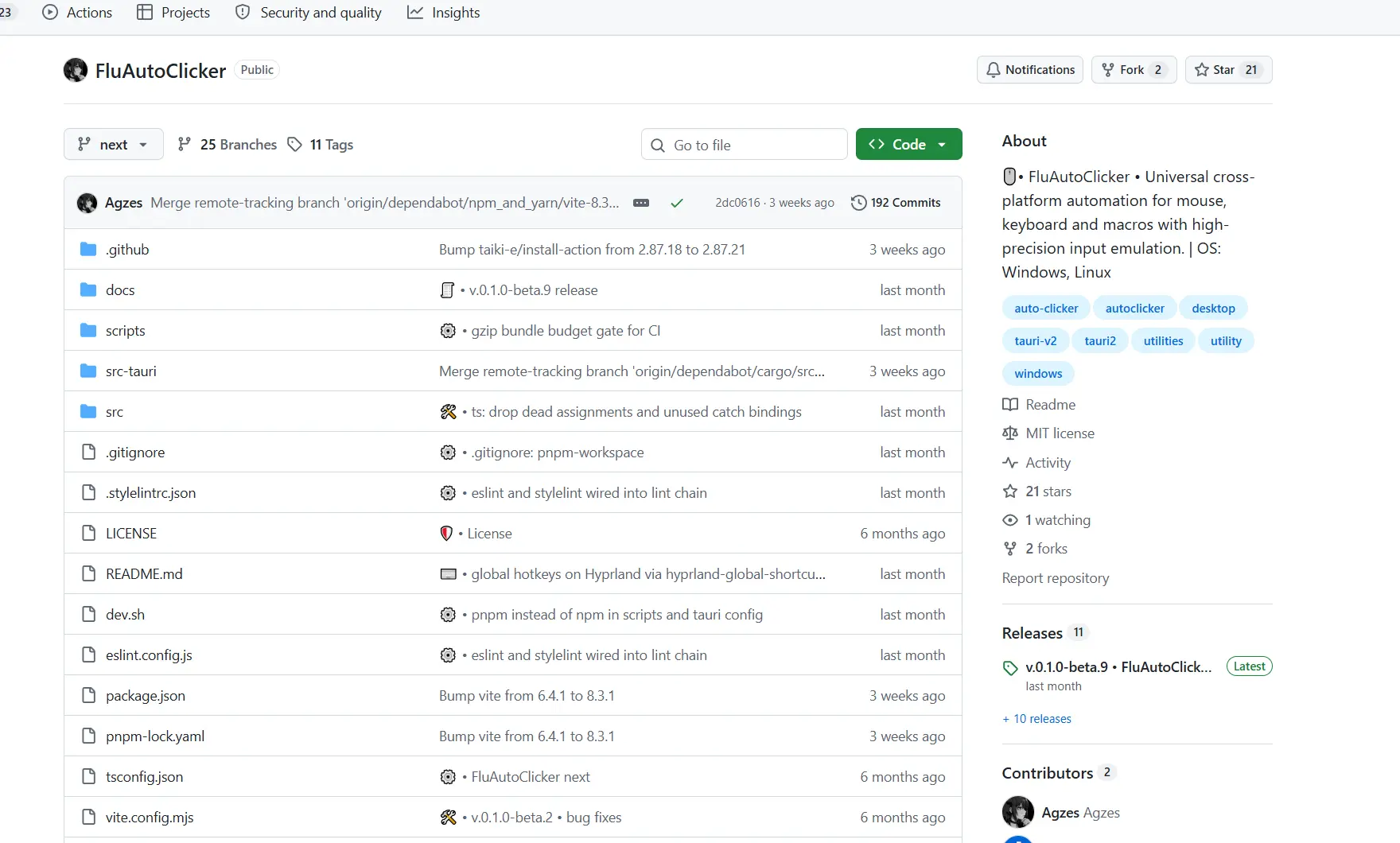
The tool is especially useful for multiple saved configurations because profiles can be transferred between installations.
The developer explicitly calls the product an early beta and warns of possible bugs and instability. Linux may require write access to /dev/uinput; on Wayland, global hotkeys are limited to Hyprland. macOS operation is not guaranteed.
This is a choice for Windows users or prepared Linux users who accept beta status in exchange for profiles and macros. Official FluAutoClicker repository .
Aura Clicker
Aura Clicker is suitable for free cross-platform automation with sequences: stated features include left, right, and middle buttons, current or fixed position, keys and combinations, multi-step actions with delays, and profiles.
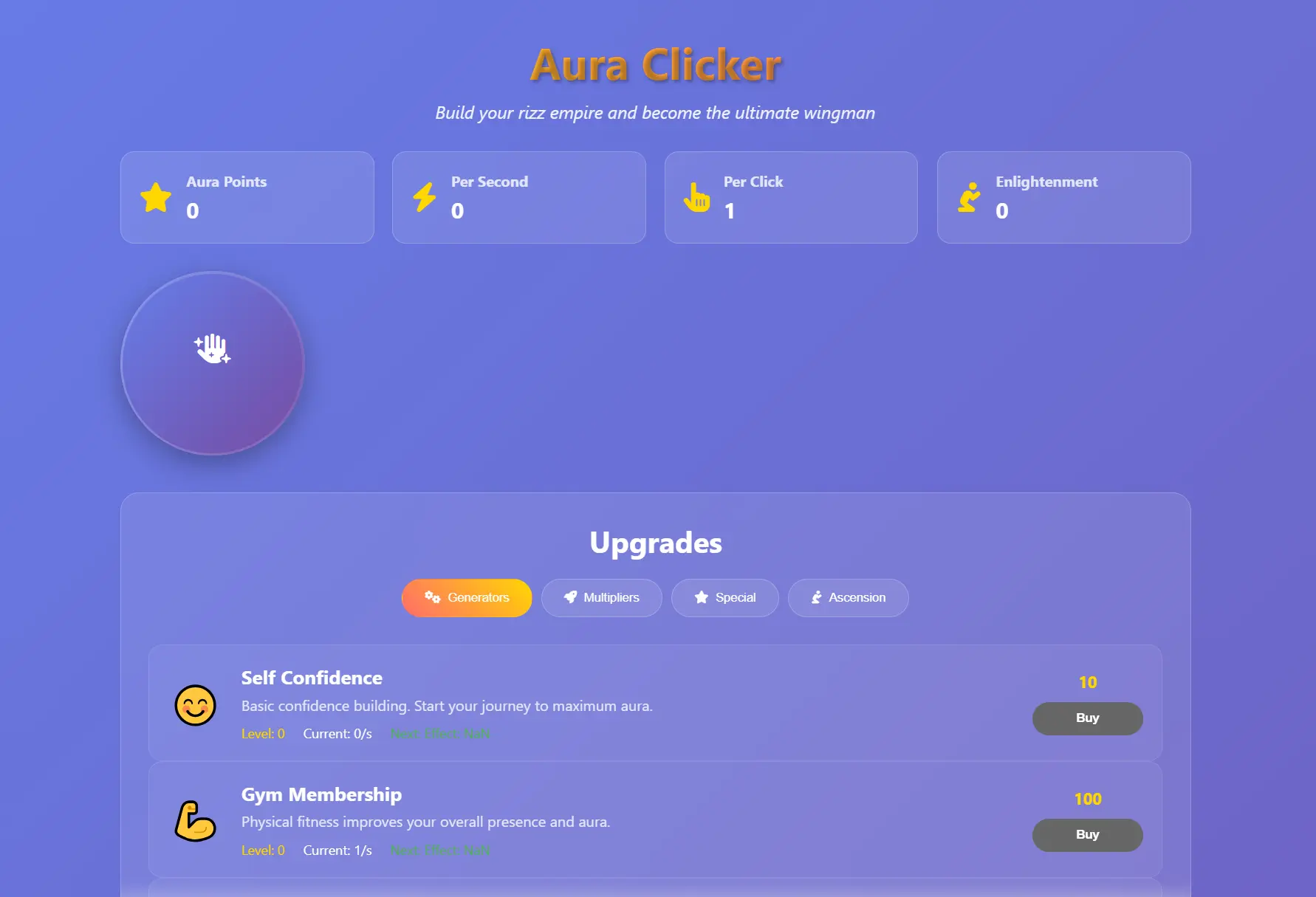
Its benefits are operation on Windows, macOS, and Linux, plus global hotkeys and portable profile import/export without ads or a subscription.
Action recording, scheduling, and system-tray operation are not confirmed in the provided information. On Windows, SmartScreen may show a warning because the executable is not yet signed with an EV certificate.
Suitable for people who value free click and key sequences with profiles that transfer between systems. Official Aura Clicker page .
How the Programs Were Compared
The same criteria were used for all five candidates: stated operating systems and minimum versions, click settings, recording and keyboard automation, hotkeys/profiles/background operation, license or payment model, and platform limitations. Official pages and repositories were prioritized. If a feature was not confirmed, it is marked as unconfirmed in the table rather than treated as absent.
How to Choose
- Need Windows, recording, and playback for a familiar workflow — start with Fionn Auto Clicker.
- Need Android or macOS — compare Auto Clicker with your OS version requirements.
- Need an MIT license and Linux X11 — consider Infinite Autoclicker; it will not suit Wayland.
- Prioritize portable profiles and free sequences — choose Aura Clicker.
- Need a system tray, profiles, and macro editing on Windows/Linux and accept beta status — consider FluAutoClicker.
Final Verdict
For mouse automation on Windows, consider Fionn Auto Clicker first if you need not only interval clicks but also recorded keyboard and mouse actions, workflows, and scheduling. Choose Auto Clicker if you need Android or macOS; Infinite Autoclicker for Linux X11 and an MIT license preference; and Aura Clicker for free profiles and sequences across three desktop systems. FluAutoClicker is justified if you are ready to work with an early beta. Before deciding, compare operating-system support and whether the features you need are included in each tool's free tier.
Frequently Asked Questions
Does Fionn Auto Clicker support macOS or Linux?
No. Only Windows is confirmed in the provided information; the minimum Windows version has not been established.
Which option is suitable for Linux Wayland?
Infinite Autoclicker explicitly does not support Wayland. In FluAutoClicker, global hotkeys on Wayland are limited to Hyprland. Separate Wayland conditions for Aura Clicker are not confirmed in the provided data.
Can I record the keyboard and mouse?
Yes, recording and playback are stated for Fionn Auto Clicker, Infinite Autoclicker, and FluAutoClicker. For Auto Clicker, recording belongs to the full version. Recording is not confirmed for Aura Clicker.
Are there completely free options?
Infinite Autoclicker and FluAutoClicker are distributed under MIT. Aura Clicker is stated to be free without ads or a subscription. Auto Clicker has a free version with ads, while Fionn Auto Clicker offers three free attempts and membership for additional features.


