 Emily CarterVoice Changer
Introduction
For a Windows gaming and chat setup that needs a virtual microphone, Fionn VoxMagic is the first tool to consider: it combines real-time conversion, 100+ RVC voice models, and routing for services such as Discord and Steam Voice. The best AI voice changer for gaming still depends on your system and priorities. Voicemod offers documented Windows and supported macOS requirements, MagicMic and Dubbing AI cover desktop Mac use, while Realtime Voice Changer is aimed at technical users who want open-source model control.
Top Picks
- Start with Fionn VoxMagic on Windows for real-time RVC voices, a virtual-microphone workflow, and controls including pitch, formant, EQ, and reverb.
- Choose Voicemod when you want published hardware requirements, FREE/PRO distinctions, and VoiceLab custom effects.
- Consider Voice.ai for a Windows-only, user-generated voice library and virtual-cable use across microphone-enabled apps.
- Choose MagicMic or Dubbing AI when desktop Mac support matters. MagicMic publishes plan prices; Dubbing AI publishes its claimed latency and CPU figures.
- Use Realtime Voice Changer if you are comfortable with open-source setup, model selection, and tuning performance.
Quick Comparison Table
Fionn VoxMagic
Choose Fionn VoxMagic if you game on Windows and want real-time RVC conversion, a virtual microphone, and detailed voice shaping in one application. Its documented feature set includes 100+ models, a soundboard, and pitch, formant, EQ, and reverb controls; its virtual mic is intended for game, chat, and streaming integrations.
It fits Windows gamers and streamers who want to select one processed microphone source for supported chat or game environments rather than manage separate voice settings for each effect. The free version includes essential vocal filters and noise-suppression tools, while the full AI-model library and advanced soundboard are premium. Imported custom audio is limited to 60 minutes.
How to use Fionn VoxMagic
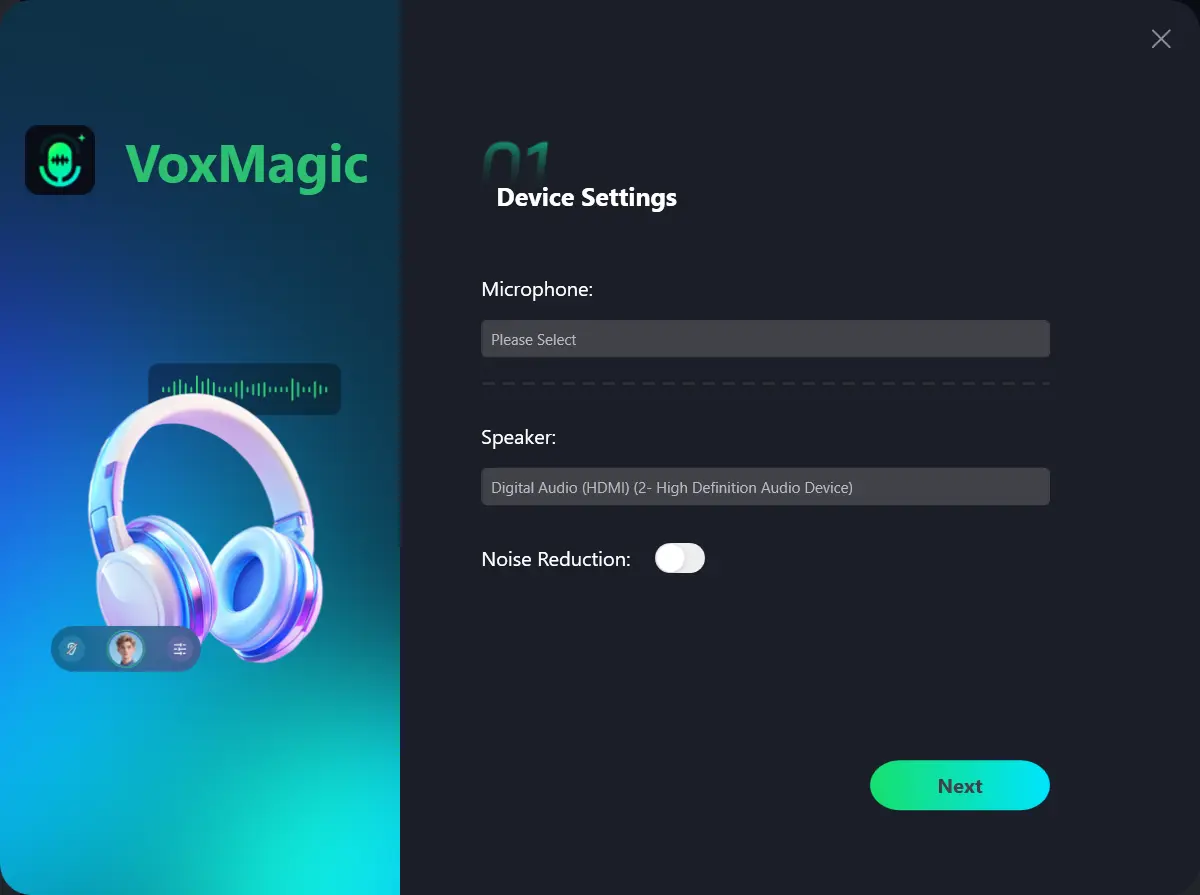
- Open Fionn VoxMagic. In Device Settings, select your microphone and playback device. Enable Noise Reduction if needed, then click Next.
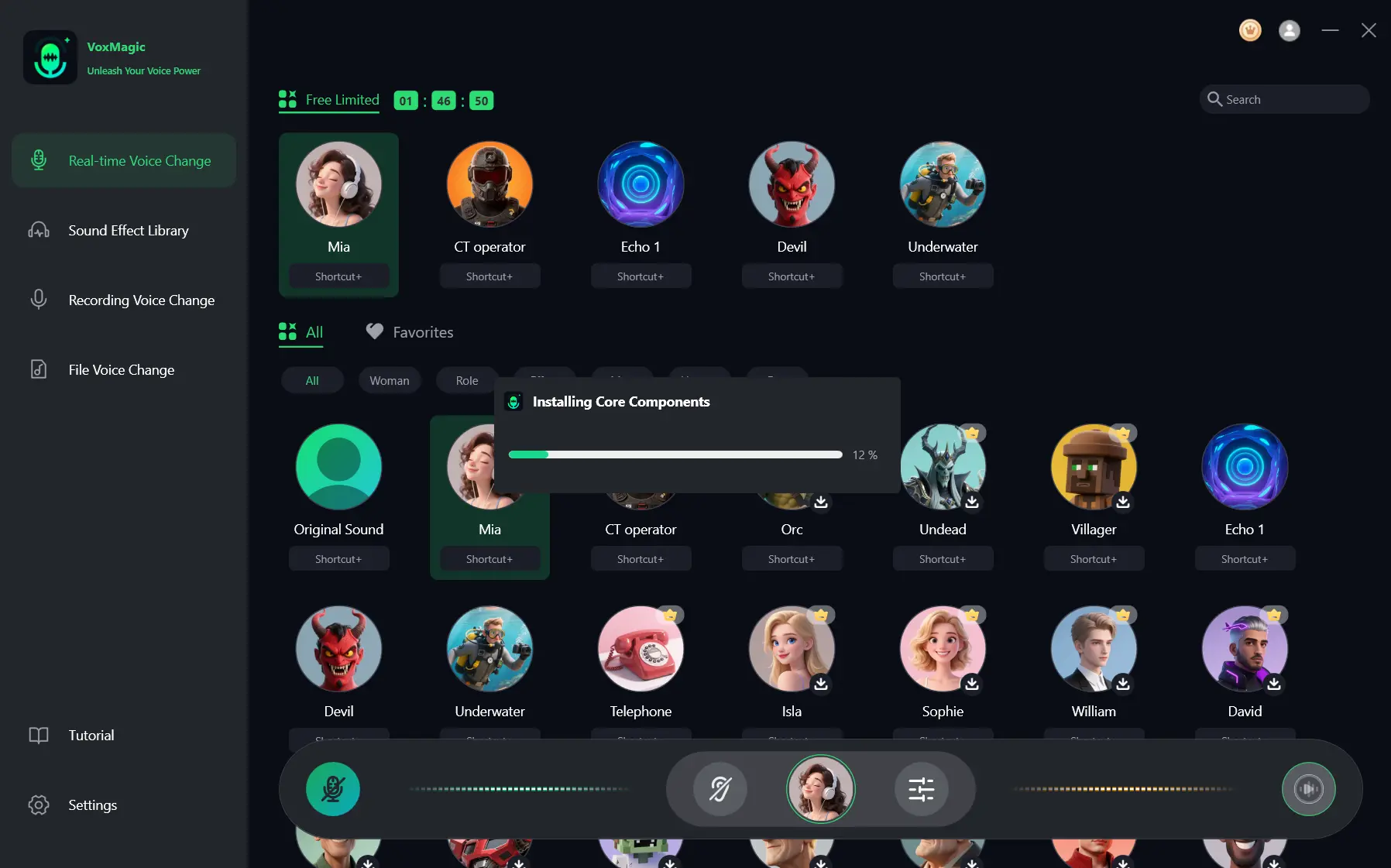
- If the Installing Core Components dialog appears, wait for the installation to finish before continuing.
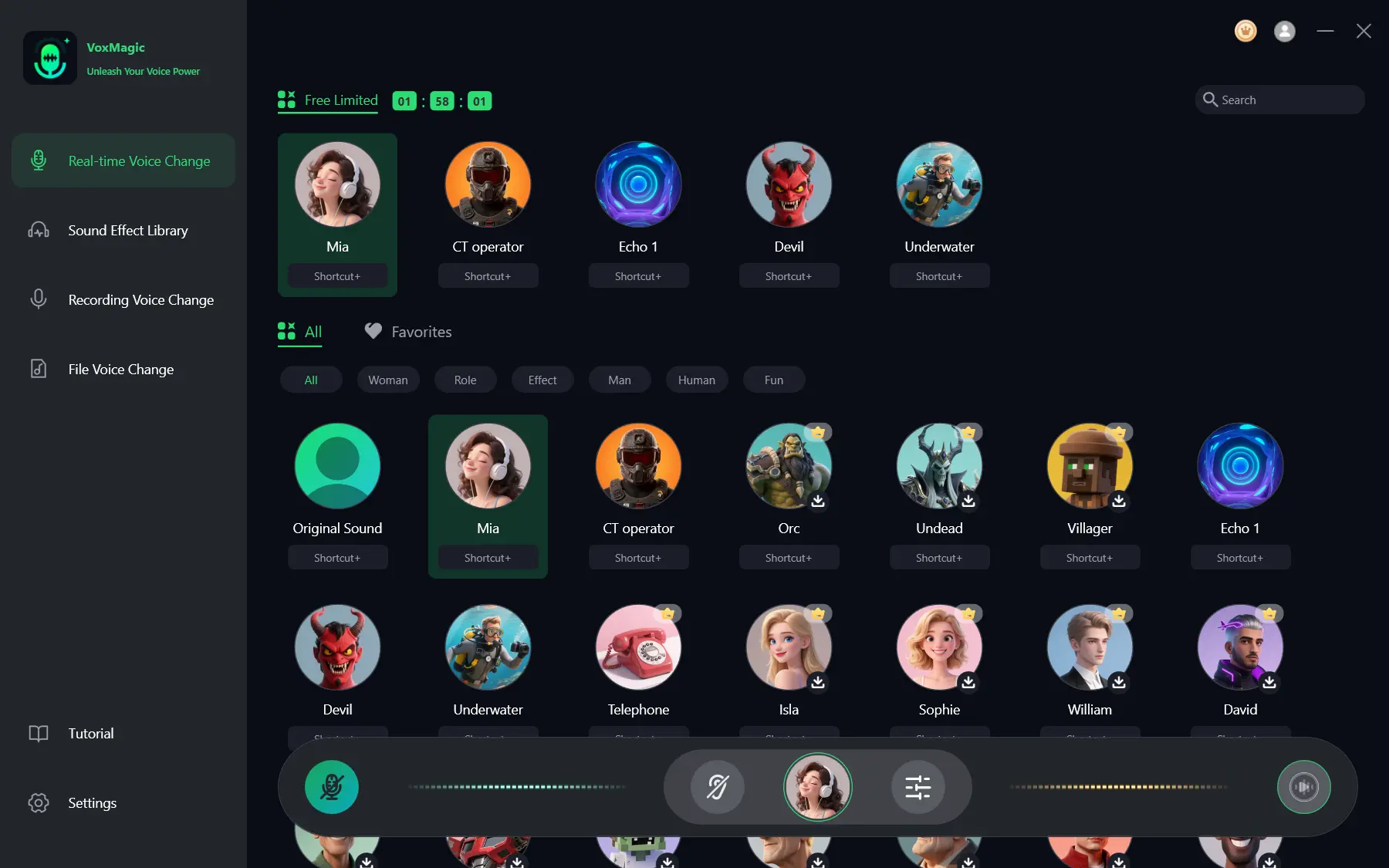
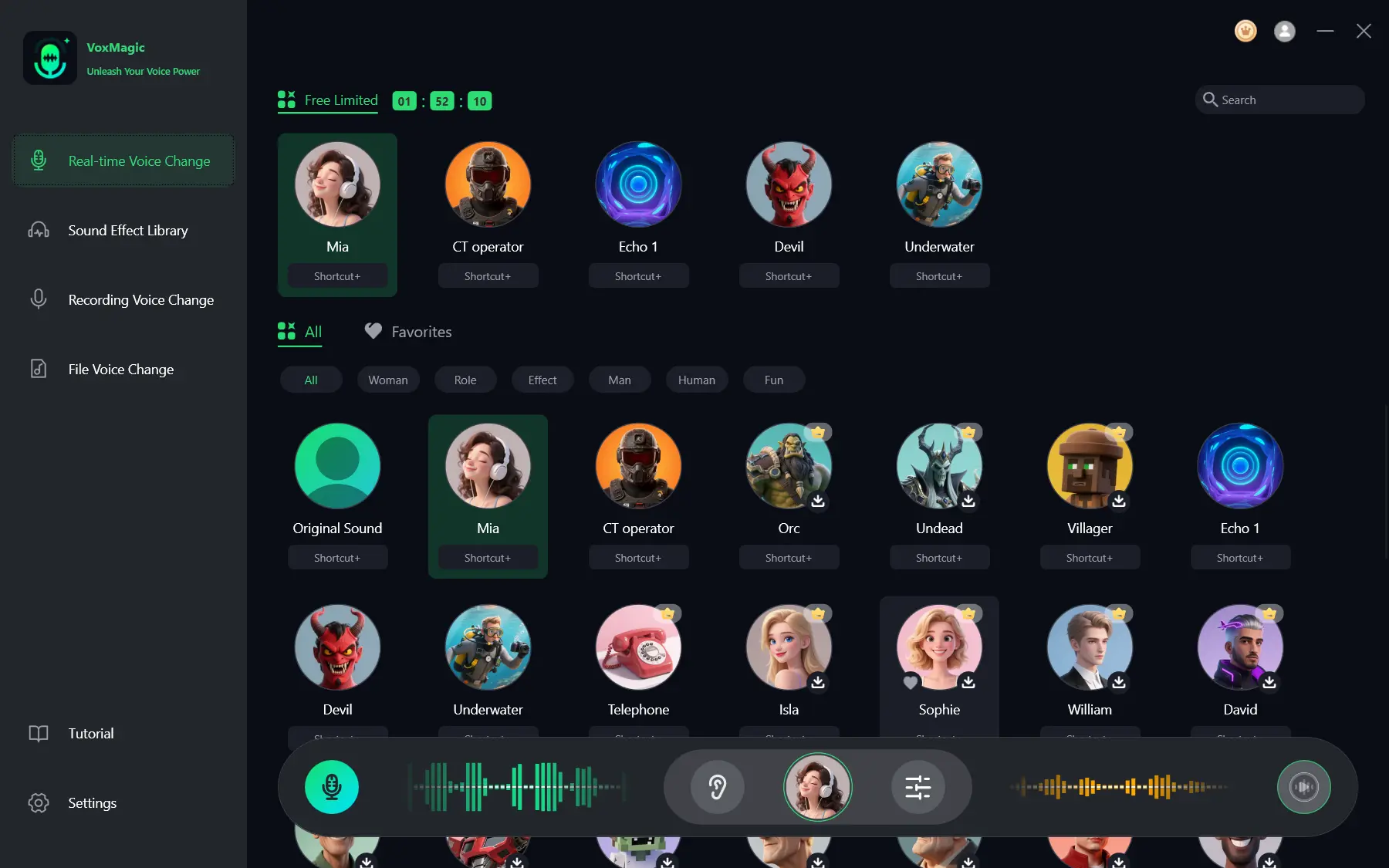
- Open Real-time Voice Change and select a voice effect, such as Mia. The selected effect is highlighted and appears in the bottom control bar.
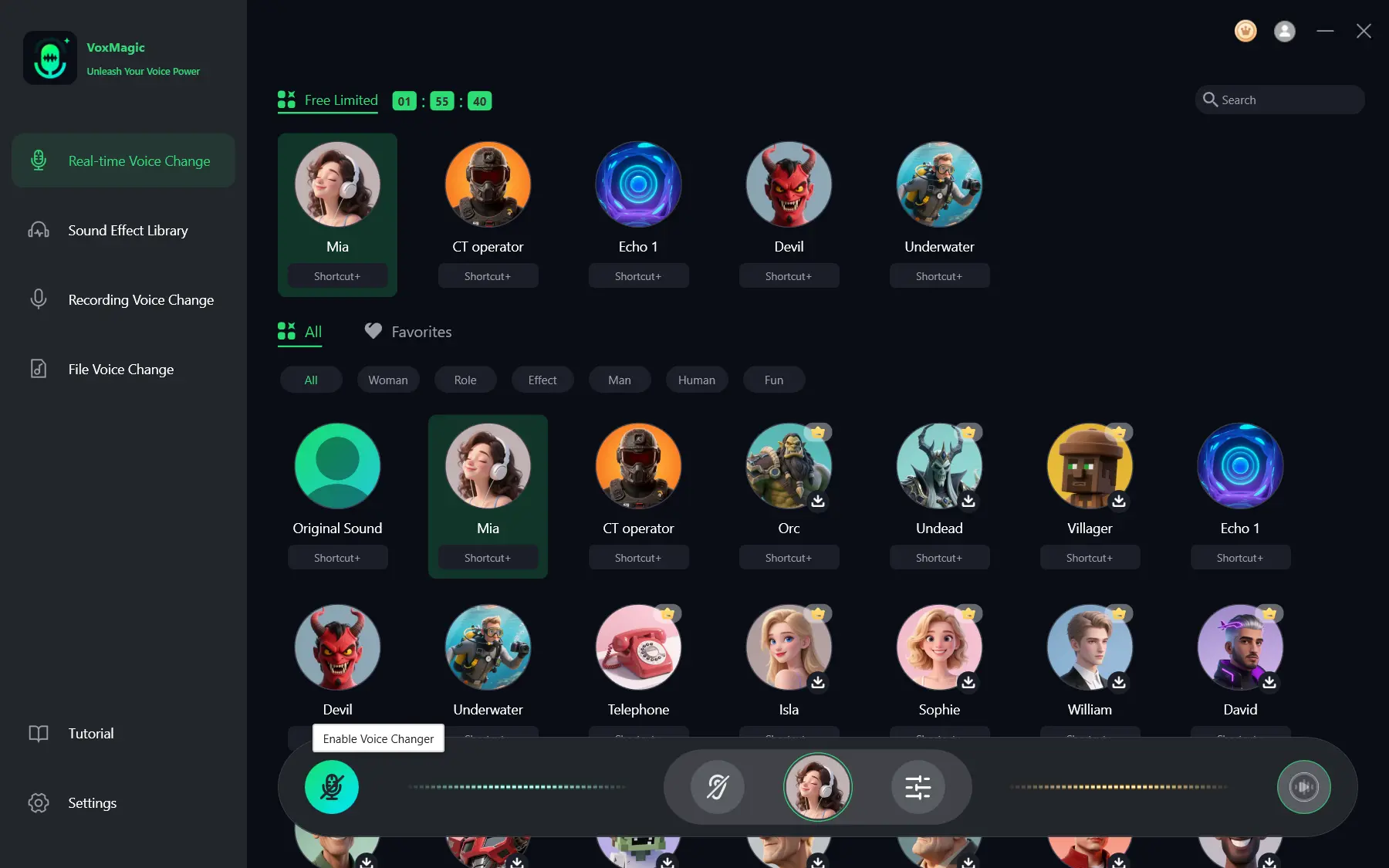
- Click the microphone button labeled Enable Voice Changer in the bottom-left corner of the control bar to turn on voice changing.
- Click the ear icon in the bottom control bar to enable voice preview. Use headphones to listen to your voice while testing the selected effect.
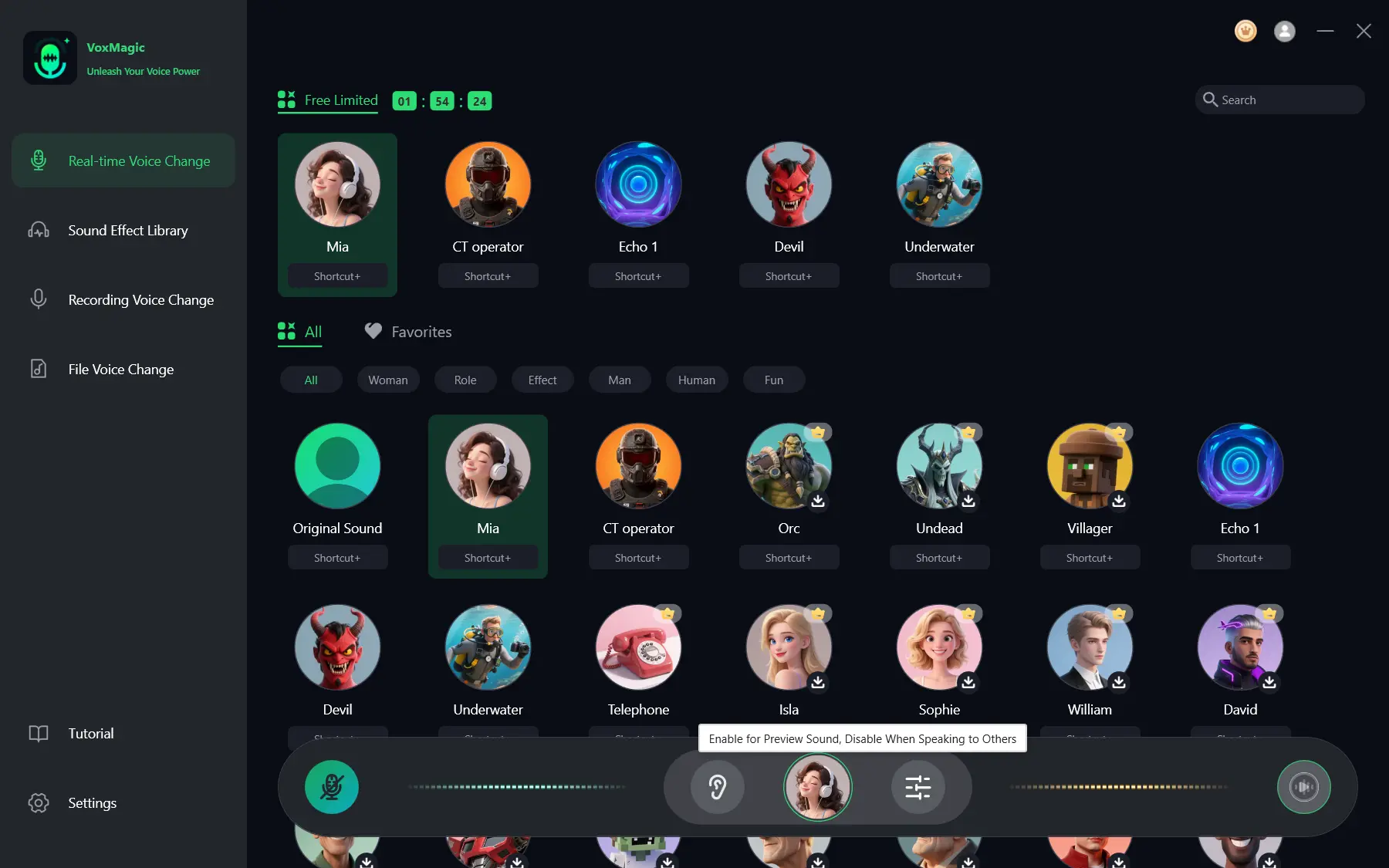
- Speak into your microphone and listen to the preview to check the selected voice effect. Check that the audio level meters respond as you speak. Disable voice preview before speaking to others.
Voicemod
Voicemod is a strong fit for Windows users, or compatible macOS Ventura 13+ users, who value a clearly defined FREE/PRO split. It offers real-time effects, soundboards, keybinds, virtual-microphone routing, AI voices, and PRO VoiceLab custom effects. See the official Voicemod voice changer page for the product overview.
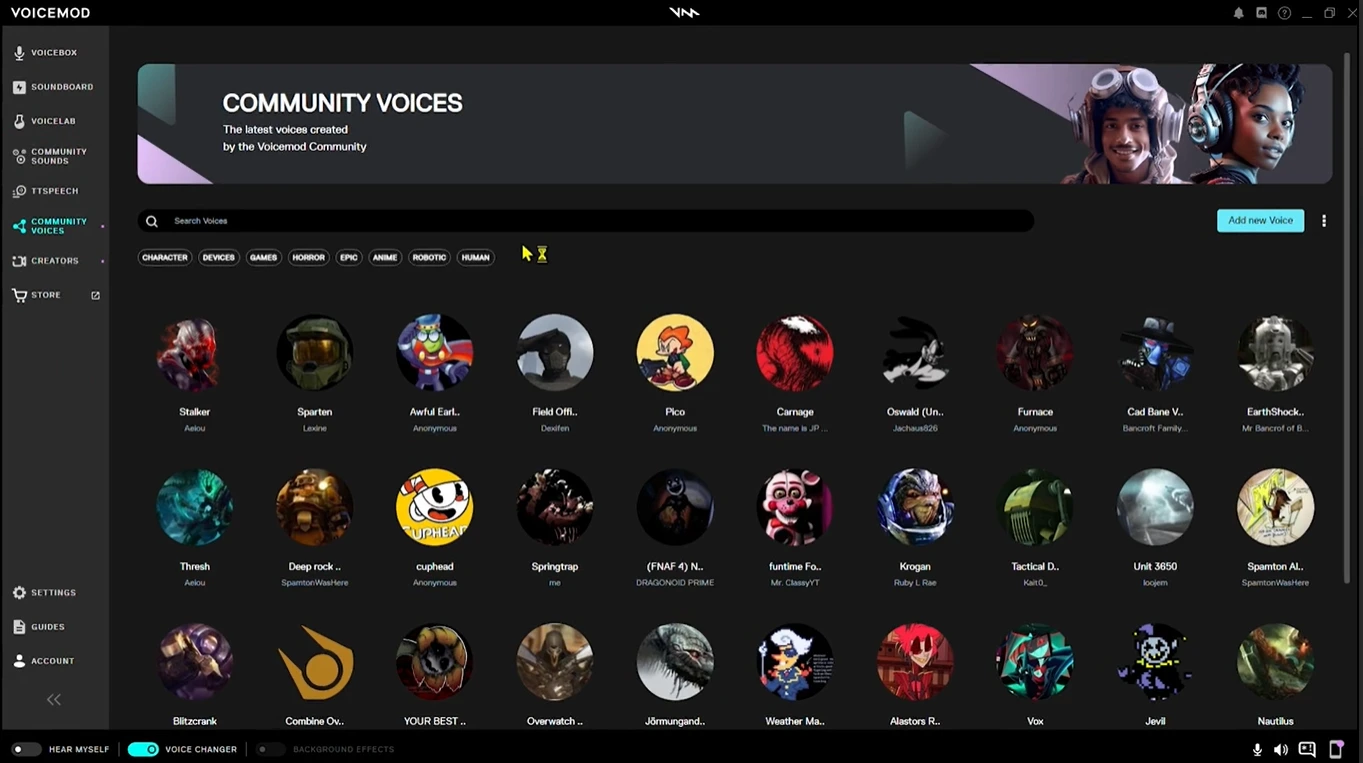
Choose it when knowing the baseline hardware requirement matters before installation: its documentation specifies 8 GB RAM and a quad-core 2 GHz CPU. FREE voices rotate daily, so it is less suited to users who need one fixed free voice selection.
Voice.ai
Voice.ai is worth considering for Windows players who want deep-learning voice transformation, a user-generated voice library, voice cloning, and virtual-cable routing. Its official PC page describes a free PC voice changer and real-time microphone processing.
It is best for a Windows setup where multiple microphone-enabled apps need the same virtual-cable source. Installation requires accepting the terms and granting driver permissions, so it is not the simplest choice for users who cannot install audio drivers.
MagicMic
MagicMic suits users seeking a desktop tool for Windows or Mac with a large published collection: 500+ voice filters, 100K+ soundboards, Voice Studio customization, noise reduction, keybinds, recording, file conversion, and voice cloning. Its official MagicMic page identifies real-time changing as a desktop feature.
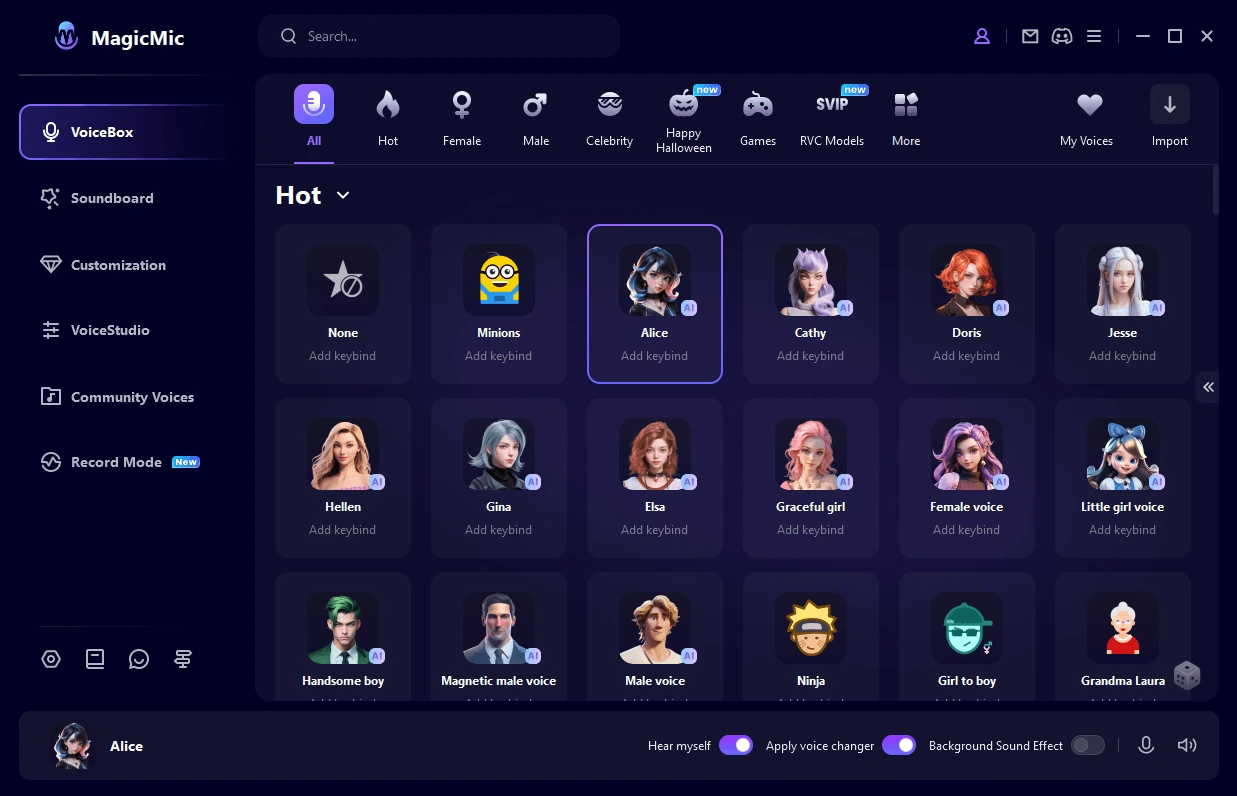
Pick it when published subscription pricing and a lifetime option help your decision, or when you want both soundboard and customization features. Mobile use is for recordings and audio files, not live game or chat transformation.
Dubbing AI
Dubbing AI is a practical option for Windows or macOS gamers and streamers who want a vendor-stated low-latency virtual-mic workflow. The official Dubbing AI site lists 500+ voices, 100,000+ soundboards, pitch/tone controls, voice cloning, and virtual-device routing.
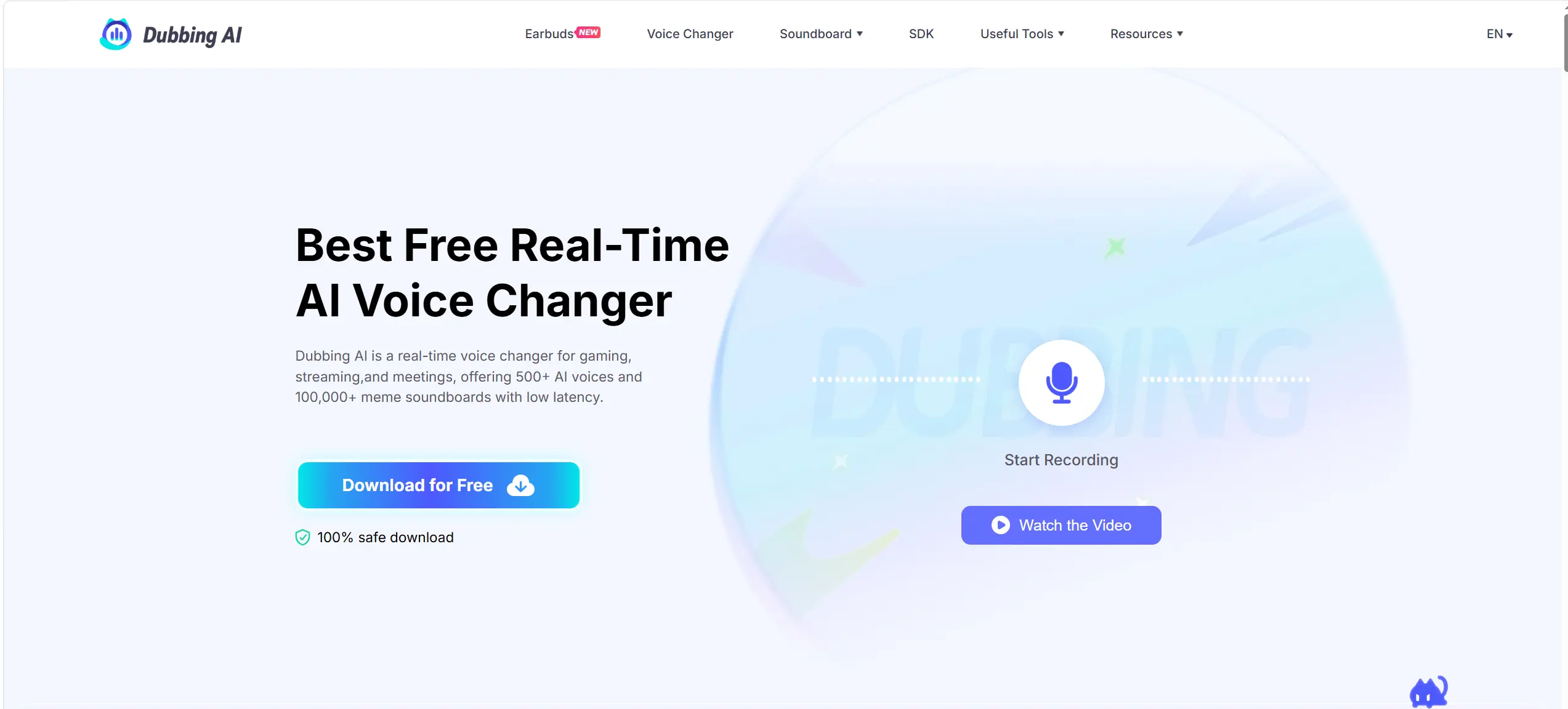
Consider it when the vendor’s claims of under-300-ms latency and 5% CPU usage are decision-relevant, while treating those as vendor figures rather than independent performance results. Registration is required, and headphones are recommended for a good experience.
Realtime Voice Changer
Realtime Voice Changer is the alternative for technical users who prefer an MIT-licensed project with real-time AI conversion, several model families, local or network-based conversion, and a REST API. Its official GitHub repository lists Windows, Mac (M1), Linux, and Google Colab editions.
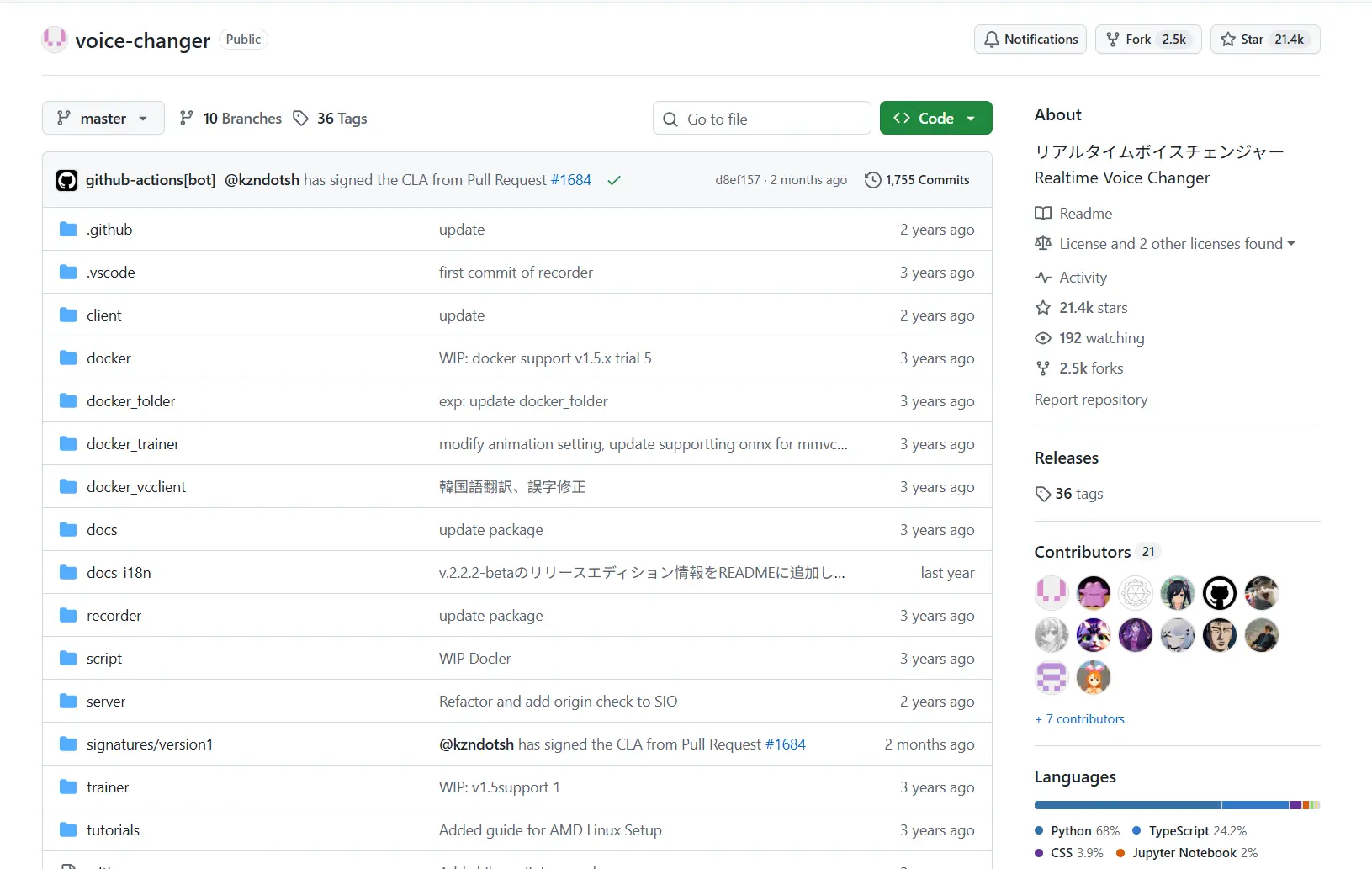
Use it when you can manage model choices and tune chunk size for latency. Network conversion can offload processing from a gaming machine, but the project does not document specific gaming-platform integration or virtual-microphone routing.
How We Compared
These six products were compared using the same decision points: supported operating systems and game/chat integration, real-time voice and customization options, routing and documented performance requirements, price or licensing limits, and published safety or privacy information. The comparison relies on supplied official product pages and documentation, not hands-on performance testing. A stated latency or CPU figure remains the vendor’s claim.
How to Choose
Start with your operating system. Windows-only players can narrow the list to Fionn VoxMagic, Voice.ai, or Voicemod; Mac desktop users can consider Voicemod on compatible hardware, MagicMic, or Dubbing AI. Next, decide whether you need predictable free access, published pricing, or open-source licensing.
Finally, check the audio path: tools using a virtual microphone or virtual cable require that source to be selected in the game, chat, or streaming application.
If your PC hardware is a concern, Voicemod publishes minimum requirements and Dubbing AI publishes vendor performance figures. If you prefer to tune models or move conversion to another machine, Realtime Voice Changer is the more technical route.
Final Verdict
Consider Fionn VoxMagic first if you use Windows and want a configurable real-time voice workflow with a virtual microphone, RVC model library, and game/chat integrations. Choose Voicemod when documented Windows/macOS hardware requirements and its FREE/PRO structure are the deciding factors. MagicMic is the clearer option for published desktop plan prices, Dubbing AI for its stated routing and performance figures, Voice.ai for a Windows user-generated voice ecosystem, and Realtime Voice Changer for an MIT-licensed technical setup. Confirm the applicable membership, subscription, or license terms before committing.
FAQ
Can I use an AI voice changer in Discord while gaming?
Several listed products document a virtual microphone or virtual-device path for Discord, including Fionn VoxMagic, Voicemod, Voice.ai, MagicMic, and Dubbing AI. In the target application, select the tool’s virtual microphone or cable as the microphone input where applicable.
Which options support macOS?
Voicemod supports macOS Ventura 13+ on compatible Macs. MagicMic supports desktop Mac use, Dubbing AI lists macOS, and Realtime Voice Changer lists Mac (M1). Fionn VoxMagic and Voice.ai are listed for Windows.
Are there free AI voice changers for gaming?
Voicemod has a FREE tier with rotating voices, Voice.ai states a free PC offering, MagicMic lists a free tier, Dubbing AI rotates at least 10 free voices daily, and Realtime Voice Changer is MIT-licensed. Fionn VoxMagic offers a free version with essential filters and noise-suppression tools.
Do I need a powerful PC for real-time voice changing?
Requirements vary. Voicemod documents a minimum 8 GB RAM and quad-core 2 GHz CPU, and its AI voices may require more processing power. Realtime Voice Changer provides CPU/GPU guidance and suggests its Colab version for an old or unavailable GPU. Exact requirements are not published for every product here.


