 Emily CarterDLL Errors
If unarc.dll returned an error code -11 appears while installing or launching one specific game or application, treat it as an unpacking or installation failure rather than proof that the unarc.dll file itself needs replacing. Start by recording the affected installer and drive, then use the checks below to rule out Windows file, disk, memory, and detected dependency issues. Do not download a standalone DLL from an unknown site or copy one into a system folder; an incorrect version or architecture can make startup errors worse.
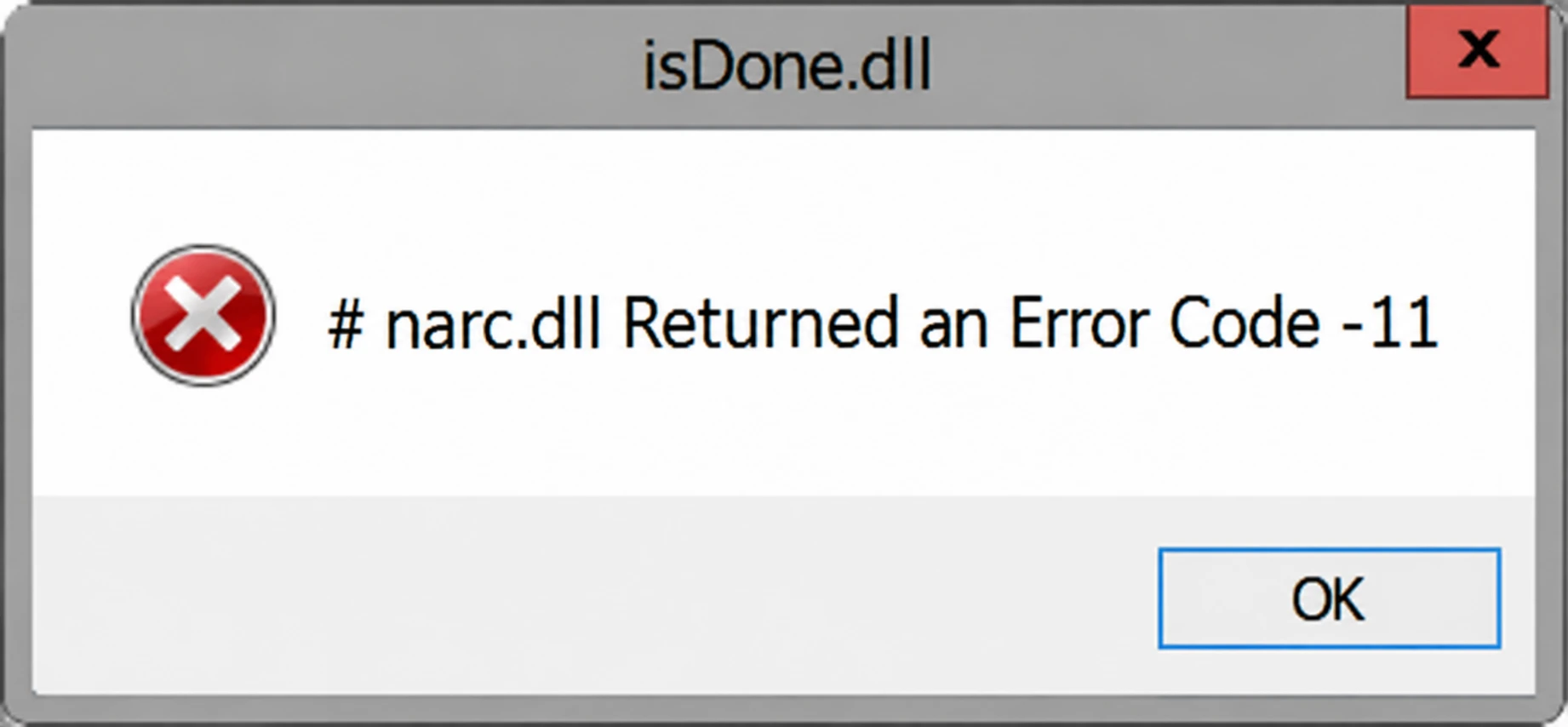
Symptoms
- An installer stops while extracting files and shows unarc.dll returned an error code -11.
- A game or application fails to install, open, or complete an update.
- The same failure returns after retrying the affected installer.
- Only one title may be affected, which points first to that installation path rather than all of Windows.
If multiple unrelated applications begin failing, or Windows reports other component errors, a broader system and dependency check is more appropriate.
Quick Diagnosis Checklist
- The archive or install destination is on a local drive: use Method 2 to check that volume for file-system errors.
- The failure is intermittent, repeats during extraction, or accompanies other stability symptoms: use Method 3 to check memory. A memory test does not prove memory caused error -11, but it can rule out one possible source of unstable unpacking.
- The affected program also has DLL, startup, or dependency-loading symptoms: use Method 1 to scan for detected Windows DLL and system issues, then retry the affected installer.
- Windows Security recorded an action against a trusted installer: open Protection history and inspect the event details before changing security settings. Protection history retains events for two weeks.
Quick Method Comparison
| Method | Best For | Efficiency | User Effort |
|---|---|---|---|
| Fionn DLL Fixer | Detected DLL, system, or dependency issues alongside the error | Automated scan and repair path | Low |
| CHKDSK | A local drive used for the installer or destination | Targets file-system errors on that volume | Moderate |
| Windows Memory Diagnostic | Recurring extraction failures or possible instability | Rules out a memory issue | Moderate; requires restart |
Method 1: Diagnose and Fix unarc.dll Returned an Error Code -11 with Fionn DLL Fixer (Recommended)
Use this route when the failed program also shows missing, damaged, version-mismatched, or dependency-loading symptoms. Fionn DLL Fixer can scan Windows for DLL and system issues, including game-launch dependencies. It can address findings in that scope, but a completed repair does not by itself establish the cause of error -11.
- Launch Fionn DLL Fixer. The software automatically scans your PC for DLL and system issues and displays the detected results when the scan is complete.
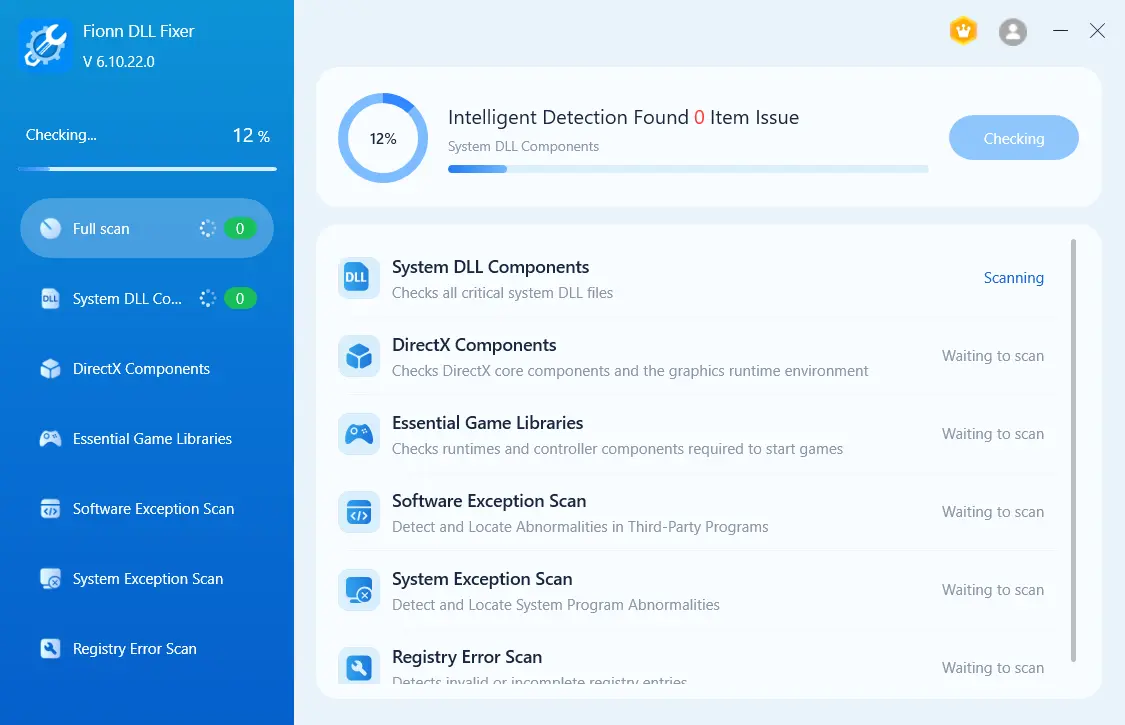
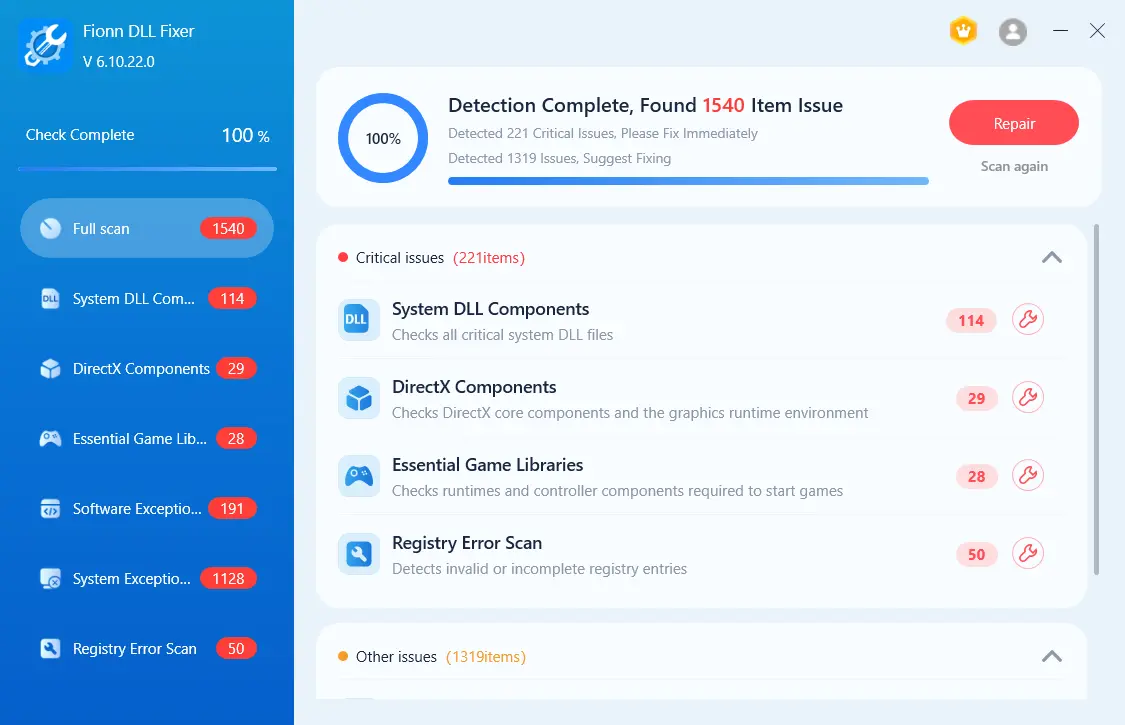
- After the scan finishes, click Repair to start fixing all detected DLL and system issues automatically.
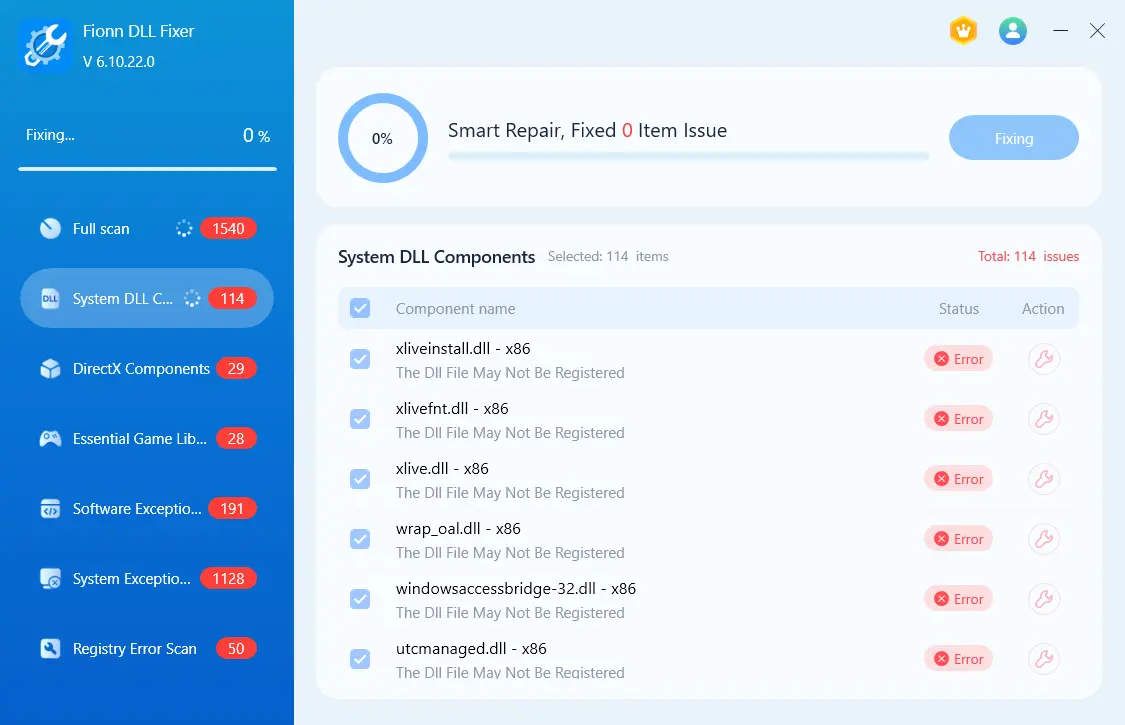
- Wait while the repair is in progress. During this process, the button changes to Fixing until all issues have been repaired.
- When the repair is complete, click Ok in the confirmation dialog. If prompted, restart your computer before checking whether the problem has been resolved.
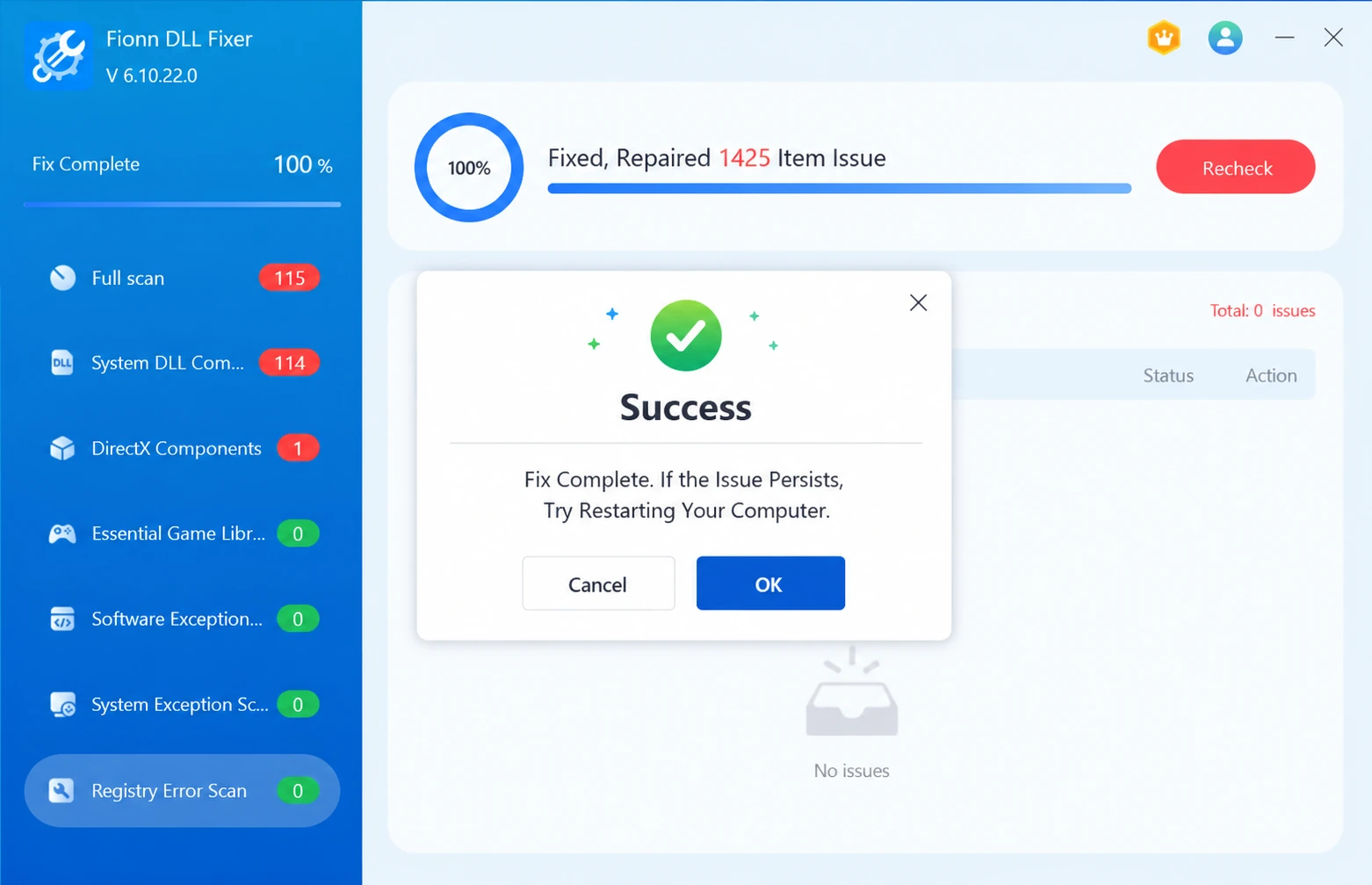
- If the issue still persists after restarting, click Recheck to perform another scan. If new issues are found, click Repair again to fix them.
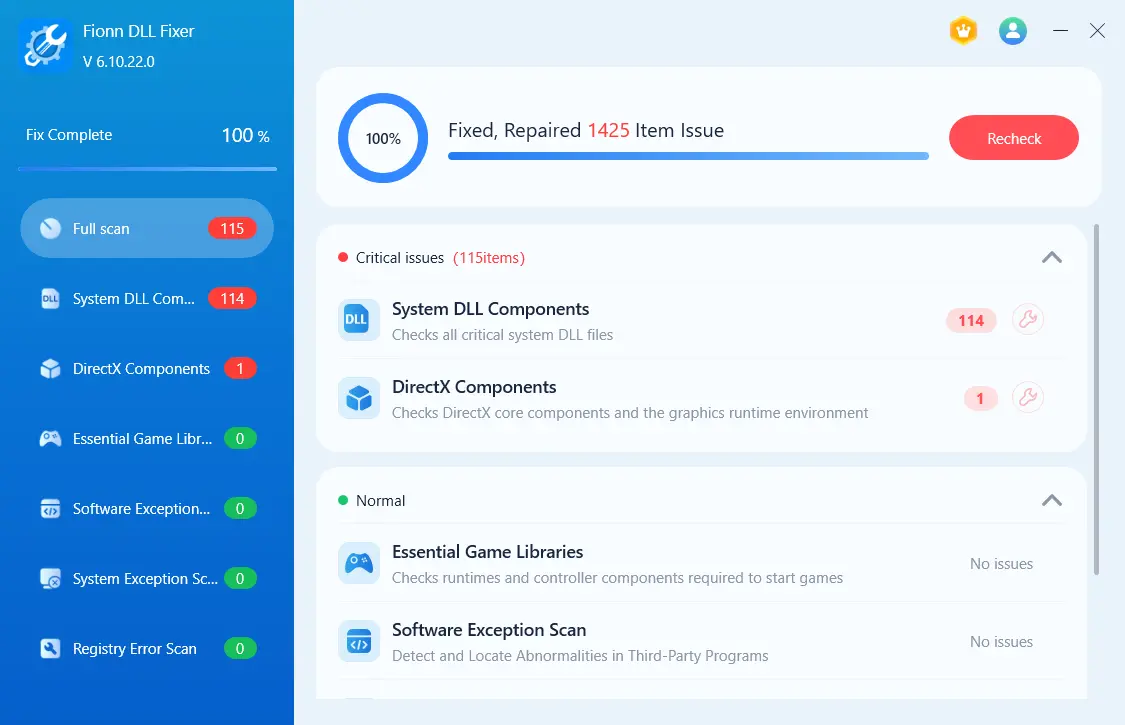
After any prompted restart, retry the same installer or application. A useful result is a completed installation or launch without the original message; if the message remains, continue with the drive and memory checks.
Method 2: Check the Local Install Volume with CHKDSK
Use this method only when the installer archive or target folder is on a local disk. CHKDSK checks a volume’s file system and metadata for logical and physical errors; it does not diagnose the installer archive itself and cannot run on a redirected network drive.
- Identify the local drive letter that stores the installer or installation destination.
- Open an elevated Command Prompt.
- Run the following command, replacing
D:with that local drive letter.
chkdsk D: /f
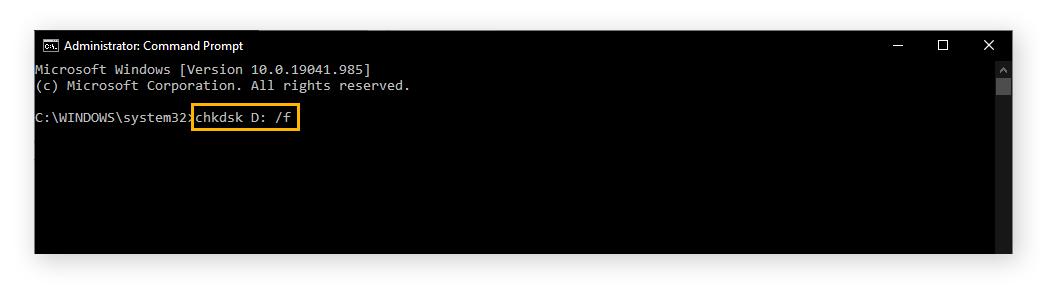
When CHKDSK finishes, review its displayed status report. Then retry the installer from the same location.
Method 3: Run Windows Memory Diagnostic
Use this check when the error recurs during extraction or the device also shows stability problems. It is a diagnostic check, not a confirmation that memory caused the unarc.dll message.
- Save open work because the memory check restarts Windows.
- Open Run, enter
mdsched, and confirm the command.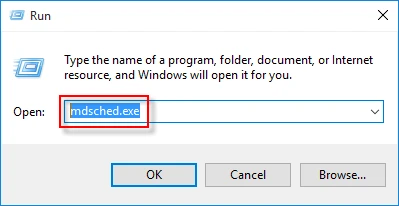
- Select Restart now and check for problems .
After you sign in again, review the Windows Memory Diagnostic notification for the test result. You can also review the result in Event Viewer. If the test reports no issue, retry the installer and focus on its local drive or program-specific support path.
Verification Checklist
- The chosen scan or Windows diagnostic completed and showed its result.
- The affected installer reaches completion, or the application opens without error code -11.
- The message does not return when repeating the same install or launch action.
- No standalone DLL was copied into a Windows system folder as a workaround.
Conclusion
For unarc.dll returned an error code -11, begin with the method that matches the observable scenario: scan detected DLL or dependency issues with Fionn DLL Fixer , check the local install volume with CHKDSK, or test memory when instability is plausible. Confirm the result by completing the original installation or launch. If the error persists for one title after these checks, contact that application’s developer or official support with the full error message and installation details.
Frequently Asked Questions
Should I download a new unarc.dll file?
No. Avoid downloading individual DLL files from unknown websites or manually copying them into system folders. The wrong file version or architecture can worsen a Windows application startup error.
Does error code -11 prove that Windows is corrupted?
No. The message identifies a failed installation or launch, but it does not establish one cause. Check whether the failure is limited to one installer, the local drive involved, or broader DLL and system symptoms.
Can CHKDSK check a network drive?
No. Microsoft documents CHKDSK for local disks; it cannot be used with a local drive letter redirected over the network.
What should I do if Windows Security blocked a trusted installer?
Review the relevant Protection history event first. If you decide the identified file or folder is trusted, use a narrowly scoped exclusion rather than turning off antivirus protection for the whole device.


