 Emily CarterVoice Changer
Introduction
The best voice changers for PC depend mainly on the operating system you use, whether you need a virtual microphone for live chat, and what limits you accept. Fionn VoxMagic is the strongest starting point for Windows 10/11 users who want real-time RVC voice models and virtual-microphone routing. Voicemod is the alternative here with confirmed compatible Mac support, while Voice.ai and Clownfish offer free Windows-focused paths with different setup tradeoffs.
This comparison uses vendor-provided information, not hands-on benchmarks. Check your PC, app settings, and plan terms before committing to a tool.
Top Picks
- Start with Fionn VoxMagic for Windows live chat, streaming, or gaming when you want 100+ RVC-based voice models, a virtual microphone, and device controls in one application.
- Choose Voicemod when compatible macOS support or its documented Free/PRO distinction matters; AI voices require AVX2 on Intel or AMD PCs.
- Consider Voice.ai for a free Windows deep-learning voice changer if signing in and granting driver permissions fit your setup.
- Consider Clownfish Voice Changer for free system-level Windows effects and VST support, provided you can install it with administrator rights.
- Choose MorphVOX Pro if you prefer traditional configurable voices, backgrounds, and quick-key controls and are comfortable with its $39.99 post-trial purchase model.
Quick Comparison Table
Fionn VoxMagic
Choose Fionn VoxMagic if you use Windows 10 or 11 and want AI voice models with virtual-microphone routing for live gaming, streaming, or chat. It provides real-time RVC-based processing, 100+ voice models, noise suppression, and a virtual microphone; internally verified functions also include input/output-device selection, pitch adjustment, real-time and recording voice change, and custom sound imports with hotkeys. The virtual microphone is the practical distinction: select it in a supported calling, game, or streaming app to send the processed audio rather than the original microphone feed.
Visit the Fionn VoxMagic product page for product details.
How to use
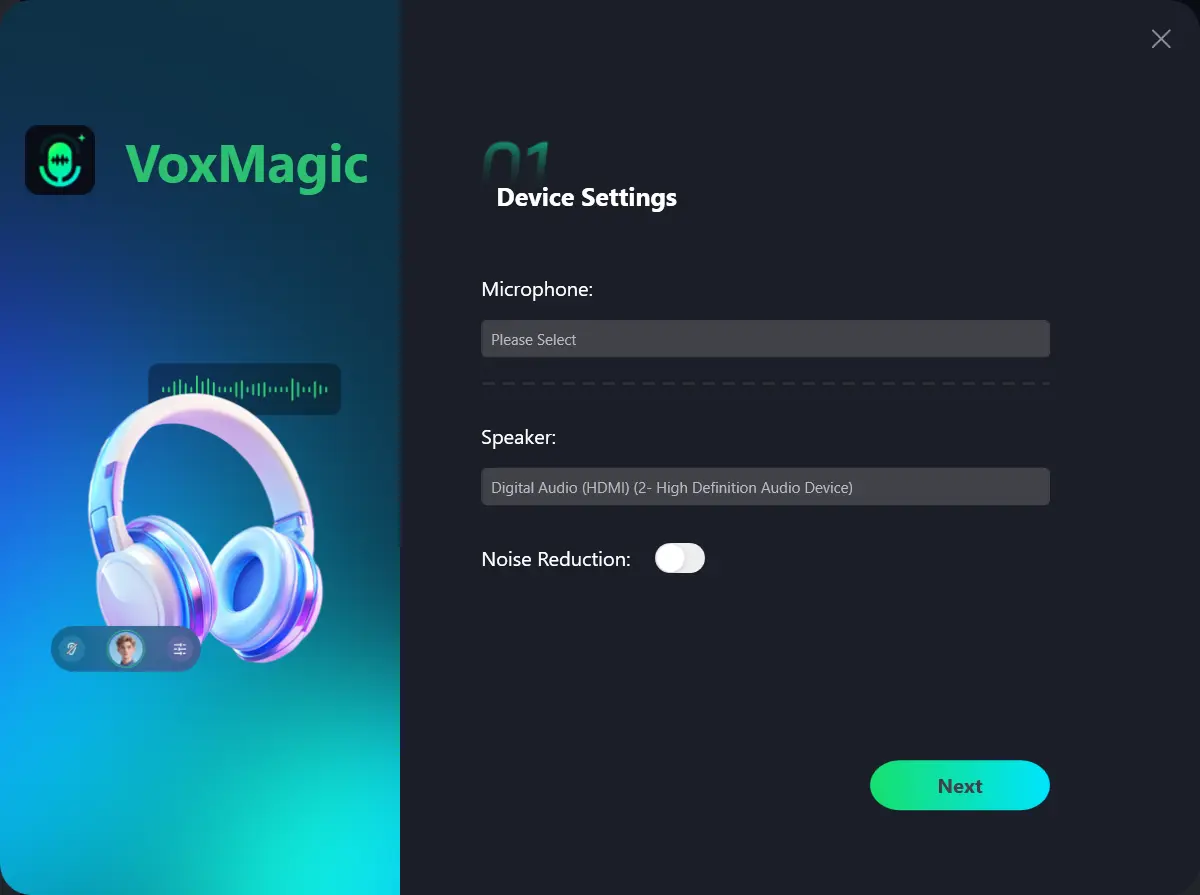
- Open Fionn VoxMagic. In Device Settings, select your microphone and playback device. Enable Noise Reduction if needed, then click Next.
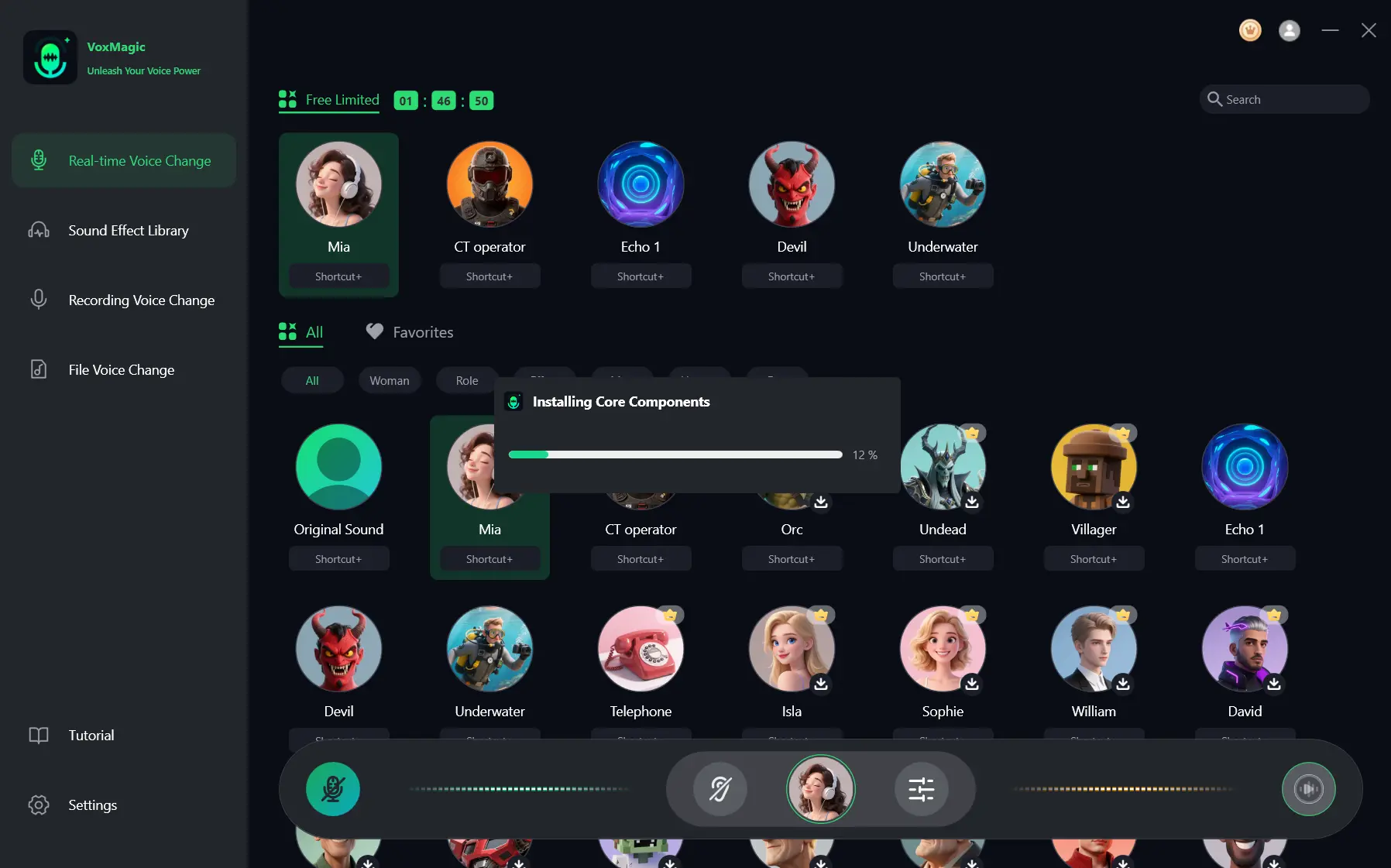
- If the Installing Core Components dialog appears, wait for the installation to finish before continuing.
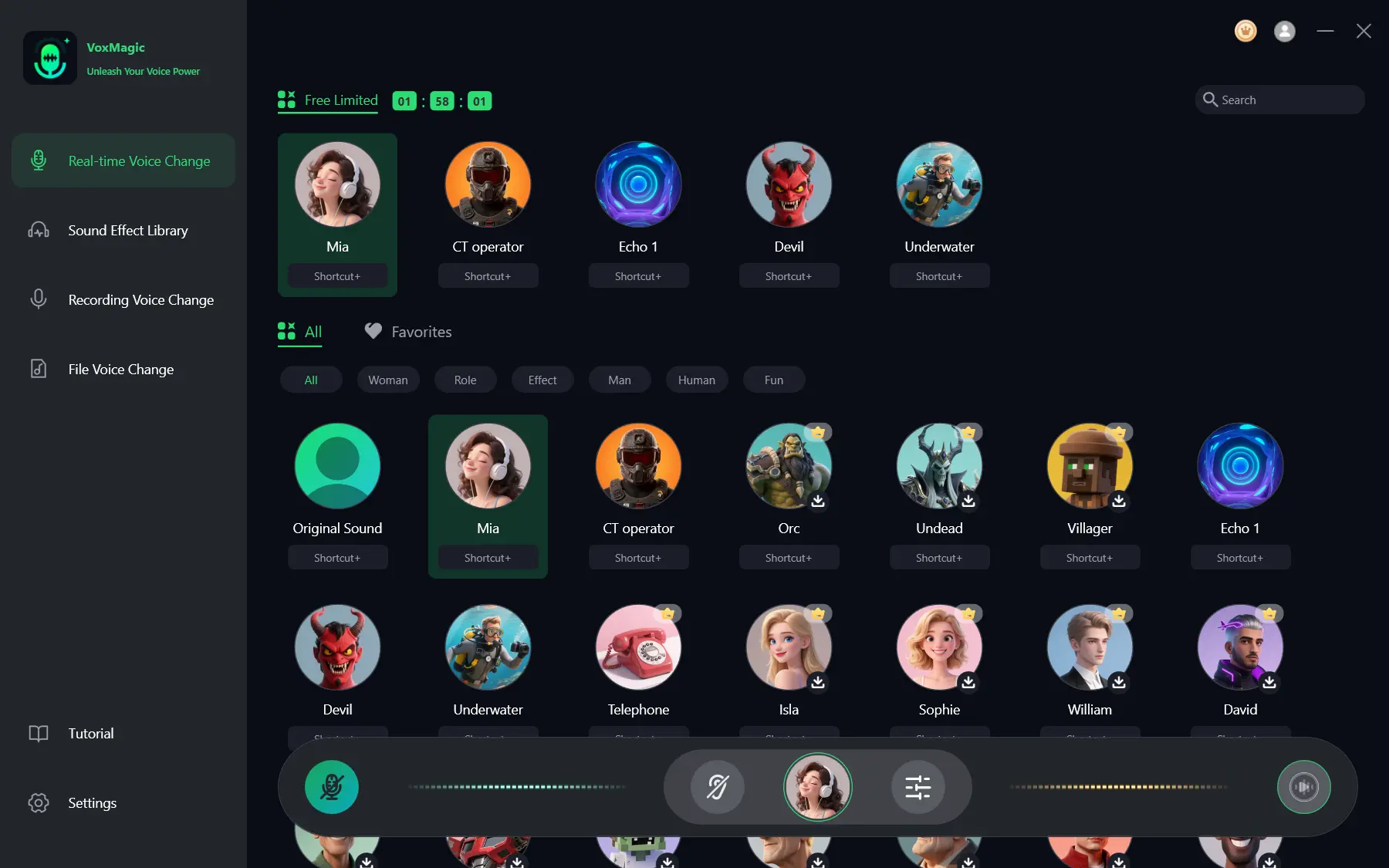
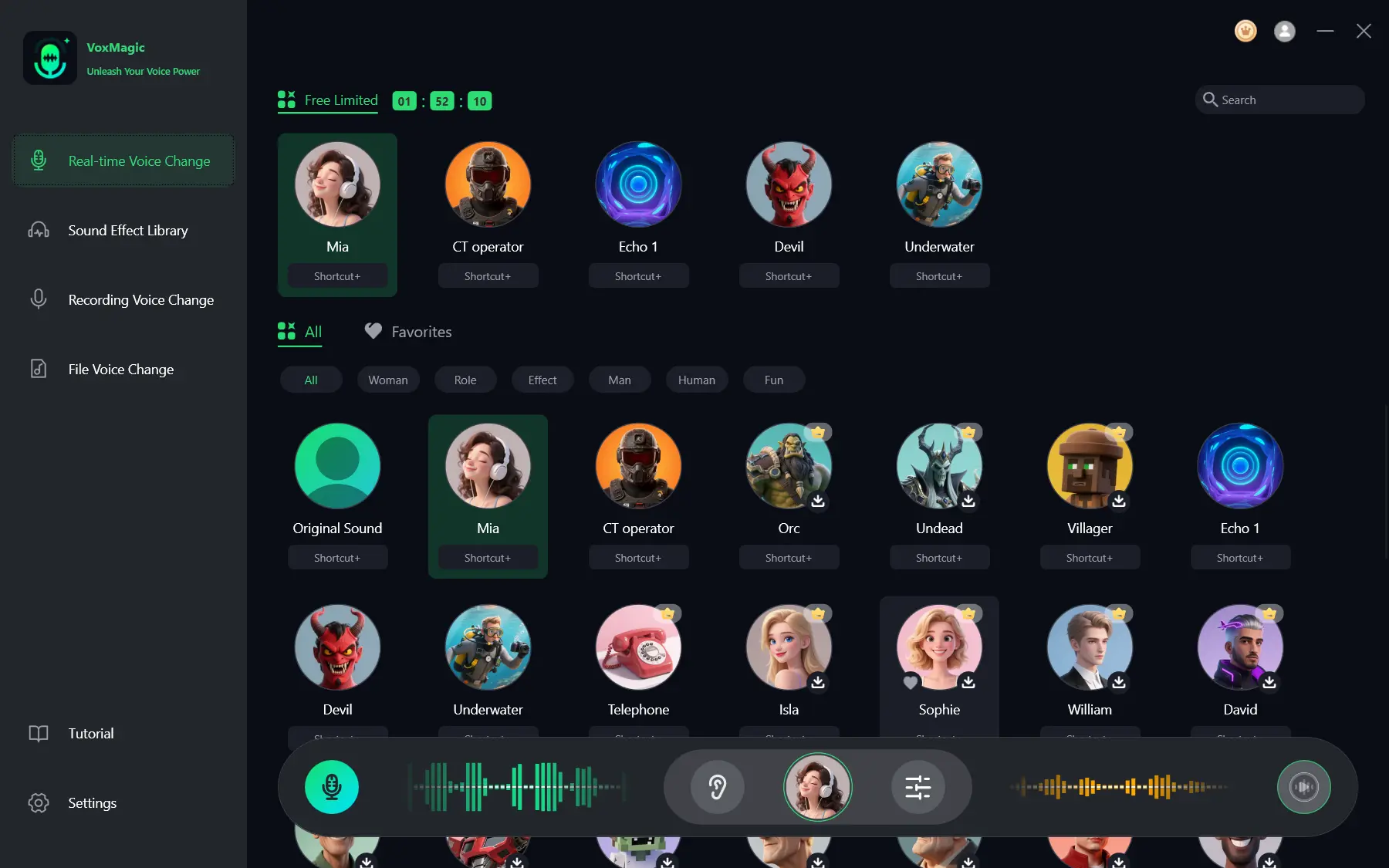
- Open Real-time Voice Change and select a voice effect, such as Mia. The selected effect is highlighted and appears in the bottom control bar.
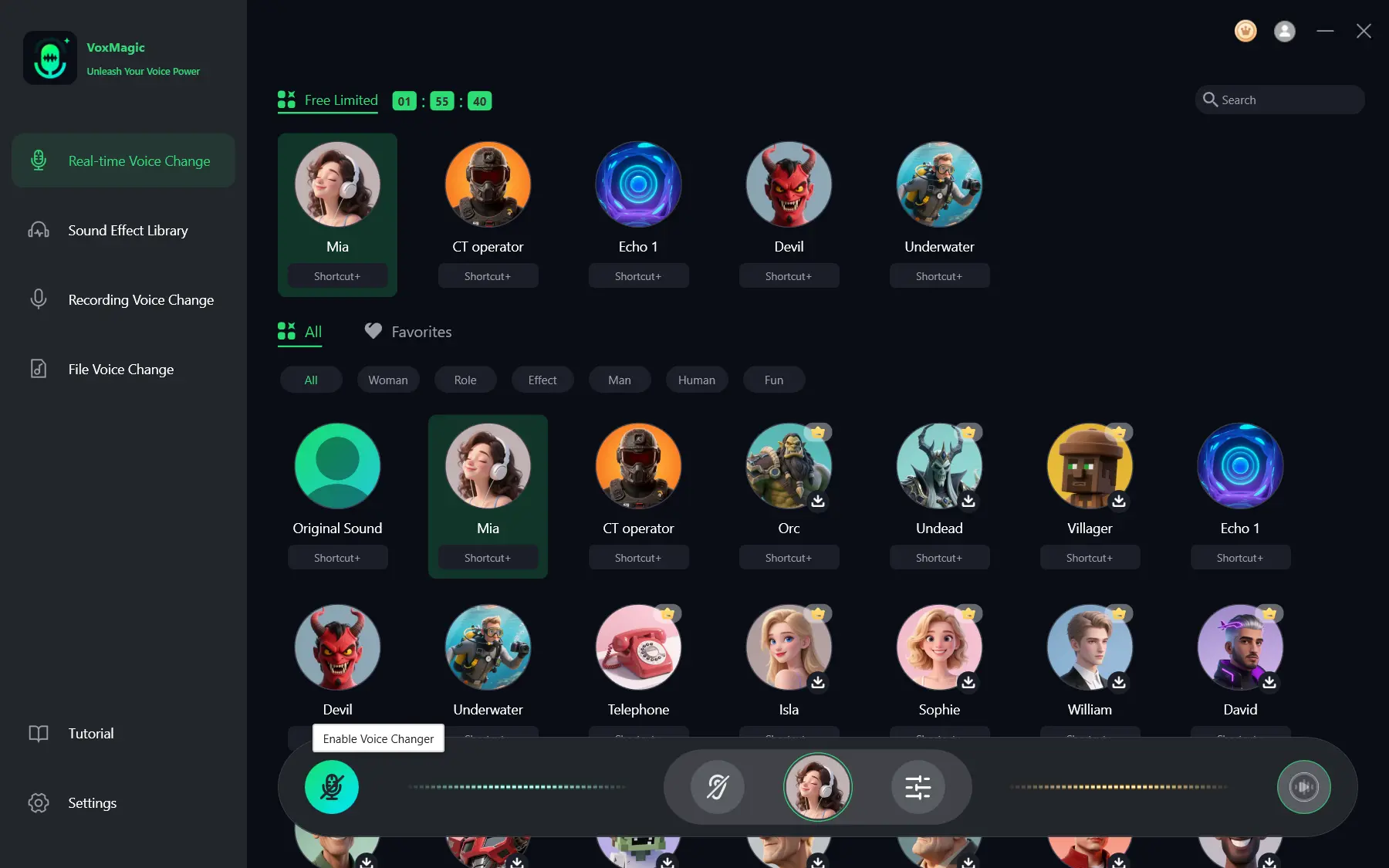
- Click the microphone button labeled Enable Voice Changer in the bottom-left corner of the control bar to turn on voice changing.
- Click the ear icon in the bottom control bar to enable voice preview. Use headphones to listen to your voice while testing the selected effect.
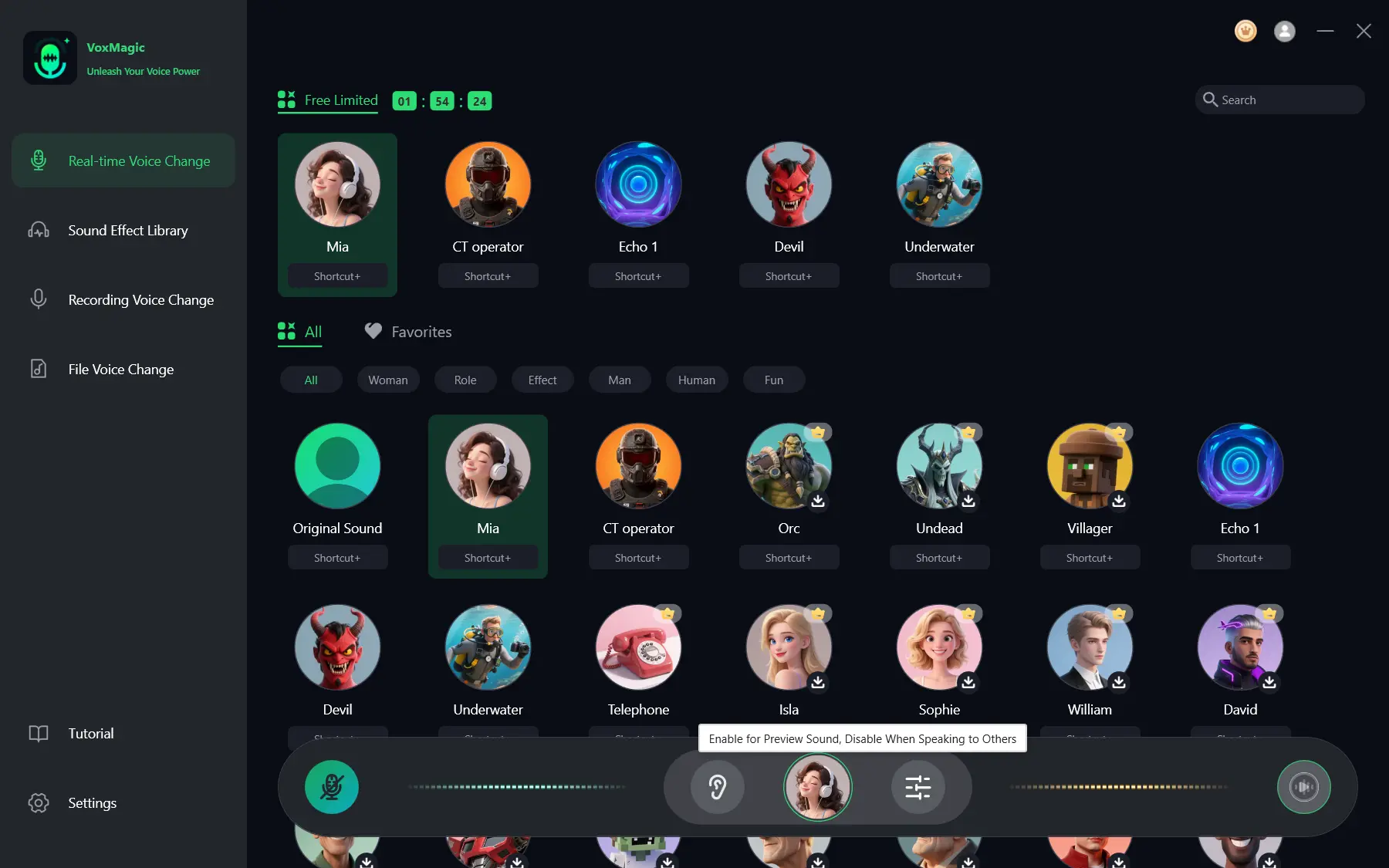
- Speak into your microphone and listen to the preview to check the selected voice effect. Check that the audio level meters respond as you speak. Disable voice preview before speaking to others.
Voicemod
Choose Voicemod when you need confirmed support for Windows or a compatible Mac and want a clearly documented Free-versus-PRO structure. Its official documentation describes real-time effects, a soundboard, keybinds, virtual-microphone integration, and VoiceLab in PRO. It suits users who value custom voice creation and plan details as much as live voice effects.
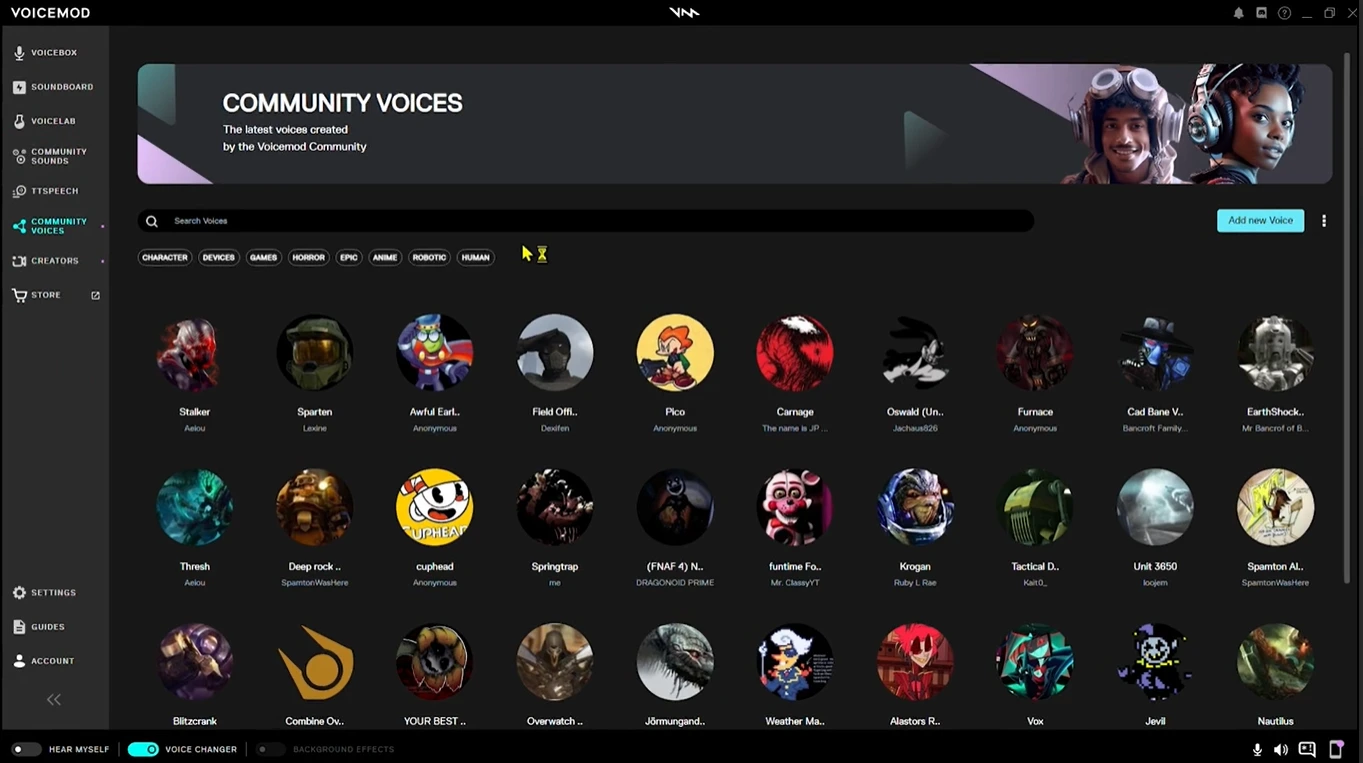
See the official Free and PRO feature comparison .
MorphVOX Pro
MorphVOX Pro is a sensible choice for Windows users who prefer configurable pitch-and-tone effects, backgrounds, sound packs, and quick-key voice switching over a free-only model. Its official materials describe voice learning, background cancellation, effects, sound packs, backgrounds, and integration with online games and chat programs. It fits users who want a traditional configurable voice-effects tool and can evaluate it during the trial.
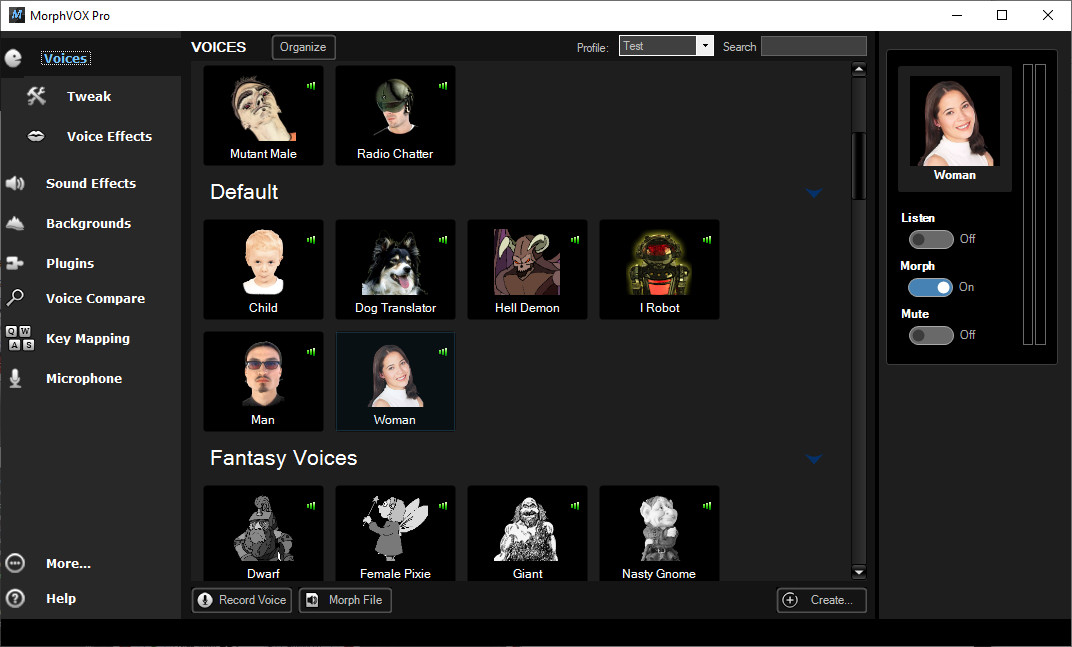
Review the official MorphVOX Pro page before buying.
Voice.ai
Voice.ai is worth considering for a free Windows route to real-time deep-learning transformation with broad microphone-based app coverage. The vendor describes real-time deep-learning voice transformation and a user-generated voice library. It is for Windows users who accept account sign-in and driver permissions as part of setup.

Read the official Voice.ai PC page for its current setup information.
Clownfish Voice Changer
Clownfish Voice Changer is the straightforward pick for a free system-level Windows effects tool, especially if VST support matters. It processes the microphone at system level and offers effects such as Alien, Robot, pitch effects, and custom pitch. It fits Windows users who want broad microphone-app coverage and can use administrator rights during installation.
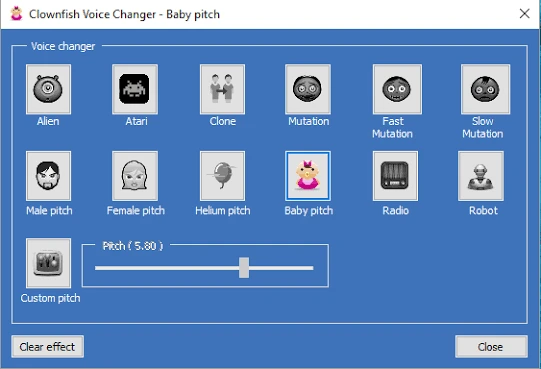
Use the official Clownfish Voice Changer page to confirm installation requirements.
How We Compared
Each product was assessed on the same five decision points: confirmed operating-system support, real-time effects, microphone or app integration, stated price or license model, and meaningful setup or free-plan limits. This keeps a free system-level tool, an AI-focused option, and a paid traditional effects tool comparable without treating a feature description as a performance test.
The practical tradeoff is platform breadth versus Windows-focused setup and voice-library preferences; no supplied evidence establishes a universal performance winner.
How to Choose
First, eliminate tools that do not match your operating system. Next, decide whether your priority is a virtual microphone for a specific app, a free license, or a paid tool with a defined feature set. Finally, read the setup conditions before installing: AVX2 matters for Voicemod AI voices, Voice.ai needs an account and driver permission, Clownfish needs administrator rights, and MorphVOX Pro moves to purchase after its trial.
Final Verdict
Consider Fionn VoxMagic first if you are on Windows 10/11 and want real-time RVC voice models with virtual-microphone routing for chat, games, or streams. Choose Voicemod instead when compatible Mac support or its Free/PRO and VoiceLab options are decisive. For a free Windows path, Voice.ai favors deep-learning transformation but requires sign-in and driver permissions, while Clownfish favors free system-level effects and VST support. MorphVOX Pro remains the paid alternative for traditional configurable effects, with a $39.99 price after its trial.
FAQ
Which voice changer supports both Windows and macOS?
Among the products compared here, Voicemod officially lists support for Windows 10/11 and compatible Macs running macOS Ventura 13 or later.
Are there free voice changers for Windows?
Voice.ai is presented as a free PC voice changer, and Clownfish Voice Changer uses a free-of-charge software license. Their setup conditions differ: Voice.ai requires sign-in and driver permissions, while Clownfish requires administrator rights for installation and removal.
What does a virtual microphone do in a voice changer?
A virtual microphone gives a calling, game, or streaming application an input device that carries processed voice audio. Fionn VoxMagic and Voicemod both document virtual-microphone routing; you still need to select that input in the receiving application.
Does Fionn VoxMagic have a free option?
Fionn VoxMagic offers a VIP trial. Its free version includes essential filters and noise suppression, while the full AI library and advanced soundboard are premium features.


