

How to Use a Voice Changer in Steam Games (Step-by-Step Guide)
2026-03-12 16:30:28

Create Unique Gaming Voices for Steam & Discord – Tips for Engaging Voice Changers
2026-03-06 15:13:55
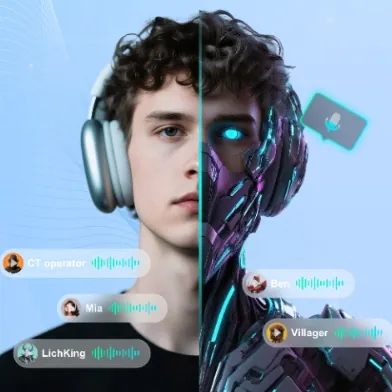
Enhance Twitch & YouTube Streams with Multi-Character Voice Acting – VoxMagic
2026-02-26 15:53:54
AI Voice Changer vs Text-to-Speech: STS vs TTS Explained for Creators & Gamers
2026-01-30 10:34:54

Real-Time Voice Gender Change on PC | AI Voice Changer for Gaming & Streaming
2025-12-12 10:27:28
Enhance Twitch & YouTube Streams with Multi-Character Voice Acting – VoxMagic
2026-02-26 15:53:54
Enhance Your Twitch and YouTube Streams with Multi-Character Voice Acting Using VoxMagic
In today’s competitive streaming world, personality matters as much as gameplay. Whether you're live on Twitch or uploading to YouTube, engaging audio can dramatically increase viewer retention. A real-time voice changer like VoxMagic isn’t just a gimmick — it’s a powerful tool for storytelling, humor, and audience interaction.
This guide shows you how to enhance your live streams with multi-character voice acting, sound effects, and immersive performance techniques.
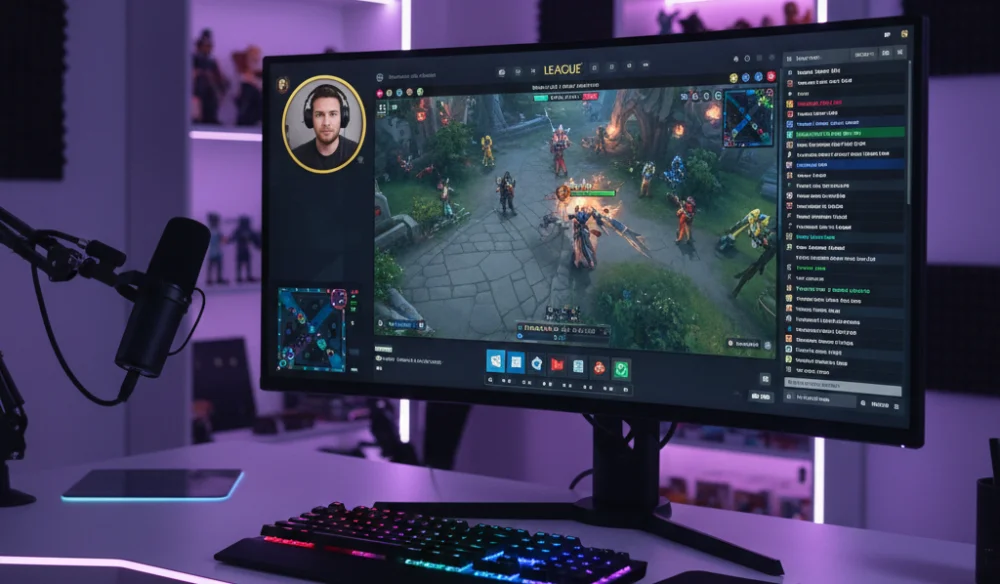
Why Streamers Use a Voice Changer
Content creators are constantly looking for ways to stand out. A real-time AI voice changer helps you:
- Add humor with funny voice effects
- Roleplay multiple characters in one stream
- Create cinematic moments with soundboards
- Build a unique virtual persona
Instead of sounding like every other gamer, you can transform your voice into a hero, villain, robot, demon, or entirely original character — live.
Stage One: Fun & Entertaining Voice Effects
If you’re new to voice changing, start simple.
Popular starter voice ideas for streamers:
- Female or male voice swap for funny reactions
- Robot voice for sci-fi gameplay
- Demon or villain voice during clutch moments
- Cute or “NPC” style voice for comedic bits
These quick transformations instantly create shareable moments. Many viral Twitch clips come from unexpected voice changes during intense gameplay.
You can also combine meme sound effects (airhorn, applause, dramatic boom) to amplify reactions and increase audience engagement.
Want a more natural real-time gender voice transformation? Read our detailed PC gender change guide here.
Stage Two: Multi-Character Roleplay on Stream
Once you're comfortable switching voices, you can level up your stream with multi-character voice acting.
This works especially well in:
- Minecraft roleplay servers
- Social deduction games like Among Us
- Open-world RPG games
- Story-driven indie games
Instead of narrating normally, assign different voices to different characters.
Example:
- Hero voice = deeper tone, slower speed
- Villain voice = lower pitch + slight distortion
- Comic relief character = higher pitch + faster pace
Use hotkeys to switch voices instantly without interrupting gameplay. Smooth transitions keep immersion strong and prevent awkward pauses.
Pro Tip: Save 3–5 custom voice presets:
- Casual Gaming Mode
- Dramatic Story Mode
- Comedy Mode
- “Final Boss” Mode
Switching between these modes makes your stream feel dynamic and professional.
Stage Three: Advanced Voice Acting & Cinematic Moments
Now we move into performance mode.
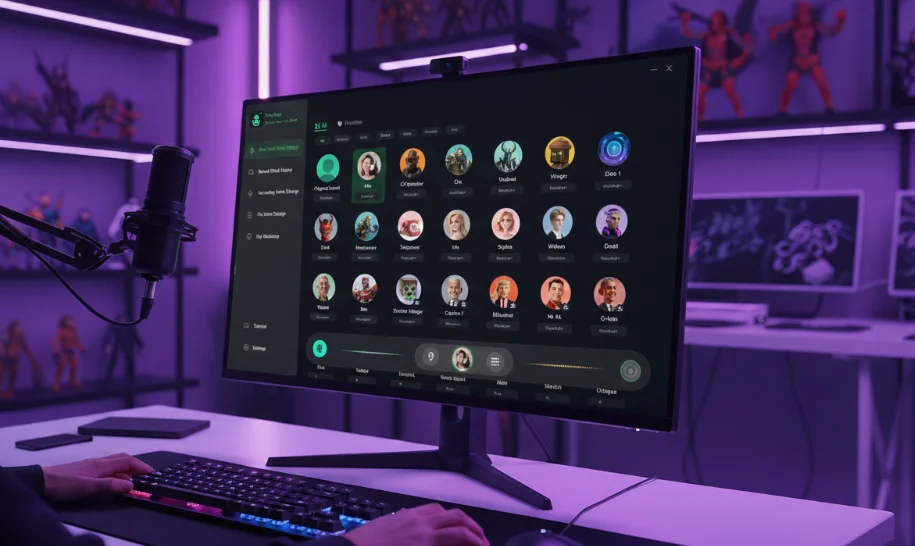
VoxMagic allows deeper customization:
Emotion Control
Adjust tone and resonance to switch between:
- Angry
- Sad
- Excited
- Calm
This is powerful during high-stakes gameplay or storytelling segments.
Soundboard Integration
Combine voice + sound effects:
- Explosion + Evil Laugh
- Countdown + Heartbeat
- Rain ambience + deep narration
- Applause + victory speech
This creates cinematic live moments that viewers remember.
Voice Macros
Set up one-click triggers:
- Catchphrase + sound effect
- Intro line + background music
- “You thought you could win?” + distortion effect
These small performance upgrades dramatically improve stream quality.
Creative Streamer Challenges to Boost Engagement
Want more interaction? Try these ideas:
One-Minute Multi-Character Challenge
Play three characters in one minute of dialogue. Let chat vote for the winner.
Voice Swap Round
Switch to a new voice every game round. If you forget, chat picks a punishment.
10 Voices Intro
Start your stream greeting viewers in 10 different voices.
Interactive voice content increases watch time and encourages chat participation — both critical for Twitch and YouTube growth.
How to Optimize Performance (No Lag Streaming)
Many streamers worry about delay or CPU load. To ensure smooth performance:
- Use hardware encoding in OBS
- Lower background apps during stream
- Test voice profiles before going live
- Keep effects subtle to avoid distortion overload
A properly configured real-time voice changer should not interrupt gameplay or stream stability. For full setup instructions across platforms, see our complete installation and multi-platform guide.
Is Using a Voice Changer Safe for Streaming?
Yes — using a voice changer like VoxMagic on Twitch or YouTube is allowed as long as you follow platform guidelines and avoid impersonation or harmful content.
Voice effects are considered creative audio tools, similar to filters or overlays. Many top creators use audio enhancements to improve production value.
Final Thoughts
A real-time voice changer is more than a novelty tool. Used creatively, it becomes:
- A storytelling device
- A humor generator
- An engagement booster
- A branding asset
If you want to make your Twitch or YouTube streams more immersive, interactive, and memorable, adding multi-character voice acting can be a game changer.
Experiment, refine your presets, and most importantly — perform.
Your stream isn’t just gameplay. It’s a show.


 Fionn
FionnCopyright © 2026 Wonderful Apps Limited.
 English