

How to Use a Voice Changer in Steam Games (Step-by-Step Guide)
2026-03-12 16:30:28

Create Unique Gaming Voices for Steam & Discord – Tips for Engaging Voice Changers
2026-03-06 15:13:55
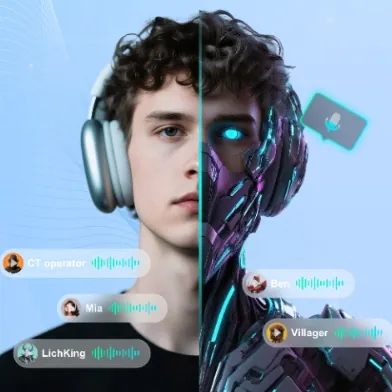
Enhance Twitch & YouTube Streams with Multi-Character Voice Acting – VoxMagic
2026-02-26 15:53:54

AI Voice Changer vs Text-to-Speech: STS vs TTS Explained for Creators & Gamers
2026-01-30 10:34:54

Real-Time Voice Gender Change on PC | AI Voice Changer for Gaming & Streaming
2025-12-12 10:27:28
Real-Time Voice Gender Change on PC | AI Voice Changer for Gaming & Streaming
2025-12-12 10:27:28
Change Your Voice Gender in Real Time on PC with VoxMagic
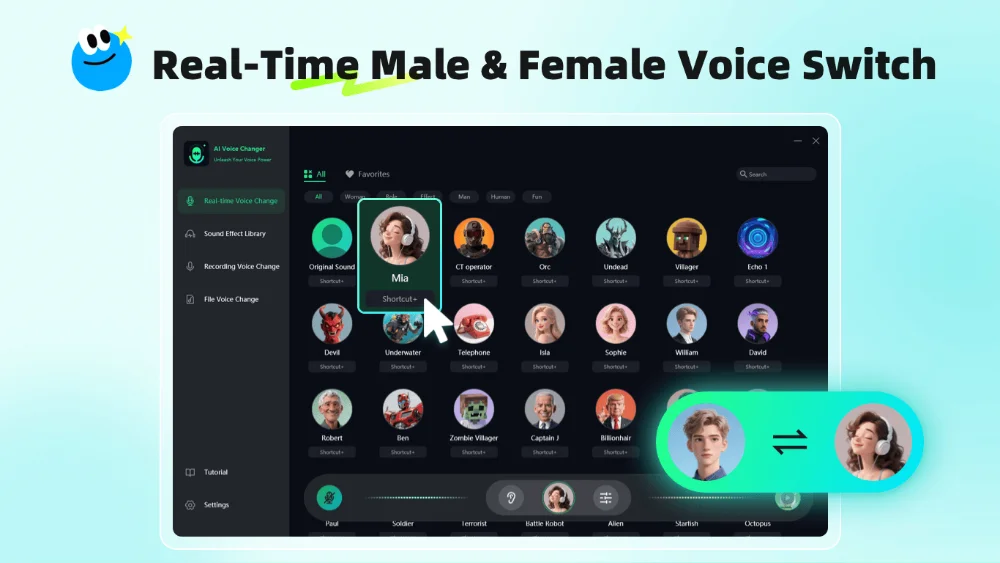
Changing your voice gender in real time has never been easier. Whether you want to sound like a girl, a boy, a robot, or even an alien, VoxMagic brings professional-grade AI voice changing directly to your PC. In this guide, we’ll show you how to transform your voice instantly, explore the key features, and share practical tips for gaming, streaming, and content creation.
Why Use a Gender Voice Changer?
Voice changers are no longer just for pranks. Real-time voice gender transformation can be useful for:
- Gaming & Online Chat – Role-play, surprise your teammates, or maintain anonymity.
- Streaming & Content Creation – Add unique voice characters to YouTube, TikTok, or Twitch content.
- Audio & Video Production – Record narrations, voiceovers, or short videos with versatile voice effects.
- Fun & Social Interaction – Entertain friends in Discord, Zoom, or casual online chats.
With VoxMagic, you can seamlessly switch your voice gender while keeping your natural tone intact, making it perfect for both fun and professional use.
Meet VoxMagic – Your Real-Time AI Voice Changer
VoxMagic is designed to deliver a high-quality, low-latency voice changing experience. Here’s why it stands out:
1. Real-Time Voice Transformation
- Transform your voice instantly while gaming, streaming, or chatting.
- Switch between girl, young male, adult male, robot, alien, and more.
- Ultra-low latency ensures smooth conversation without delays.
2. Extensive Sound & Effect Library
- Includes professionally designed voice effects.
- Add echo, pitch shift, or reverb to fine-tune your transformed voice.
- Create magical voice packs or personalized sound presets.
3. File & Recording Voice Changer
- Works on audio files: MP3, WAV, M4A, FLAC, AAC, OGG, and more.
- Record directly with voice effects applied in real time.
- Perfect for video editing, podcasts, short videos, or audiobooks.
4. User-Friendly & Private
- Floating control panel: Adjust voice without interrupting your game or stream.
- One-click setup: No complicated learning curve—open and use.
- Local processing: All transformations happen on your PC. Your recordings and voice samples remain private.
How to Change Your Voice Gender on PC Using VoxMagic
Follow these simple steps to get started:
- Download & Install VoxMagic from the official website.
- Launch the software and select your microphone as the input device.
- Choose a voice preset from the library (girl, boy, adult, robot, etc.).
- Adjust voice settings like pitch and effects for a more natural transformation.
- Open your game, chat app, or streaming software, and set “VoxMagic Virtual Audio” as your audio input device.
- Start speaking—your voice will now be transformed in real time.
It’s that simple! You can experiment with multiple presets and effects to create a unique voice that matches your personality or content style.
Tips for the Best Voice Gender Transformation
- Use headphones to monitor your voice in real time.
- Keep pitch adjustments subtle for a natural effect.
- Combine voice effects and sound packs for a fun, distinctive result.
- Try different voice presets in gaming or streaming to entertain your audience.
Why VoxMagic is the Best Choice
- Ultra-low latency: Perfect for live gaming and streaming.
- Multiple scenarios supported: Gaming, live chat, content creation, audio editing.
- Customizable & expandable: Upload your own sound effects or create personal presets.
- Safe & private: All processing happens locally; your voice never leaves your PC.
Conclusion
Changing your voice gender on PC is easier and more versatile than ever. With VoxMagic, you can transform your voice in real time, record or process audio files, and create personalized voice effects for gaming, streaming, or content creation. Whether you’re aiming for fun, anonymity, or professional audio production, VoxMagic offers the tools you need to unlock your voice superpowers.
⚡ Download VoxMagic today and start exploring your voice possibilities!


 Fionn
FionnCopyright © 2026 Wonderful Apps Limited.
 English