 Emily CarterAuto Clicker
What to Set Up Before Using an Auto Clicker in Minecraft
A Minecraft auto clicker can repeat the same mouse click with a selected interval and number of repetitions. First, check the rules for the specific server, mode, or service: having the program does not mean automation is allowed there.
Start with a short, limited run outside an important in-game action, confirm that the click lands in the intended area, and stop it.
Set Up Repeated Clicks with Fionn Auto Clicker
This approach is suitable when you need to repeat one click without recording a sequence of actions . You can set the mouse button, method, and click position, interval, and repetitions; mouse and keyboard recording is a separate scenario and is not required for this task.
Documented sequence: the Fionn Auto Clicker guide for normal clicking.
First, click the intended target manually and confirm that it responds as expected. Then identify the cursor position or interface element where each automated click should land.
- Open Fionn Auto Clicker and select “Mouse Clicks” → “Normal Click.” Choose the mouse button, method, and click position. Set the interval and repetition settings, then select “Start Auto Click” or press F6.
Run a small, limited test with a low number of repetitions.
Compare the visible result with the response to a physical click on the same target.
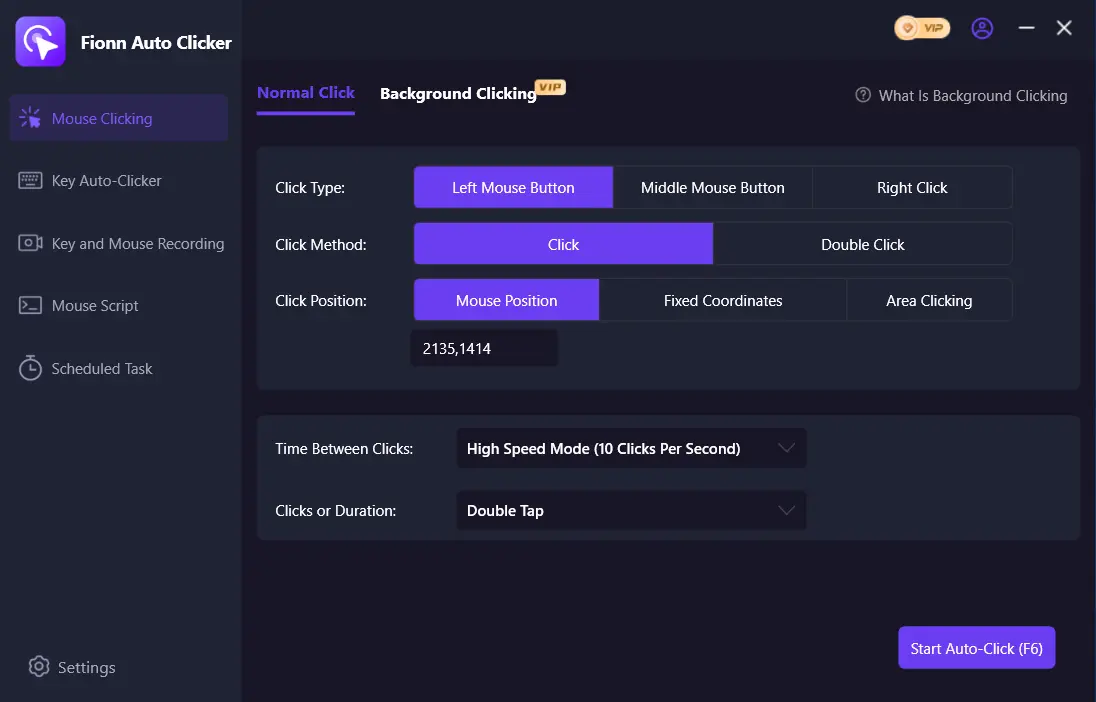
- After confirming it works, select “Stop Clicking” or press F6. Before moving the pointer or changing settings, confirm that automated clicks have stopped.
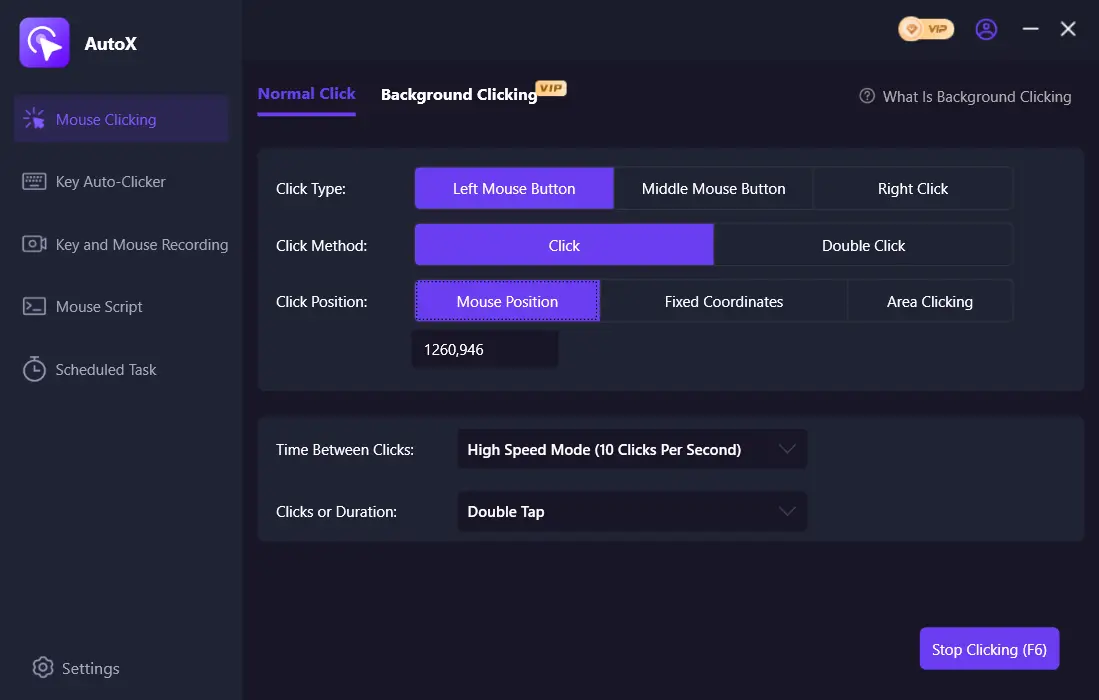
A local check is successful when the selected target responds to a limited number of clicks in the same way as it does to manual input, and no new clicks occur after stopping. Check the actual result separately in a permitted mode or on a permitted server.
Alternative: AutoClicker (TheChrisCross) for a Visible Fixed Position
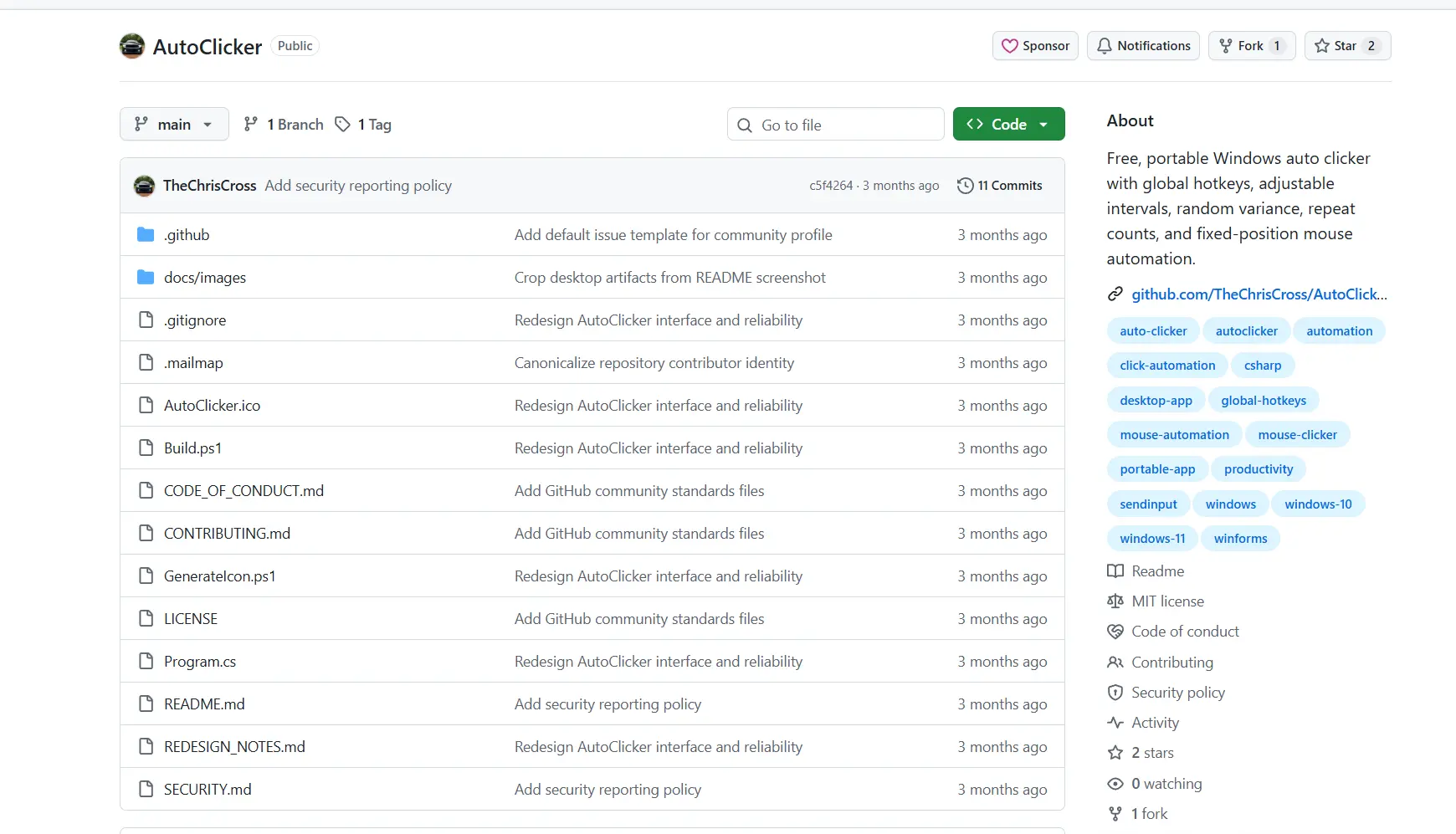
This is an independent, free, portable auto clicker for 64-bit Windows 10 and Windows 11. It is suitable for clicking visible desktop coordinates and does not inject clicks into a hidden or background window.
Source and documented actions: the AutoClicker project page .
- Launch AutoClicker.exe.
- Set the interval, optional random deviation, mouse button, single or double click, and number of repetitions. A value of 0 means it runs until stopped.
- Select the target: point the cursor at the desired location and press F7, enter X/Y coordinates, or move the target marker.
- Press F6 or the Start clicking button.
- Stop it with F6, the Stop clicking command, or the Escape key while the program window has focus.
Check the start status, click counter, and completion of the limited run on a visible target. Do not use this option to test a hidden window.
Practical Recommendations
- Start with a small number of repetitions and change only one setting at a time after an observable check.
- For normal auto clicking, choose one mouse button and one specific target. If you need a sequence of different actions, do not replace it with assumptions about simple click settings.
- Remember the stop hotkey before starting.
- If clicks miss the target, stop execution and set the position again; do not change coordinates during an active run.
Conclusion
To repeat one click, first set up a short, limited test in Fionn Auto Clicker , compare the target response with manual input, and confirm that F6 stops the clicks. Then, only if the rules of your chosen environment allow it, check the actual result in your Minecraft client or on your server.
Frequently Asked Questions
Can I use an auto clicker on every Minecraft server?
No. The rules of the specific server, mode, or service determine whether automation is allowed. Check them before starting.
Which interval should I choose for the first run?
Start with an interval that makes the result easy to observe and a small, limited number of repetitions. After checking, change one setting at a time.
How does normal auto clicking differ from recording actions?
Normal auto clicking repeats a configured click. Recording and playback save mouse and keyboard actions and are a separate scenario.
Why does the click land in the wrong place?
The target may have moved, or the wrong point may have been selected. Stop clicking, manually confirm the intended target, and set the position again before a short test.
Does AutoClicker (TheChrisCross) work in a background window?
No. The project documentation states that it does not inject clicks into hidden or background-only windows.


