 Emily CarterAuto Clicker
Introduction
For an Auto Clicker for Brawl Stars on PC, Fionn Auto Clicker is our recommended starting point for a Windows click routine. Begin with Normal Click to choose the mouse button, click position, interval, and repetition count, then start and stop with F6. If your desktop routine later needs more control, the same tool also supports region patterns, image/color/text recognition, scheduling, and editable keyboard-and-mouse recording and replay. The alternatives below serve more specific preferences, such as open-source licensing or a particular recorded-click workflow. Use automation only where the game and platform rules allow it; no tool here guarantees that Brawl Stars will accept generated input.
Top Picks
- Start with Fionn Auto Clicker for configurable repeated clicking on Windows 10/11, with F6 start/stop and room to expand into region clicks, recognition conditions, scheduled tasks, or editable keyboard-and-mouse replay. Three free trials let you evaluate it before choosing a membership.
- Consider Windows Autoclicker if its documented image-target workflow, click/time limits, and emergency-stop safeguards are your deciding requirements.
- Consider Kofge-Clicker when an MIT-licensed macro recorder and active-window targeting are the priority.
- Consider autoclickr if you prefer its saved macro playback and published annual pricing; confirm operating-system support before choosing it.
Quick Comparison Table
Fionn Auto Clicker
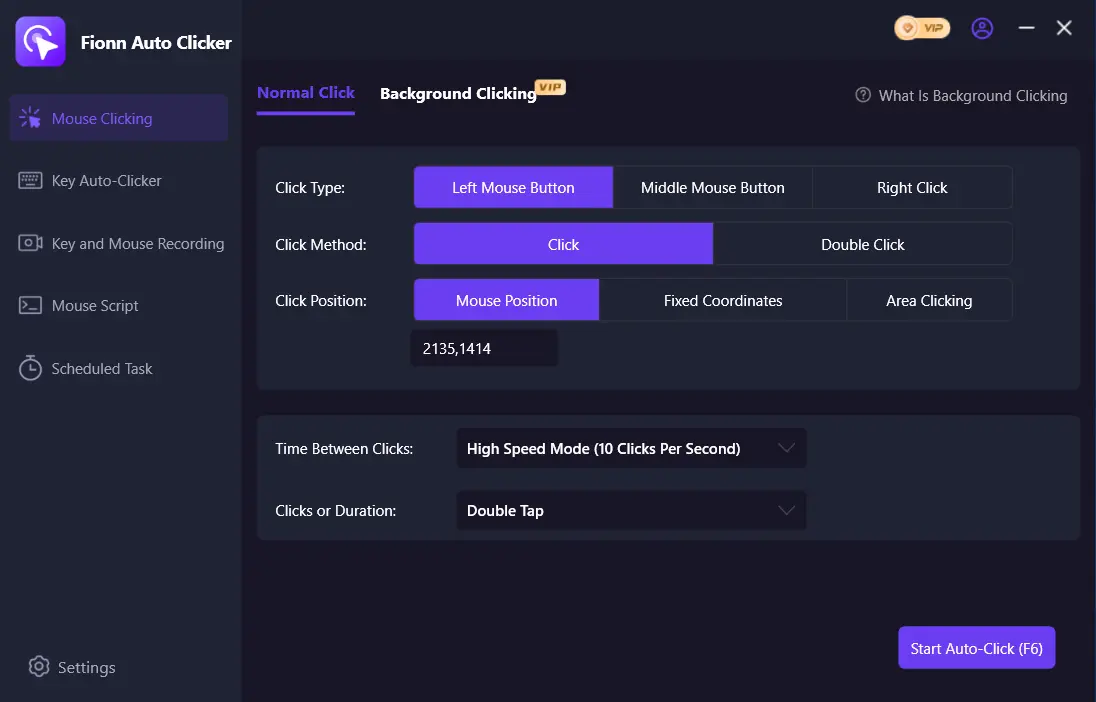
Fionn Auto Clicker is our first recommendation for readers who want to start with a straightforward click routine and keep more advanced options in the same Windows tool. Normal Click covers mouse-button selection, fixed or current click position, interval, and repeat settings; recording is a separate option, so you do not need to create a macro for basic repeated clicking. For more involved desktop tasks, it also supports sequential or random region clicks, editable mouse-and-keyboard recordings, scripts, scheduling, and image, color, and text recognition. Start with a short finite routine and check F6 stopping before extending it. Background clicking remains dependent on the target window.
Our recommended choice for Windows 10/11 users who want basic repeated clicks plus the option to build richer region, recognition, or recorded-action routines. Try Fionn Auto Clicker with a small routine first, then choose a membership if its extended controls suit your needs.
How to use
- For normal auto-clicking without recording, open Fionn Auto Clicker and select Mouse Clicking > Normal Click. Choose the mouse button, click method, and click position. Set the interval and repetition options, then select Start Auto-Click or press F6.
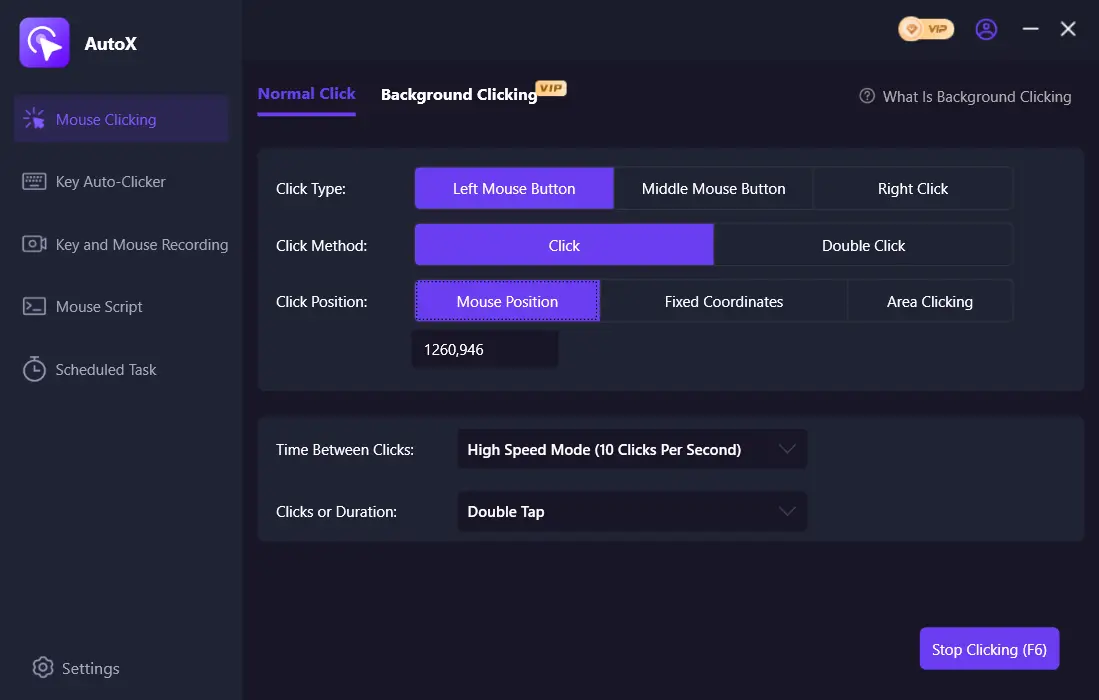
- After confirming the routine works, select Stop Clicking or press F6. Confirm that automatic clicking has stopped before moving the pointer or changing settings.
Windows Autoclicker
Windows Autoclicker is an alternative when your PC routine needs image targets or a recorded sequence alongside documented stop safeguards. Its official materials describe fixed and cursor clicks, multi-step sequences, captured-image targets, profiles, timing, and recording/replay. Exact pixel matching makes it useful only when the target's appearance remains stable.
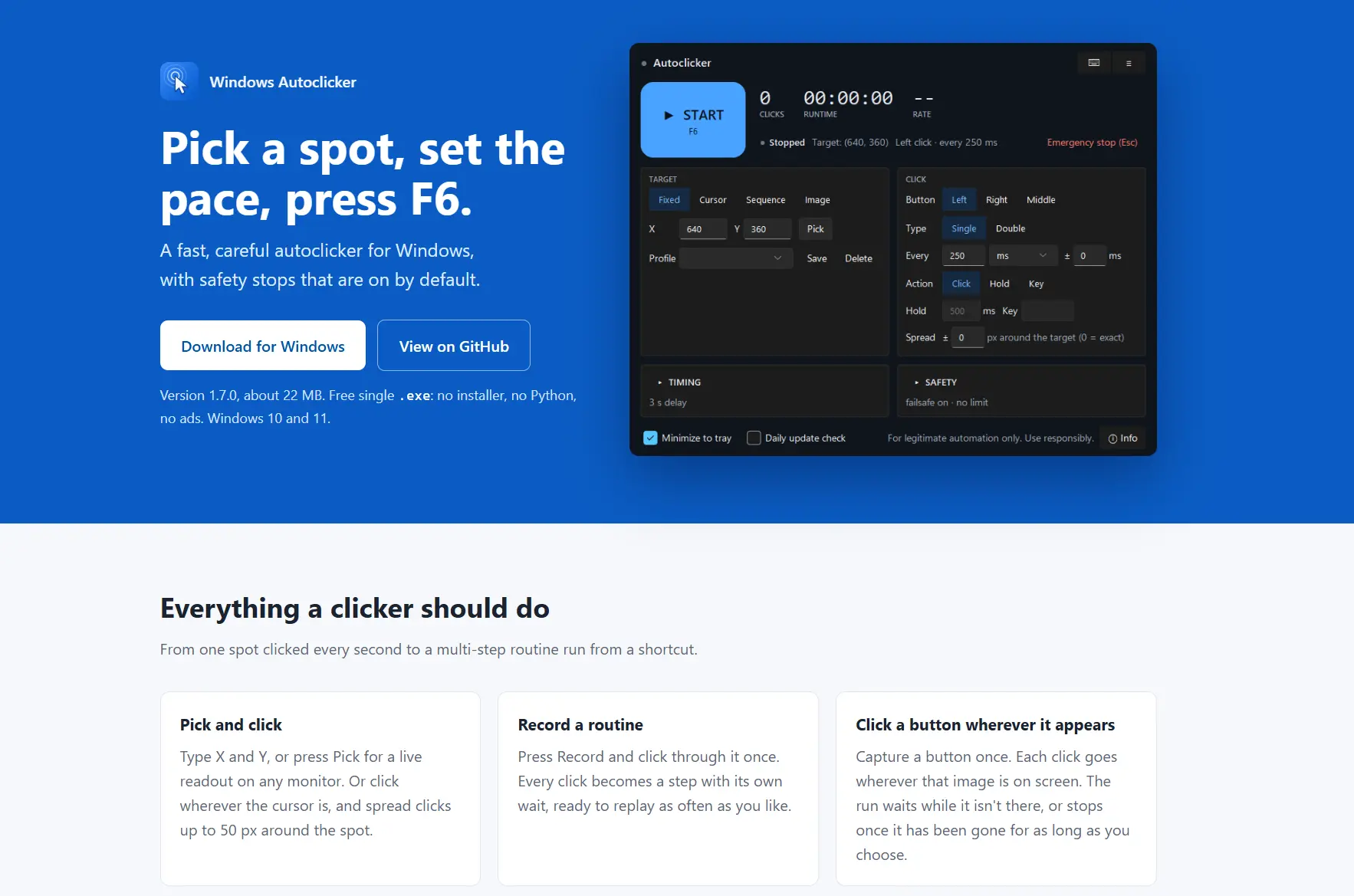
It fits broad Windows automation where a recorded click path or visual target matters more than a simple repeated click. Visit the official Windows Autoclicker page for its documented controls and license details.
Kofge-Clicker
Choose Kofge-Clicker when an MIT-licensed Windows macro recorder with configurable patterns and loops is the priority. It documents 1-100 CPS, click patterns, profiles, hotkeys, window targeting, and recording/replay of multi-action macros. Its target-window feature is a foreground restriction, not background clicking.
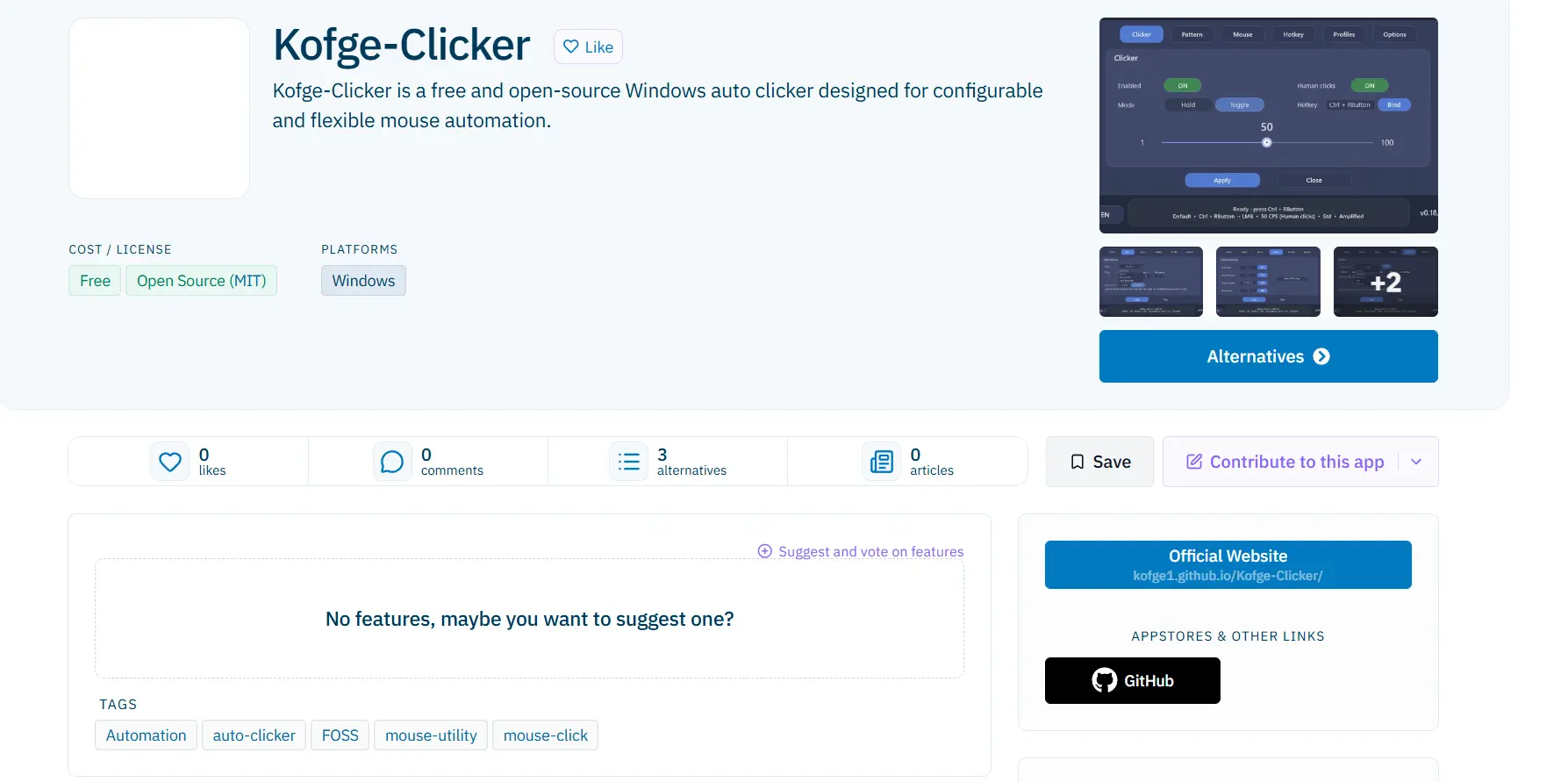
It is a fit for active-window Windows macro replay when open-source licensing matters and image recognition is unnecessary. See the official Kofge-Clicker page .
autoclickr
Consider autoclickr for a paid clicker that documents saved macro recording and replay plus simple annual pricing. Its published capabilities include millisecond intervals, fixed-point or cursor clicking, a macro builder, recording/playback, and global hotkeys. It is less suitable when you need to keep using the mouse while a desktop macro runs.
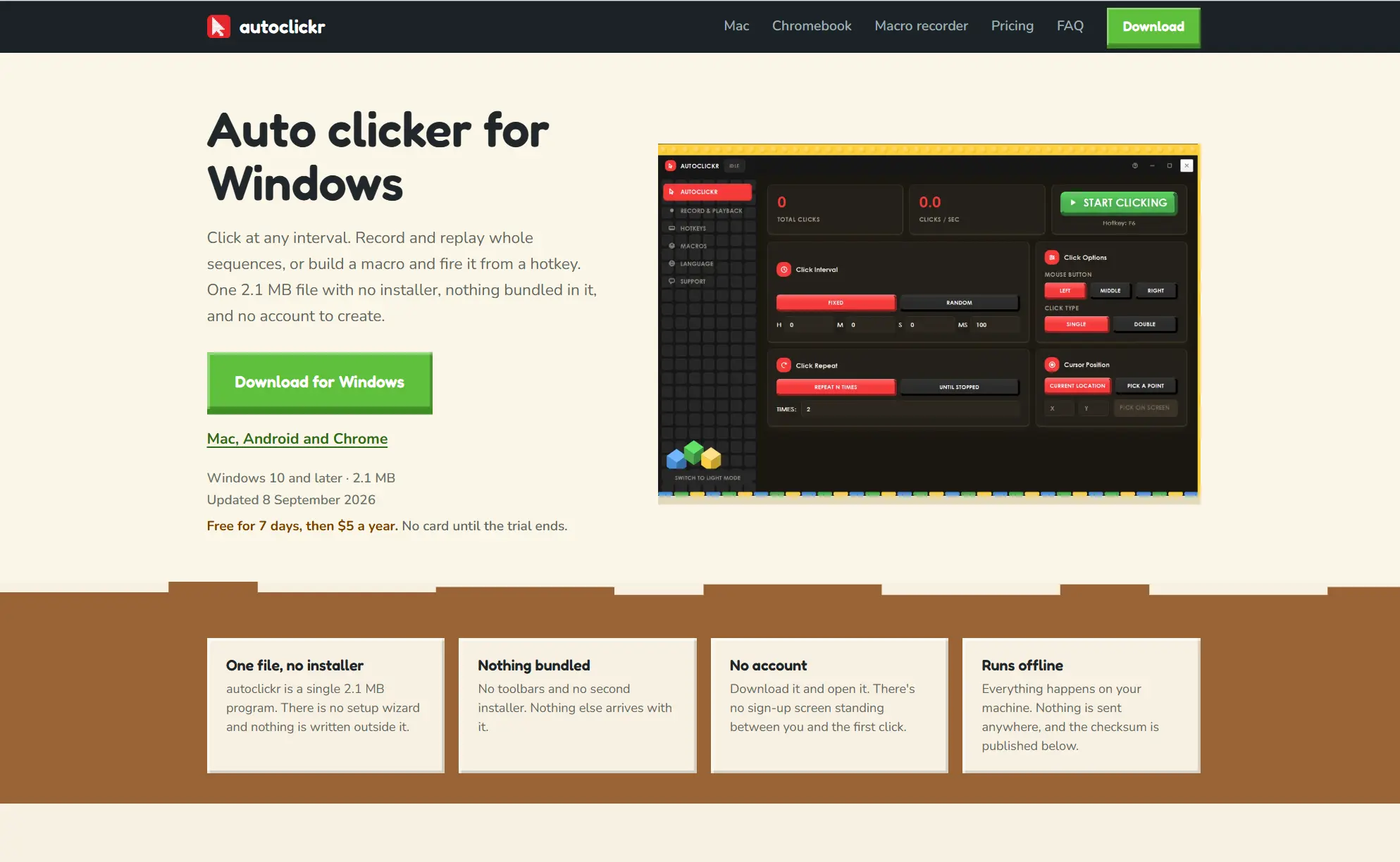
It fits users who accept the yearly price and want saved recordings with explicit replay controls. Review the official autoclickr site before choosing it.
How We Compared
The comparison uses the same six decision points for every candidate: supported Windows release, click and macro capabilities, pricing or license, meaningful input and coordinate limits, release evidence, and controls for timing and stopping. The recommendations rely on supplied official product materials and, for Fionn Auto Clicker, reliable product facts. They are not hands-on performance tests.
How to Choose
Start with Fionn Auto Clicker if you want a configurable normal-click routine with a direct F6 start/stop path and optional room for region patterns, recognition conditions, scheduling, or keyboard-and-mouse replay. Choose another product when a specific requirement outweighs that fit: Windows Autoclicker for its documented emergency-stop safeguards and image-target workflow, Kofge-Clicker for MIT licensing and active-window macro use, or autoclickr for its saved recordings and published annual price. Check trial and membership conditions before committing.
Final Verdict
Fionn Auto Clicker is our recommended starting choice for an Auto Clicker for Brawl Stars on PC. Its Normal Click workflow lets you set a position, interval, and repeat count without recording a macro, with F6 to start and stop. Region patterns, image/color/text recognition, scheduling, and editable keyboard-and-mouse replay provide additional options when a desktop routine needs them. Use the three free trials to assess the fit before choosing a membership. Consider the other tools for their specific licensing or control preferences. This recommendation concerns the documented Windows automation features: game rules and input protection still determine whether a routine is permitted and whether its clicks are accepted.
FAQ
Will an auto clicker work in Brawl Stars on PC?
It may not. The supplied official materials for Windows Autoclicker and Kofge-Clicker state that some games or protected/raw-input applications can ignore generated input. Check the applicable game and platform rules before using automation.
Which option has image targeting?
Windows Autoclicker documents captured-image targets, and Fionn Auto Clicker documents image recognition. Image targeting for Kofge-Clicker and autoclickr is Unknown / not verified in the supplied evidence.
Can these tools click in the background?
Fionn Auto Clicker supports background clicking, but some windows may not support it. Kofge-Clicker explicitly does not send clicks to inactive or minimized targets. For the other candidates, rely on their official documentation for the specific target application.
Which options are free?
Windows Autoclicker is free for non-commercial use under CC BY-NC 4.0, while Kofge-Clicker uses the MIT License. Fionn Auto Clicker provides three free trials and a membership plan. autoclickr offers a seven-day trial and then costs $5 per year.
How do I stop a Fionn Auto Clicker normal-click routine?
Use Stop Clicking or press F6, then confirm automatic clicking has stopped before moving the pointer or changing settings.


