

Best Anime Wallpapers of 2025: HD, Aesthetic, and All Styles
2025-12-01 09:26:46

Turn TikTok & YouTube Videos into Live Desktop Wallpapers | WallpaperX Tutorial
2025-11-26 13:04:49

Bring Your Desktop to Life with WallpaperX | Beginner 4K Dynamic Wallpaper Guide
2025-11-25 13:17:18
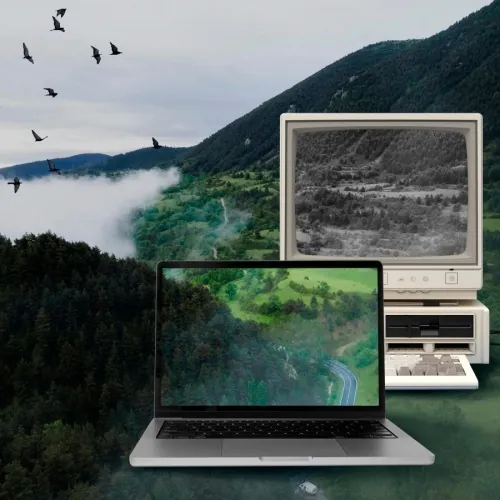
Live Wallpapers Guide 2025 | WallpaperX for Smooth 4K Desktop Animations
2025-11-19 14:57:58

Wallpaper X - Steam Dynamic Wallpaper App | Interactive Desktop Tool
2025-10-15 17:11:36
Live Wallpapers Guide 2025 | WallpaperX for Smooth 4K Desktop Animations
2025-11-19 14:57:58
Live Wallpapers Explained: How They Work & Why WallpaperX Makes Your Desktop Better (2025 Guide)
Introduction
Most people want their computer desktop to feel personal, inspiring, or simply less boring—but switching wallpapers often feels limited. Static images look nice but lack energy.This is where live wallpapers come in.
In this guide, you’ll learn:
- What live wallpapers really are
- How they work
- Whether they affect performance
- How to pick the right live wallpaper
- And why WallpaperX is a great choice for Windows users in 2025
All explained from a beginner-friendly, practical perspective.

What Is a Live Wallpaper?
A live wallpaper is an animated desktop background.
Instead of a still picture, your screen displays a moving scene—like flowing landscapes, glowing patterns, or artistic loops.
Live wallpapers use OpenGL ES and similar rendering technologies to deliver smooth animation without heavy system load.
They make your desktop feel:
- More dynamic
- More modern
- More personal
Compared to static wallpapers, they create a visually richer experience.
How Do Live Wallpapers Work?
Live wallpapers render graphics in real time or loop pre-animated video scenes.
They rely on:
- Animation rendering
- GPU acceleration
- Lightweight visual effects
This makes them visually appealing while keeping performance impact reasonable.However, because animation is continuous, some GPU resources are always in use.
Do Live Wallpapers Affect Performance?
Yes—but usually within a manageable range.
They may increase:
- GPU usage
- Slight CPU activity
- Power consumption (for laptops)
But modern devices handle them easily, especially when the wallpaper is well-optimized.To avoid performance issues, choose software that offers:
- Efficient rendering
- Stable frame pacing
- Good memory management
This is where WallpaperX performs strongly.
Do Live Wallpapers Consume Battery?
On laptops or mobile devices, yes.
Because animations run continuously, power usage is naturally higher than with static wallpapers.
However, lightweight animations consume very little power, and desktops are unaffected.
Can I Create My Own Live Wallpaper?
Yes. With basic design or programming knowledge, users can create custom live wallpapers using:
- Video loops
- Particle systems
- Graphic renderers
WallpaperX even allows users to import and apply their own wallpaper files easily.
Are There Privacy Concerns?
Generally, no.
Live wallpapers do not access personal data—they simply render visuals.
Always download from trusted sources for maximum safety - WallpaperX is a reliable choice for Windows users.
Do Live Wallpapers Use Lots of Storage?
No.
Most live wallpapers are small in size, especially video-loop-based or animation-based designs.
How to Choose a Good Live Wallpaper App
You should consider:
- Performance optimization
- Stability
- Simplicity of use
- Visual quality
- Compatibility with your device
⭐ Why WallpaperX Is a Great Choice for 2025
WallpaperX is designed for users who want animated wallpapers that are smooth, aesthetic, and easy to apply.
✔ Optimized for Performance
Lightweight rendering ensures smooth animation without slowing your computer.
✔ Easy to Use
A simple interface: browse → click → apply.
✔ High-Quality Live Wallpapers
Offers curated 4K dynamic and static wallpapers.
✔ No Learning Curve
Beginner-friendly; anyone can understand and use it within seconds.
✔ Stable and Clean Experience
No unnecessary features, no clutter—just beautiful wallpapers.
Conclusion
Live wallpapers can transform your desktop into something vibrant, modern, and inspiring.
By understanding how they work and how to choose them wisely, you can get all the visual benefits without hurting performance.
If you want a clean, smooth, beginner-friendly dynamic wallpaper experience, WallpaperX is one of the best choices for Windows users in 2025.


 Fionn
FionnCopyright © 2026 Wonderful Apps Limited.
 English