

SD Card Shows RAW: How to Recover Files Safely in 2026
2026-02-06 15:53:56

How to Prevent Data Loss: 10 Essential Habits for Safe Digital Life
2026-01-07 17:01:59
When Data Recovery Software Works — and When It Doesn’t | FionnShare
2025-12-17 17:01:26
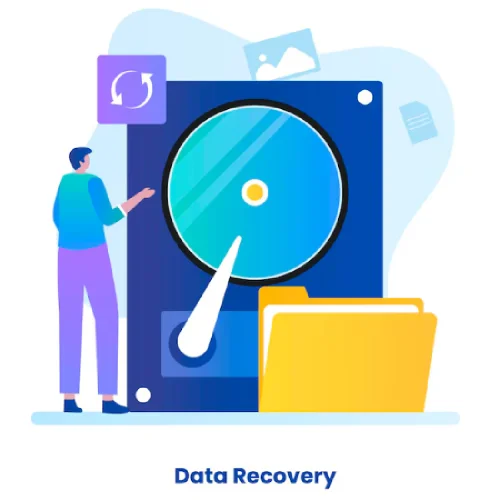
Deleted Files After Emptying Recycle Bin? Here’s How to Restore Them
2025-12-03 15:43:39
Hard Drive vs USB vs SD Card: Comparing Data Recovery Difficulty | FionnShare Data Recovery
2026-02-11 09:36:58
Data loss can happen at any time — a sudden power failure, accidental deletion, or a corrupted drive can make important files disappear in seconds. But not all storage devices are created equal when it comes to recovery difficulty. In this article, we’ll compare hard drives, USB drives, and SD cards, discuss common causes of data loss, and show how you can recover files effectively using FionnShare Data Recovery.
I. Understanding Different Storage Devices
1、Hard drives (HDDs or SSDs) store most of your system and personal data. Common causes of data loss include:
- Accidental partition formatting
- Power outages or system crashes
- OS reinstallations overwriting existing data
- Physical issues like bad sectors or head damage
Prevention Tips:
- Regularly back up data to the cloud or external drives
- Avoid abrupt power-offs
- Stop using the drive immediately if you hear clicking sounds
Recovery Difficulty: Moderate to High
2. USB Flash Drives
USB flash drives are convenient but fragile.
Common loss scenarios:
- Removing without “Safely Eject”
- Virus infection from public computers
- Power loss during file transfer
- Flash chip degradation from long-term use
Prevention Tips: - Always use the “Safely Remove” option
- Avoid using USBs across untrusted devices
- Regularly copy files to your PC
Recovery Difficulty: Moderate
3. SD Cards
SD cards are widely used in cameras, drones, and recorders but are prone to physical and logical damage.
Common loss scenarios:
- Removing during shooting or power loss
- Ignoring “format” prompts and continuing to use
- Switching between devices frequently
- Moisture or bending damage
Prevention Tips:
- Remove only after recording stops
- Avoid multiple reformats
- Keep dry and store in a safe temperature range
Recovery Difficulty: Moderate to Very High

II. Common Causes of Data Loss
Even with the best hardware, data loss can occur unexpectedly. Here are some common situations:
- Accidental deletion or formatting — deleting the wrong folder or formatting the entire disk by mistake.
- Virus or malware attacks — malicious software that corrupts files or encrypts data.
- Power failure or sudden removal — interrupting data writing can corrupt the file system.
- Hardware damage — broken connectors, wear-out, or exposure to extreme temperature.
How to prevent data loss: - Always safely eject your devices.
- Regularly back up important files.
- Keep storage devices away from heat and moisture.
- Use reliable antivirus software to avoid infection.

III. How to Recover Lost Data Using FionnShare Data Recovery
When data loss happens, don’t panic — stop using the affected device immediately and try recovery with FionnShare Data Recovery.
Step-by-step:
- Download & Install FionnShare Data Recovery from https://www.fionnapps.com/datarecovery
- Select the Drive – choose your hard disk, USB, or SD card.
- Scan for Lost Files – the software performs a deep scan to detect deleted or corrupted files.
- Preview & Recover – view recoverable files before restoring them to a safe location.
IV. Why Choose FionnShare Data Recovery
- Smart Deep Scan Algorithm — detects and reconstructs deleted files even after formatting.
- Fast & Lightweight — optimized for quick recovery without slowing down your PC.
- Supports All Devices — hard drives, USB flash drives, SD cards, external disks, and more.
- Safe Recovery Process — no overwriting, 100% secure for your data integrity.
- Multilingual Interface — user-friendly for global users.
Whether you accidentally deleted photos from your SD card or lost work documents from your hard drive, FionnShare Data Recovery helps you get them back in just a few clicks.

Data loss can happen to anyone, but recovery is possible. By understanding your device’s risks and using a professional recovery tool like FionnShare Data Recovery, you can bring your lost files back safely — no stress, no hassle.


 Fionn
FionnCopyright © 2026 Wonderful Apps Limited.
 English