

How to Use a Voice Changer in Steam Games (Step-by-Step Guide)
2026-03-12 16:30:28

Create Unique Gaming Voices for Steam & Discord – Tips for Engaging Voice Changers
2026-03-06 15:13:55
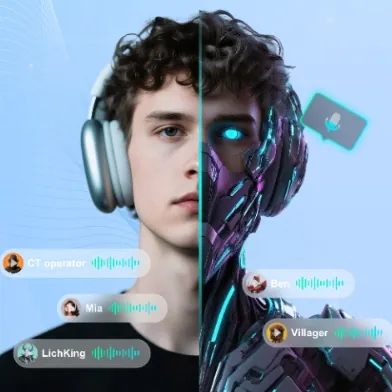
Enhance Twitch & YouTube Streams with Multi-Character Voice Acting – VoxMagic
2026-02-26 15:53:54

AI Voice Changer vs Text-to-Speech: STS vs TTS Explained for Creators & Gamers
2026-01-30 10:34:54

Real-Time Voice Gender Change on PC | AI Voice Changer for Gaming & Streaming
2025-12-12 10:27:28
How to Use VoxMagic Voice Changer to Enhance Discord and Gaming: A Detailed Guide
2025-11-28 10:17:58
In today’s gaming and online social world, voice is more than just a communication tool—it shapes atmosphere and enhances immersion. Whether you’re strategizing with teammates in a match or chatting casually with friends on Discord, having a unique voice makes you stand out. VoxMagic, designed specifically for gamers and social platforms, is a high-quality voice changer for discord that brings endless possibilities to your interactions.
Core Positioning of VoxMagic
Unlike traditional tools, VoxMagic is an AI voice changer with built-in voice enhancer technology. This means it doesn’t just transform your voice but also improves clarity, reduces background noise, and ensures a natural sound. From gaming sessions to voice chatrooms and live streaming, VoxMagic delivers a professional and flexible voice experience.

Installation and Setup
Getting started with VoxMagic is quick and simple:
1、Download and install VoxMagic from the official website.
2、Launch the software and select your microphone as the input device.
3、In Discord, go to Input Device and switch it to VoxMagic.
4、Once set, you can instantly use real-time voice changing in Discord or any microphone-supported app.
The entire process takes less than 5 minutes, perfect for beginners.

Features and Demonstration
1、Real-time Voice Changing
Powered by AI, VoxMagic processes your voice with millisecond-level latency for seamless performance.
2、Voice Enhancer
Reduces noise and enhances clarity, ensuring your voice sounds professional and clean.
3、Voice Effects Library
From “robot voice” and “deep secure tone” to “cartoon characters,” you can pick the right sound for any scenario.
4、Hotkey Switching
Set up hotkeys to switch voices instantly during games without minimizing your window.
Usage Scenarios
Robot Voice: Add humor and fun during intense gaming sessions.
Deep Secure Tone: Protect your privacy in guild chats without revealing your real voice.
Cartoon/Character Voice: Make your Twitch or YouTube stream more engaging and interactive.

Practical Tips
Quickly Switch Voices: Pre-save your favorite effects for instant switching.
Avoid Echo: Enable “Echo Cancellation” in Discord for a cleaner voice.
Optimize Mic Quality: Pair VoxMagic’s voice enhancer with a quality microphone.
OBS Integration: Add VoxMagic as an input source in OBS for smooth streaming with voice effects.
User Feedback
“Since I started using VoxMagic, my streams have become more fun, and audience engagement went up.”
“I love how I can use the deep voice in Discord to protect my privacy.”
“Hotkey switching is my favorite feature—I can change voices mid-game without any lag.”
In both gaming and social platforms, voice is more than communication—it’s personality and experience. VoxMagic is not just an AI voice changer but also a professional voice enhancer, offering both entertainment and clarity.


 FionnShare
Copyright © 2025 Wonderful Apps Limited.
 English