
Record Gameplay on Windows 10 Without Lag (2026 High-FPS Guide)
2026-03-02 15:19:13
How to Record Screen on Windows 10 & 11 (2026 Free & Easy Guide)
2026-02-24 09:14:14
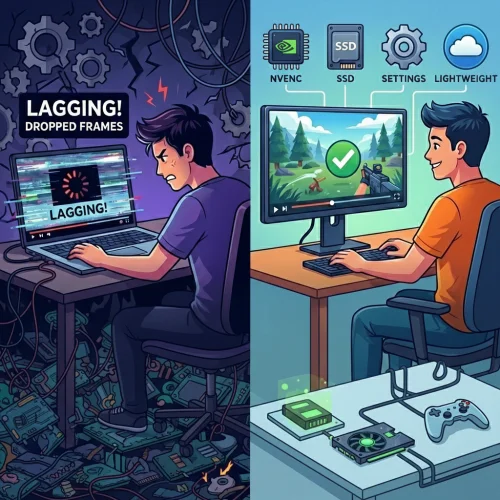
Why Is My Screen Recording Lagging? 7 Ways to Fix Dropped Frames
2026-02-04 18:41:57

Best Screen Recording Software for Teachers | FionnShare Screen Rec
2026-01-04 16:06:55
Fionn Screen Rec: Lightweight & Reliable Screen Recorder for Teams
2025-12-12 14:35:19
Best Screen Recording Software for Teachers | FionnShare Screen Rec
2026-01-04 16:06:55
Screen Recording Software for Teachers: Create High-Quality Lesson Videos with FionnShare Screen Rec
On Reddit, a user once described their needs perfectly:
They were looking for a reliable screen recording software to create training materials that could capture every detail on the screen, including mouse movements and right-click menus, while simultaneously recording system and microphone audio. Since they planned to request it from their company's IT department, the software had to be professional, stable, and secure.
This scenario is common for teachers, trainers, and educators. Recording lessons isn’t just “capturing the screen”—it requires high stability, clarity, precise detail capture, and long-term reliability. FionnShare Screen Rec was designed specifically to meet these core teaching requirements.
Why Choosing the Right Screen Recorder Matters
A high-quality lesson video isn’t just about recording; it’s about making it understandable and engaging. Any lag, desynchronized audio, or unclear visuals can directly impact students’ learning. Additionally, most teachers are not technical experts, so software complexity can quickly become a burden.
A proper teaching screen recorder should offer:
- Clear and stable video output
- Accurate recording of mouse movements and detailed operations
- Synchronized system and microphone audio
- Easy-to-use interface for quick adoption
- Stable performance for long recording sessions
Screen Rec addresses all of these needs.
FionnShare Screen Rec: Professional Recording Designed for Education
Screen Rec provides a full set of professional screen capture features suitable for classroom lectures, online courses, software demonstrations, and corporate training. Teachers can freely choose recording modes to match different lesson formats, whether showing the full screen, a single window, or a selected area.
Key recording features include:
- Full screen, window, region, and picture-in-picture recording
- Camera overlay to enhance teaching interaction
- Simultaneous recording of system and microphone audio
- High frame rate support (30fps, 60fps, 120fps) with up to 4K resolution
These capabilities ensure professional-quality and visually clear teaching videos.
Built-in Editing Tools Make Lessons Easier to Understand
A lesson video’s value lies not only in completeness but also in clarity.
Screen Rec includes lightweight video editing tools, allowing teachers to handle post-production without additional software.
Educators can:
- Trim unnecessary parts and highlight key content
- Add text, arrows, highlights, and annotations
- Use mouse effects to emphasize operational steps
These features make complex processes visually clear, helping students learn more efficiently.
Optimized Performance for Long-Term Use
Screen Rec’s recording engine is deeply optimized for educational and office environments. Even on low-spec computers, it maintains smooth, stable performance. Recording long lessons is reliable, with low memory usage and no crashes.
Performance highlights include:
- Optimized engine for older computers
- Hardware acceleration for 4K recording without high CPU usage
- Long session stability for full lessons or training series
This makes it ideal for consecutive lessons, corporate training sessions, and full-course recordings.
File Management and Exporting
All recordings are automatically organized for easy access and playback. Screen Rec supports exporting in MP4, AVI, MKV, MOV, FLV, TS, and other common formats, compatible with teaching platforms and video editing software.
All files are stored locally:
- No reliance on cloud services
- Teaching materials and student information remain secure
- Independent of internet connectivity
Suitable for All Teaching and Training Scenarios
Screen Rec is widely applicable for:
- Classroom and online course recording
- Software demonstrations and experimental teaching
- Corporate training and internal instructional videos
- Assignment explanations, lesson reviews, and knowledge sharing
- Video conference and remote teaching recordings
One software solution can meet the needs of teachers, students, educational institutions, and corporate trainers.
Conclusion
Creating high-quality lesson videos requires stable, professional, and reliable tools.
FionnShare Screen Rec makes screen recording simple, efficient, and reliable, allowing teachers to focus on teaching rather than fighting with software.
If you are looking for a long-term, professional screen recording tool for education, Screen Rec is your trusted teaching companion.
Download FionnShare Screen Rec now and start creating clearer, more effective lesson content.


 Fionn
FionnCopyright © 2026 Wonderful Apps Limited.
 English